Export submission file
In PV, you can generate the submission record manually. Once the submission record is ready, you can export it as an E2B R3 XML file. Alternatively, you can export the submission record as E2B R3 PDF. The PDF form of an E2B R3 file can be used for documentation purposes and comparison review versus the actual XML file during import or data migration.
-
In the PV application header, select the ICSR tab.
-
On the ICSR List page that opens, in the table, locate the ICSR record for which you need to export a submission file. Then select its case number to open the details page in the new browser tab.
Alternatively, from the Actions column next to your ICSR, select Edit
 to open the
ICSR details in the same browser tab.
to open the
ICSR details in the same browser tab. Figure 1. Selecting to edit ICSR
-
On the page that opens, in the left pane, select Submission.
-
In the form that appears, perform one of the following actions:
-
From the Submission File field, select an active link to export an XML form of your submission file.
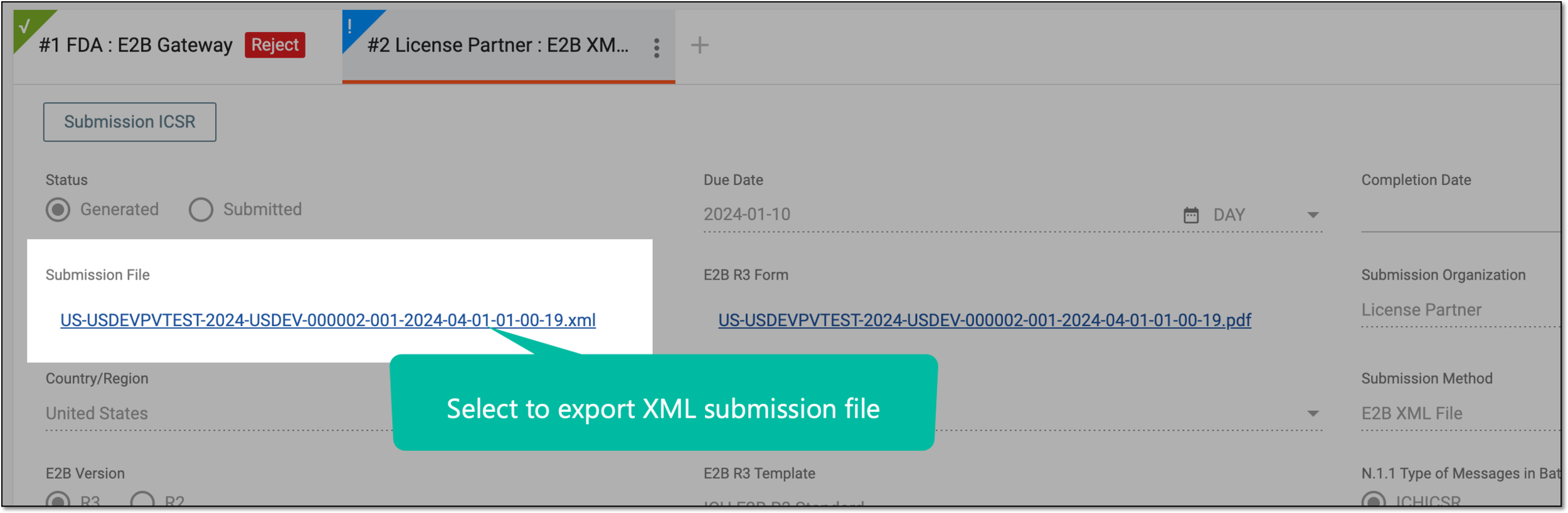 Figure 2. Exporting XML submission file
-
From the E2B R3 Form field, for an E2B R3 submission record only, select an active link to export the PDF version.
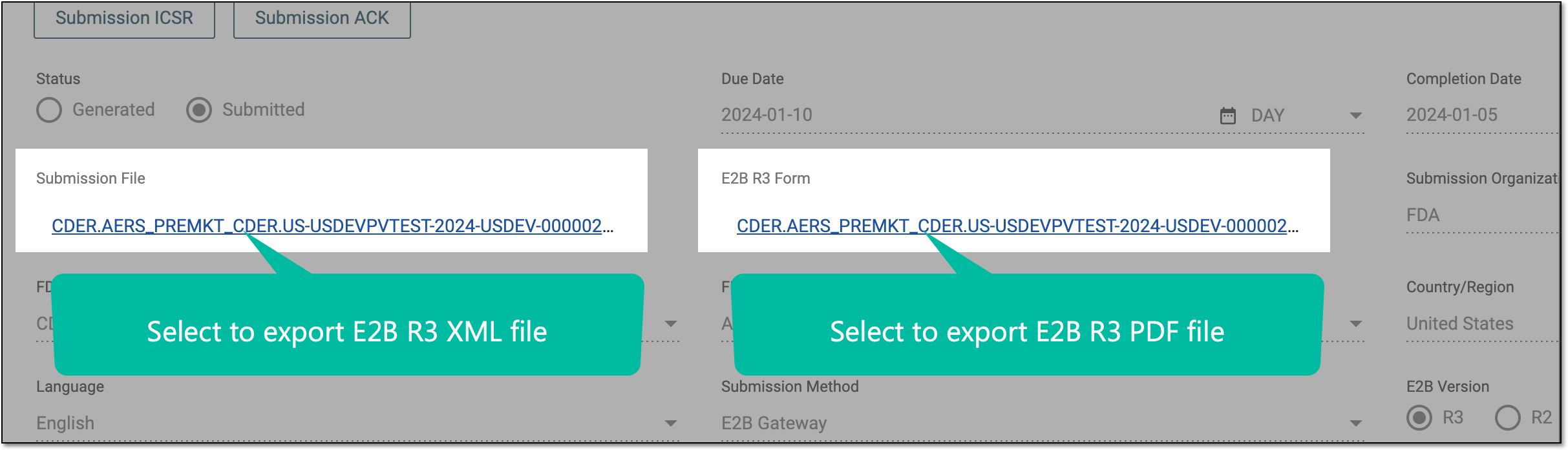 Figure 3. Exporting XML/PDF E2B R3 submission file
-
Upon saving on your computer, the file—XML or PDF—is available to be used per your business needs.