Manage country/region release
In IWRS, when managing item lots for your study, you can specify if each lot should be released only in a specific country or region. If specified, items from the lot can only be released (shipped) to the sites and depots located in the established country or region.
This may be required, for example, if you are managing a multinational study that will be conducted in both the UK and the EU and you need to specify countries and regions for which country release is required.
-
In the IWRS application header, select the TREATMENT DESIGN tab.
-
On the page that opens, in the left pane, select the Study Information subtab.
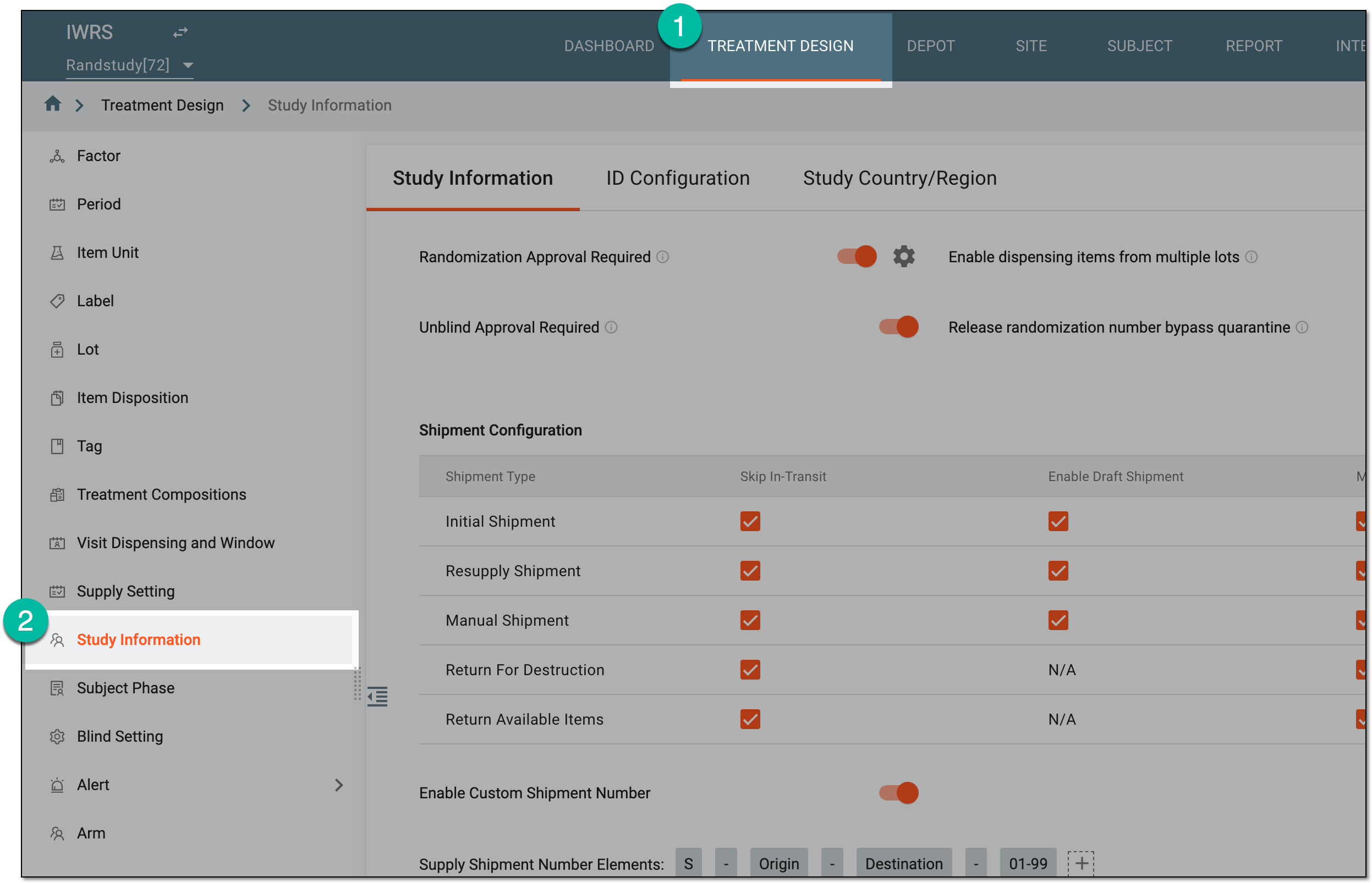 Figure 1. Accessing study configurations
-
On the Study Information contents panel, select the Study Country/Region tab.
-
In the Study Country/Region table that appears, you can find the list of all countries of your study. In the Requires QP Release column, next to each country, perform one of the following actions:
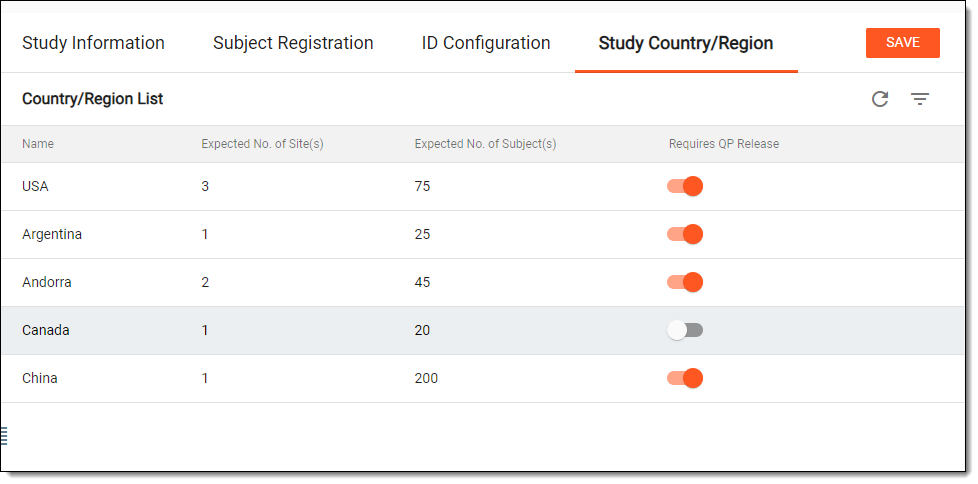 Figure 2. Enabling country release feature for all study countries
-
Turn the toggle on to enable the country release feature for this country. If turned on, this country can be selected as the release country when creating or editing item lots.
-
Turn the toggle off to disable the country release feature for this country.
-
-
Select
 to save the implemented changes.
Upon saving, you have specified for which countries in your study the country release is required.