Create new supply relationship with site
As a rule, a supply relationship is a process of the drug provision from a depot to a site. By creating such a relation, you can configure which product units or container units the depot supplies to a specific site.
Establishing such a relationship is important because, from the system logic perspective, when creating shipment requests on the site's side, one can only select the depots and item units with which the supply relationship is configured.
-
In the IWRS application header, select the DEPOT tab.
-
In the Depot List table that appears, select the depot for which you want to create a new supply relationship with a site.
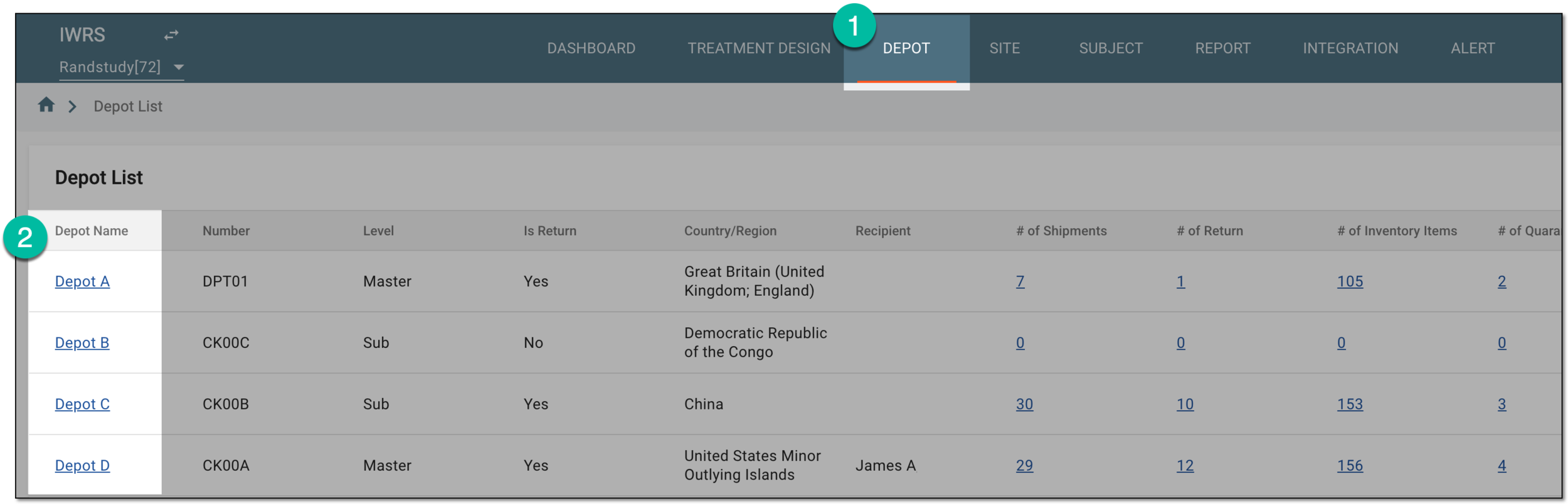 Figure 1. Selecting depot to open its details
-
On the page that opens, in the left pane, select the Supply For Site subtab.
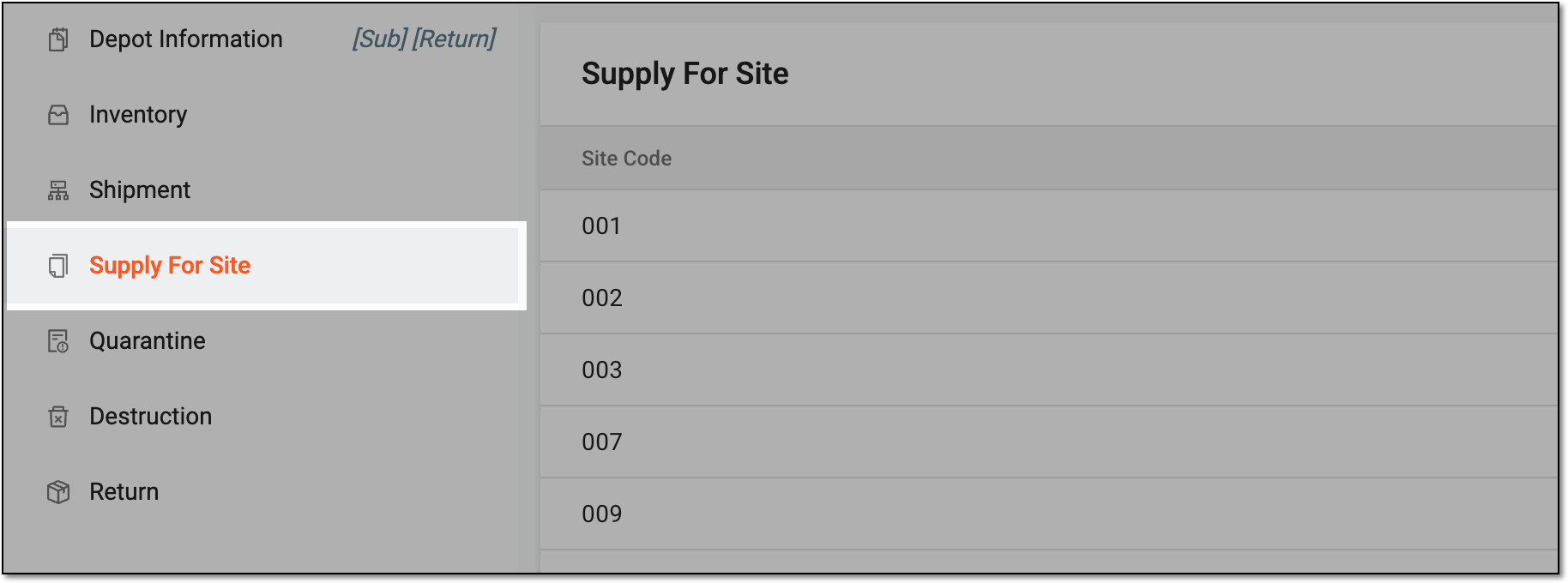 Figure 2. Accessing supply for site settings
-
On the Supply For Site page that opens, from the workspace toolbar, select New Item
 .
. Figure 3. Selecting option to add new supply relation
-
In the Add dialog that appears, from the Shipping Unit dropdown menu, select the product or container unit that the depot is supplying. Then select the checkboxes next to the sites to which the item unit must be supplied.
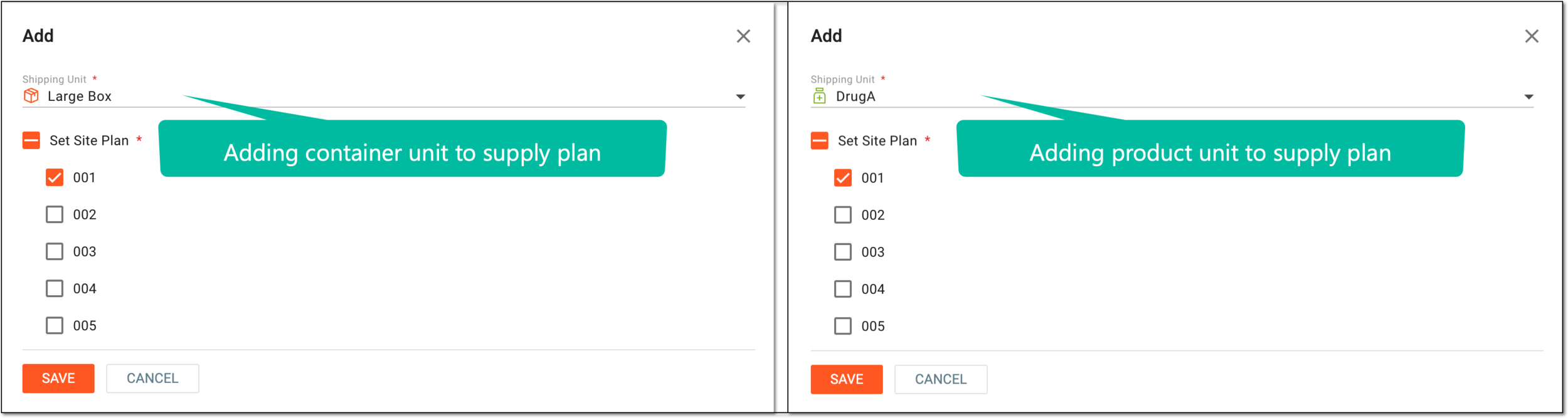 Figure 4. Configuring site supply details
-
Select
 to implement the changes.
Upon saving, the new supply relationship between the depot and the sites is created.