Export staff data
You can export the data of all the staff members added to the CTMS system and displayed in the Staff table, or the data of the currently displayed staff members with all filters previously applied.
This may be necessary, for example, if you want to work with the staff members' data offline.
-
In the CTMS application header, select the ENTITY MANAGEMENT tab.
-
On the page that opens, in the left pane, select Staff.
-
Optionally, on the Staff page that opens, filter the table with the parameters you need.
-
Above the table, select Export
 > Export Data.
 Figure 1. Exporting staff data
-
Follow the prompts of your operating system to save the XLSX file containing staff members' data.
Once saved, you can now work with the exported data offline. The exported file has two tabs:
-
Index: view the general information about the export process.
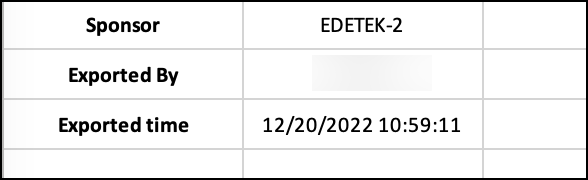 Figure 2. Sample of Index tab data
-
Staff: view the data on staff members.
 Figure 3. Sample of exported data on staff members