Delete staff member
You can delete any site members that are no longer needed.
This action is permanent and irreversible. If you want to delete a staff member temporarily, use the Inactivate option instead.
To delete a staff member
-
In the CTMS application header, select the ENTITY MANAGEMENT tab.
-
On the page that opens, in the left pane, select Staff.
-
On the Staff page that opens, next to the staff member you want to delete, in the Actions column, select More
 > Delete
  .
.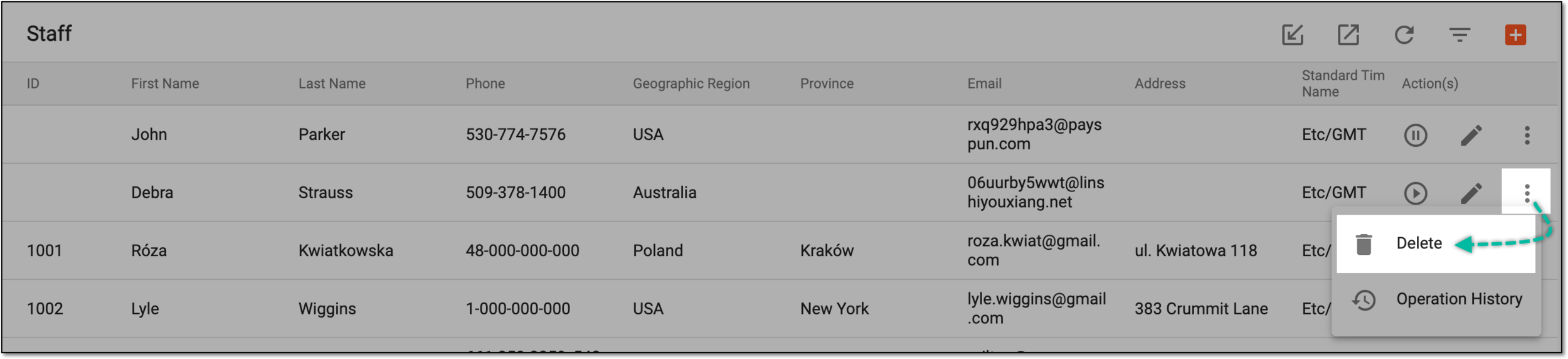 Figure 1. Deleting staff member
-
In the dialog that opens, confirm your decision by selecting
 .
.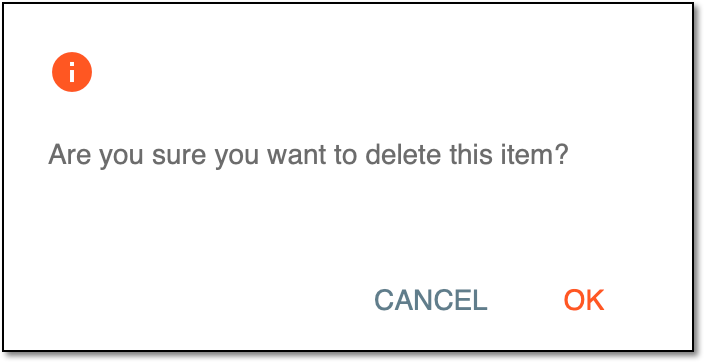 Figure 2. Confirming staff member deletion
Once confirmed, the staff member is deleted from the CTMS system.