View operation history of protocol deviation template
In CTMS, you can view the history of the actions performed to the protocol deviation template. This may be required if you want to know when and which particular user performed a particular action, such as activated, inactivated, or submitted the protocol deviation template. The Operation History feature maintains the records that capture the date and time of an action performed to a template along with the username of those who carried out the operation on the template.
-
In the CTMS application header, select the LIBRARY tab.
-
On the page that opens, from the left pane, select the Protocol Deviation Template subtab.
 Figure 1. Selecting Protocol Deviation Template subtab
-
From the PD Template List table, locate the template for which you want to view the history records. Then next to it, select History
 .
. -
In the Operation History dialog that appears, view the required details. The information displayed in the dialog is explained in the following table.
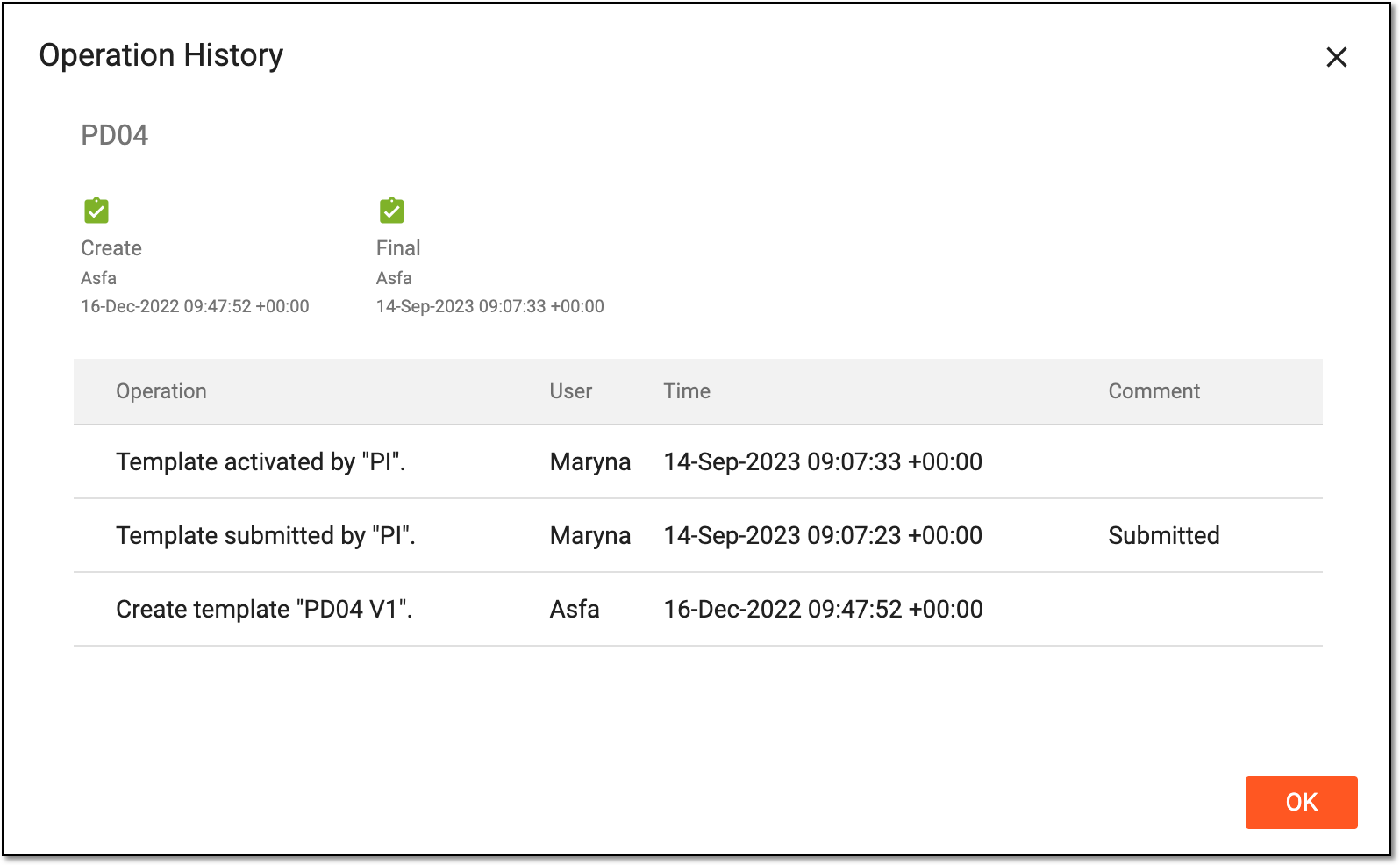 Figure 2. Viewing operation history of protocol deviation template
Element
Details
Create

Represents that the protocol deviation template is successfully created, along with the username of those who created the template, and the date and time at which the template is created.
Final
Represents that the protocol deviation is successfully submitted and is ready to get assigned to a site, study, or subject. Also, it mentions the username of those who submitted the template and the date and time at which the template is approved.
When the protocol deviation template is in the Draft phase and is not submitted (or approved), the checkbox is grayed out
 .
.Operation
Represents the action performed to the template along with the user role who performed the action, such as Template inactive by "PI", Template submit by "PI", and so on.
User
Represents the username of those who performed the action to the template.
Time
Represents the date and time at which the action is performed to the template.
Comment
Represents the comment added (if any) by the user while performing a particular action, such as the comment added while submitting a protocol deviation template.
OK
Select
 to close the Operation History dialog.
After viewing the operation history, when the Operation History dialog is closed, you are returned to the PD Template List table.