Select related forms
A serious adverse event (SAE) may happen in any clinical trial. Such occurrences must be recorded and reported to the FDA. Thus, the SAE forms are present in almost all studies maintained via the EDC application. The SAE form might also have other related forms. For example, you can link the SAE form to the ECG test or other tests. Thus, when reporting on SAE, one has to also select amongst the related forms to create a complete picture of each occurrence.
-
In the EDC application header, select the STUDY INFO tab.
-
On the page that opens, in the left pane, select SAE > Related Form.
-
On the Related Form page that opens, you can view the list of visits of your study. Expand the visit(s) the form(s) of which you want to relate to the SAE one and select the checkbox(es) next to the form(s) of your interest.
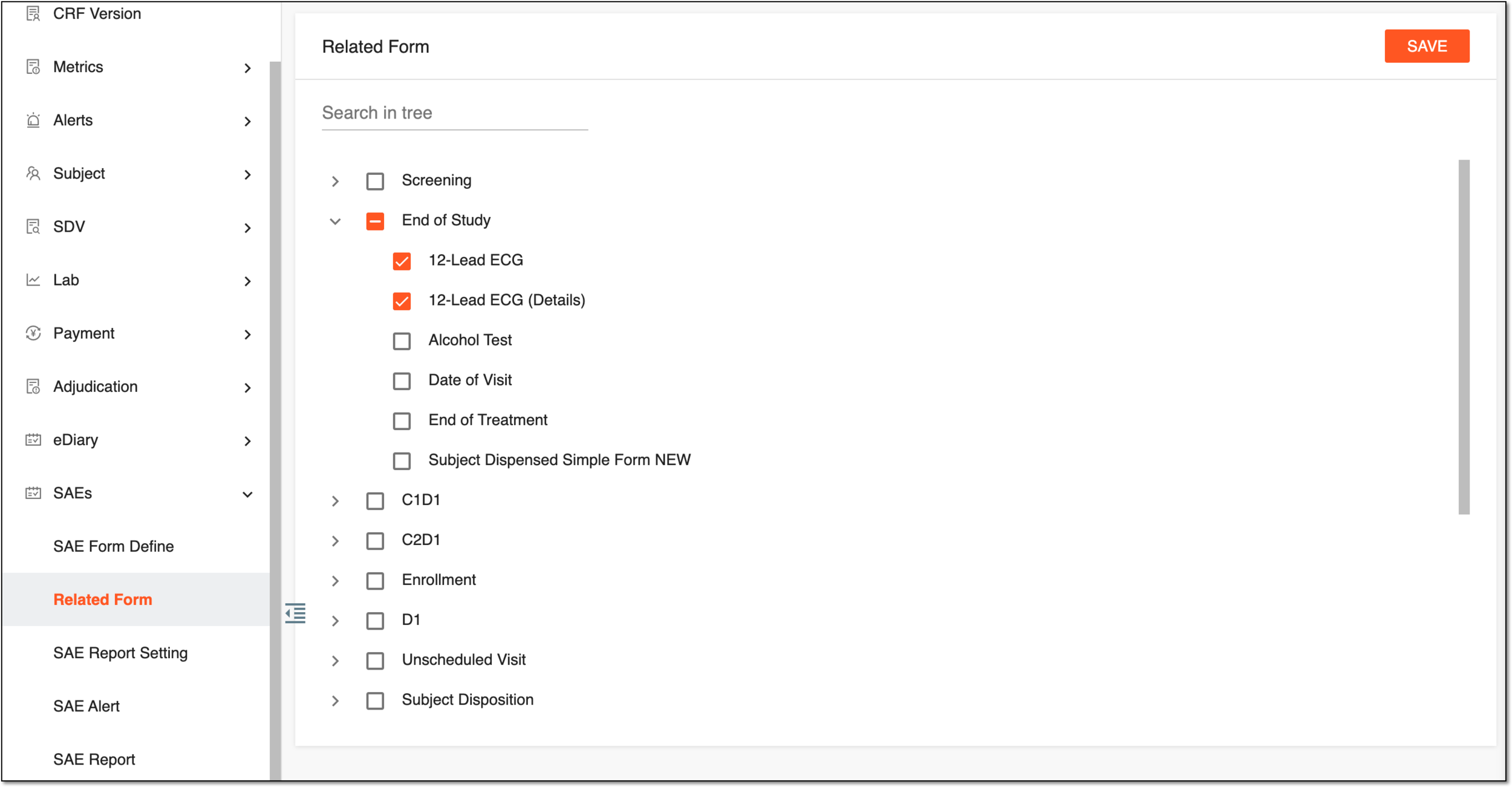 Figure 1. Selecting forms related to SAE
-
Select
 to save the implemented changes.
Upon saving, the forms are related to the SAE one and can be selected for inclusion in an occurrence report upon SAE data record.