Delete scrambled randomization
In IWRS, you can delete the previously created scrambled randomization if it is no longer needed.
Important
You can only delete the scrambled randomization if the numbers within are vacant—not assigned to any subject. Otherwise, Delete  next to it is disabled.
-
In the IWRS application header, select the TREATMENT DESIGN tab.
-
On the page that opens, in the left pane, select the Period subtab.
-
In the Period List table that appears, locate the period of your interest. Then in the Period Name column, select the value to open the period configurator.
-
In the period configurator, in the Scrambled Randomization List table, go to the scrambled randomization that you want to remove, and next to it, select More
 > Delete .
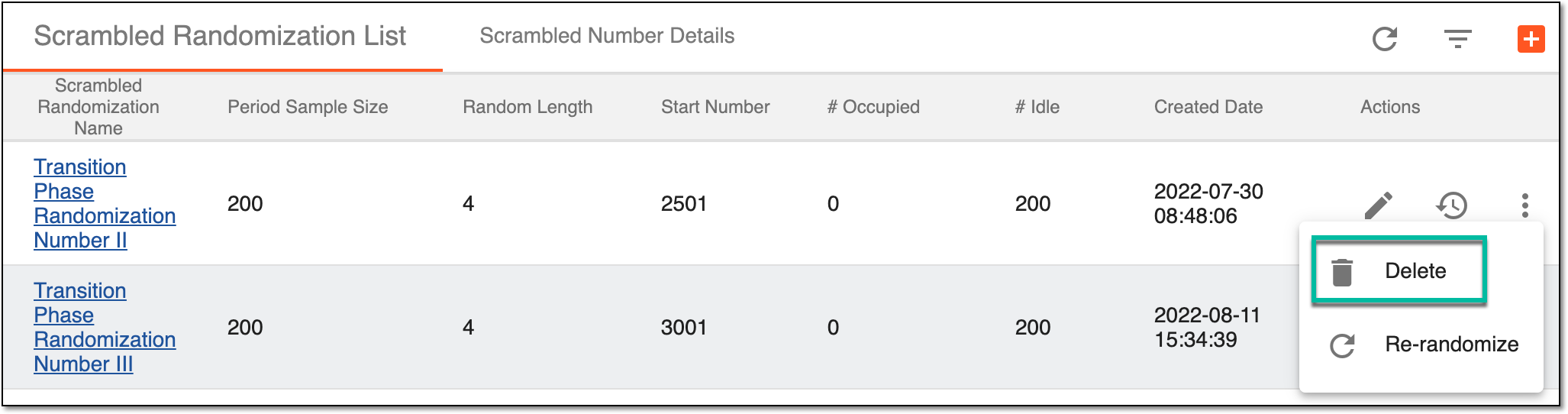 Figure 1. Deleting scrambled randomization
-
In the Delete Item confirmation dialog that appears, select
 to proceed with scrambled randomization
deletion.
to proceed with scrambled randomization
deletion.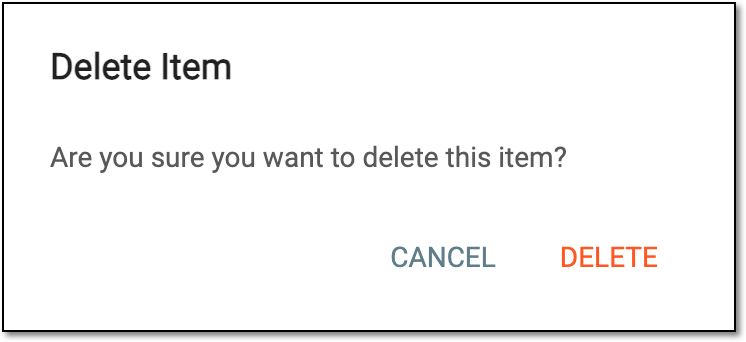 Figure 2. Confirming scrambled randomization deletion
Upon confirmation, the scrambled randomization is deleted from the list. You can also add a new scrambled randomization.