View scrambled randomization history
In a clinical trial, it is important to keep track of all actions performed on the data, processes, and changes occurring in the system. In IWRS, you can keep track of all the actions performed with scrambled randomization via the operation history feature.
-
In the IWRS application header, select the TREATMENT DESIGN tab.
-
On the page that opens, in the left pane, select the Period subtab.
-
In the Period List table that appears, locate the period of your interest. Then in the Period Name column, select the value to open the period configurator.
-
In the Scrambled Randomization List table of the period configurator, go to the scrambled randomization the operation history of which you want to look at and select Operation History
 next to it.
 Figure 1. Accessing scrambled randomization history
-
In the Operation History dialog that appears, view the detailed information on the scrambled randomization you need.
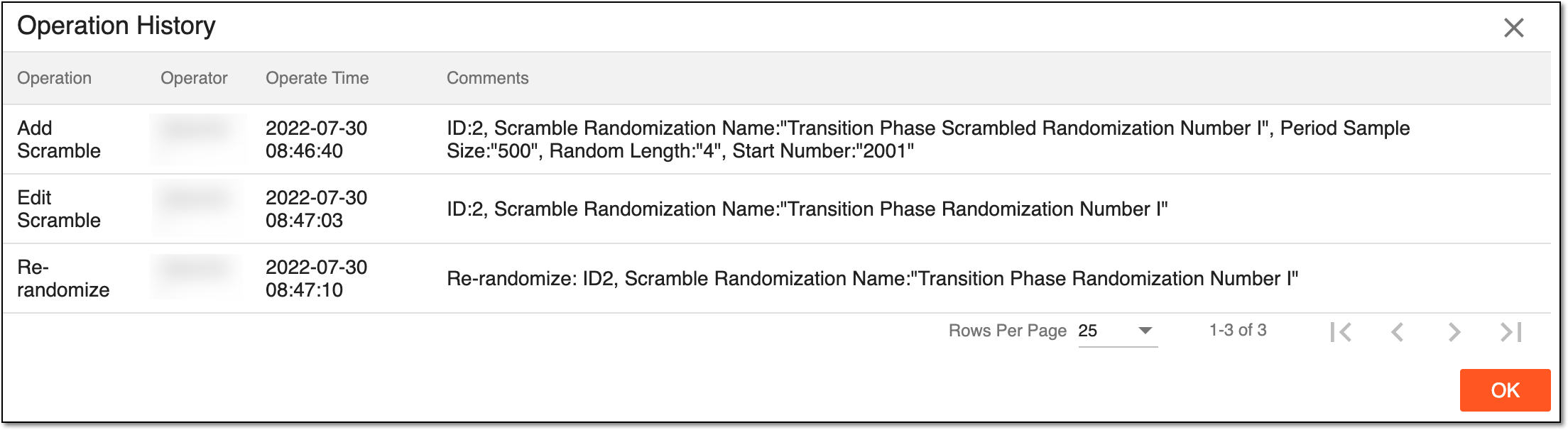 Figure 2. Viewing scrambled randomization operation history
-
Select
 or
or  to close the dialog.
Upon closing the dialog, you return to the Scrambled Randomization List table, where you can also edit the scrambled randomization details and re-randomize scrambled numbers.