Set dispensing phase
In a clinical trial, only some phases of a subject cycle are intended for drug dispensing. In IWRS, you can customize each phase settings to make them suitable for dispensing.
For example, when the subject has failed the screening and is not enrolled in the study, you cannot set dispensing for such a subject.
Important
In the IWRS application, you can set subject-specific factors on the Subject Information page and dispense items on the Subject Dispensing page, but only for those subjects that are in the dispensing phases.
-
In the IWRS application header, select the TREATMENT DESIGN tab.
-
On the page that opens, in the left pane, select the Subject Phase subtab.
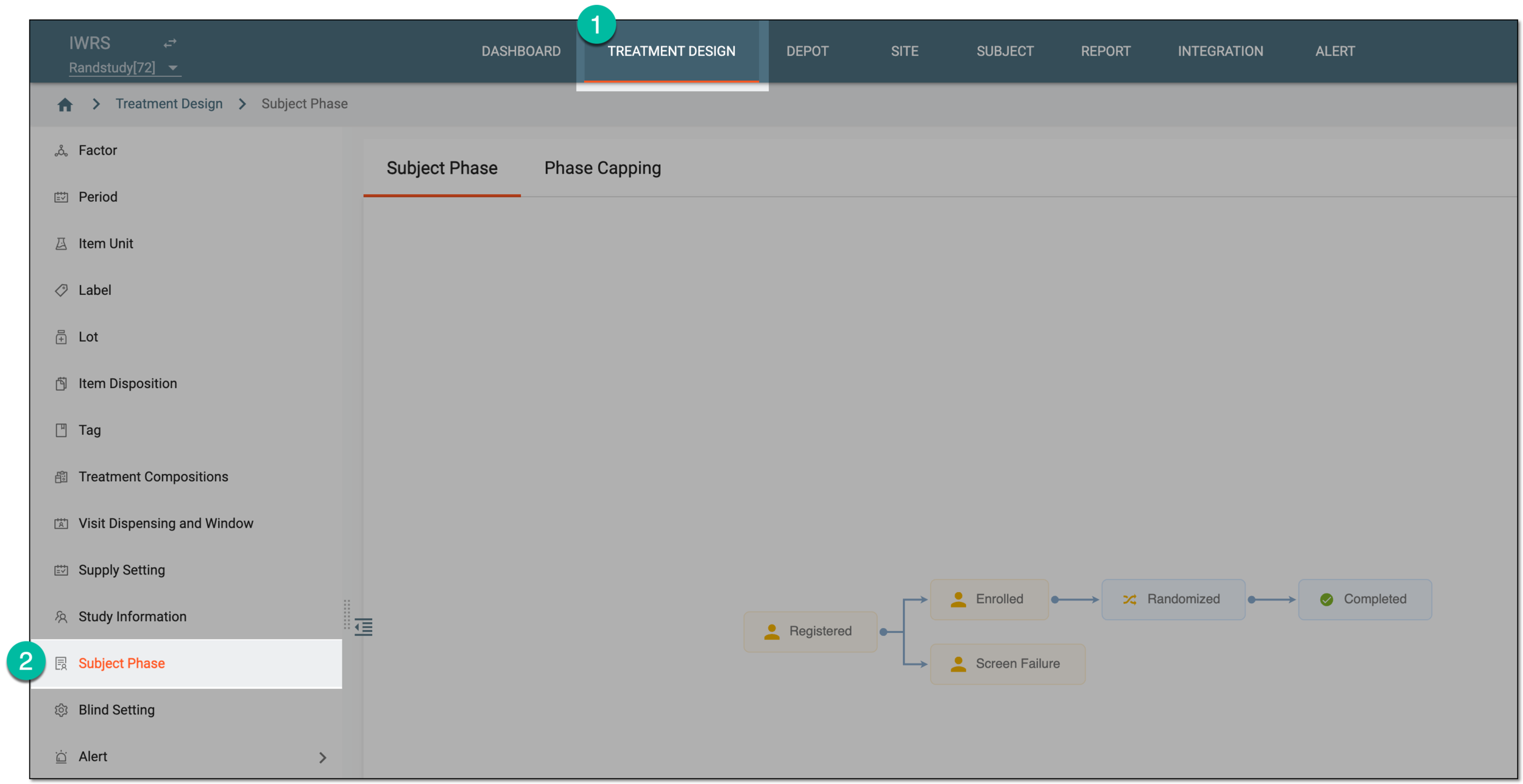 Figure 1. Accessing subject phase management
-
On the Subject Phase page that opens, select Set Phase
 and then
Set Dispensing Phase.
and then
Set Dispensing Phase.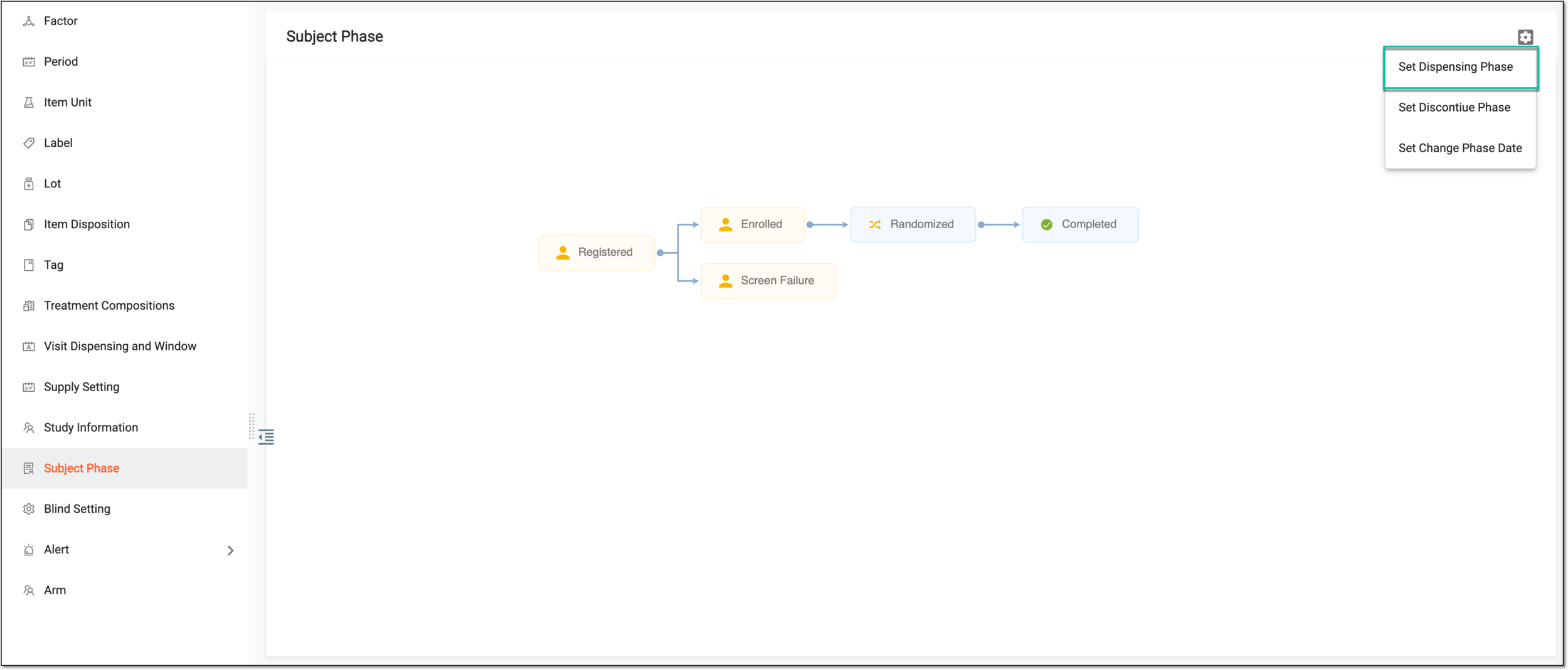 Figure 2. Selecting option to set dispensing phase
-
In the Set Dispensing Phase dialog that appears, select checkboxes next to the subject phases you want to be available for dispensing.
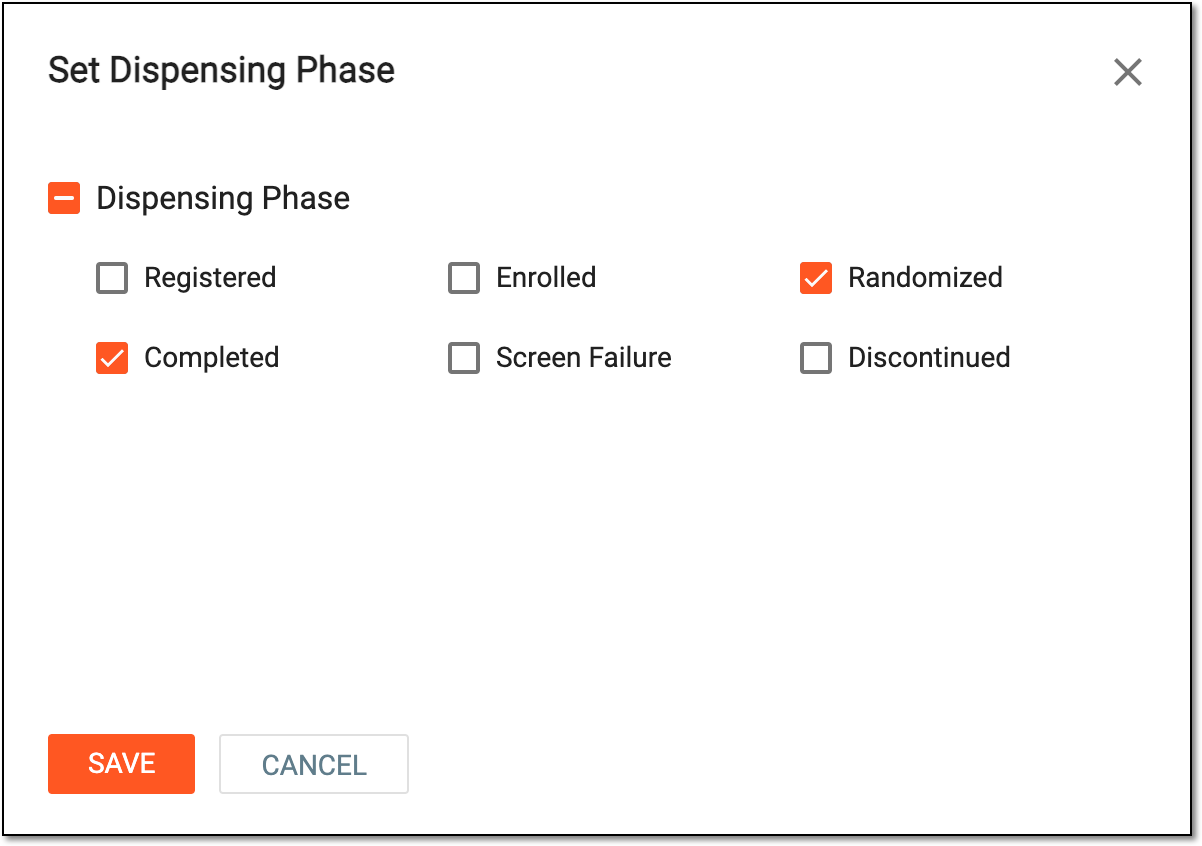 Figure 3. Setting dispensing phases
Tip
The list of subject phases for the study is populated from the Study Designer application.
If a certain phase is not selected for dispensing then the system does not calculate the subjects in that particular phase for dispensing.
For instance, if the Completed phase is not selected, then all the subjects in this phase are not calculated for dispensing.
-
Select
 to save the implemented changes.
Upon saving, the selected phases are set as dispensing. You can now define phase properties.
A specific phase that a subject has to complete in the course of a clinical trial to move further to the next phase. For instance, Screening, Enrolled, Randomized, and others.
 |
In eClinical, subject phases are designed individually for each study via the SD application, although they are referenced in others, like IWRS or EDC.
In eClinical, a process of providing a subject with medication at a visit to a site during their treatment in the course of a clinical trial.
A visit of a potential trial participant during which they meet the study team and discuss their options, questions, and concerns; as well as complete screening and baseline examinations or sign consent forms.
An action of including a subject in a clinical trial, provided that they have met the inclusion criteria to participate in the trial and have signed an informed consent form.
An eClinical application that provides functionality to design and configure a study (clinical trial), namely to configure CRFs, set subject phases, visits, and others.
The application supports the design of the CDSIC ODM-compliant electronic CRFs to support EDC and eDiary data collection and management.
Get to know all the possibilities of the app with the comprehensive SD User Guide.