Create dispensing package
A dispensing package is a collection of specific items (drugs) and their quantities to be dispensed (given out) to subjects when they come for their visits. Having these packages ready helps medical staff to dispense items accurately when the subject treatment consists of various medications and dosages.
In IWRS, you can create as many various dispensing packages as needed for your study dispensation plan.
-
In the IWRS application header, select the TREATMENT DESIGN tab.
-
In the left pane, select Treatment Compositions.
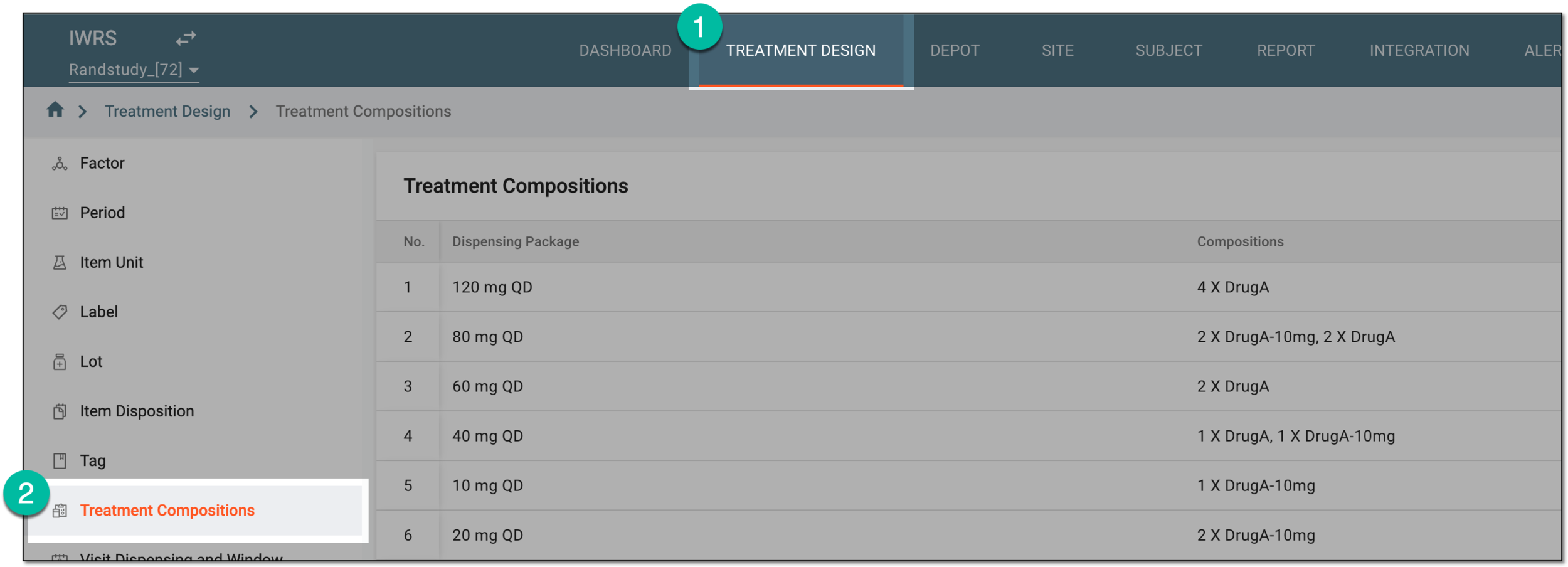 Figure 1. Accessing treatment compositions
-
On the page that appears, on the workspace toolbar, select New Item
 .
. Figure 2. Selecting option to add dispensing package
-
In the Add dialog that appears, start defining your dispensing package by setting the preferences as described in the following table.
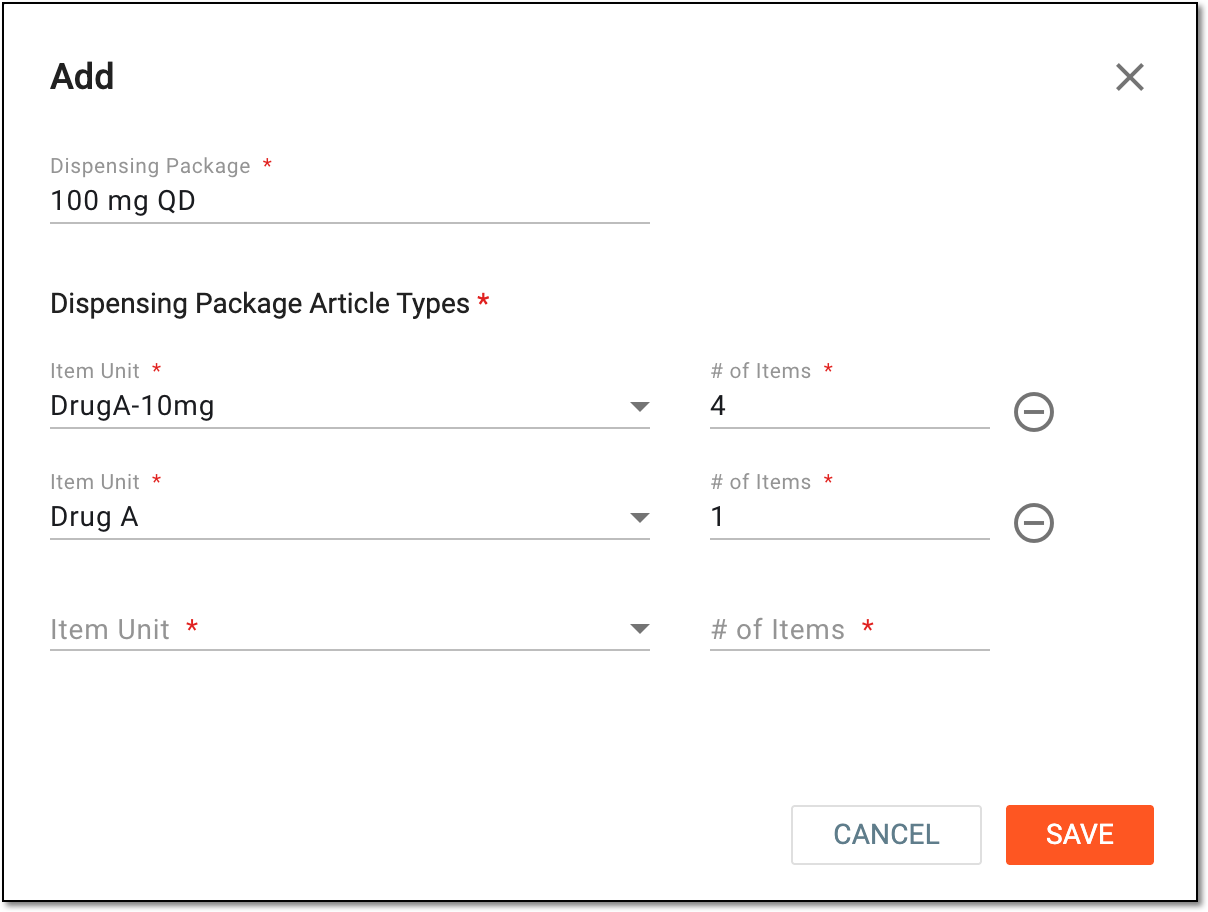 Figure 3. Creating new dispensing package
Tip
In the following table, mandatory elements are marked with an asterisk (*).
Element
Details
Dispensing Package*
Enter a unique name of the dispensing package you create.
Dispensing Package Article Types*
Item Unit*
Select the product unit to be dispensed to the subject during the treatment visit.
The items available for selection here must be previously added to the product unit module.# of Items*
Specify the number of item units to be dispensed to a subject during the treatment visit.

Select the minus symbol next to any of the item units to remove them from the dispensing package.
SAVE
Select
 to implement the changes.
CANCEL
Select
 to discard the changes without saving, close the dialog, and return to the dispensing package list.
Upon saving, a new dispensing package is created. You can now use this package for subject dispensing.