Edit dispensing package
At any time, you can make updates to your dispensing packages to change the item units within, their quantity, or simply update the name of the package.
To edit a dispensing package
-
In the IWRS application header, select the TREATMENT DESIGN tab.
-
In the left pane, select Treatment Compositions.
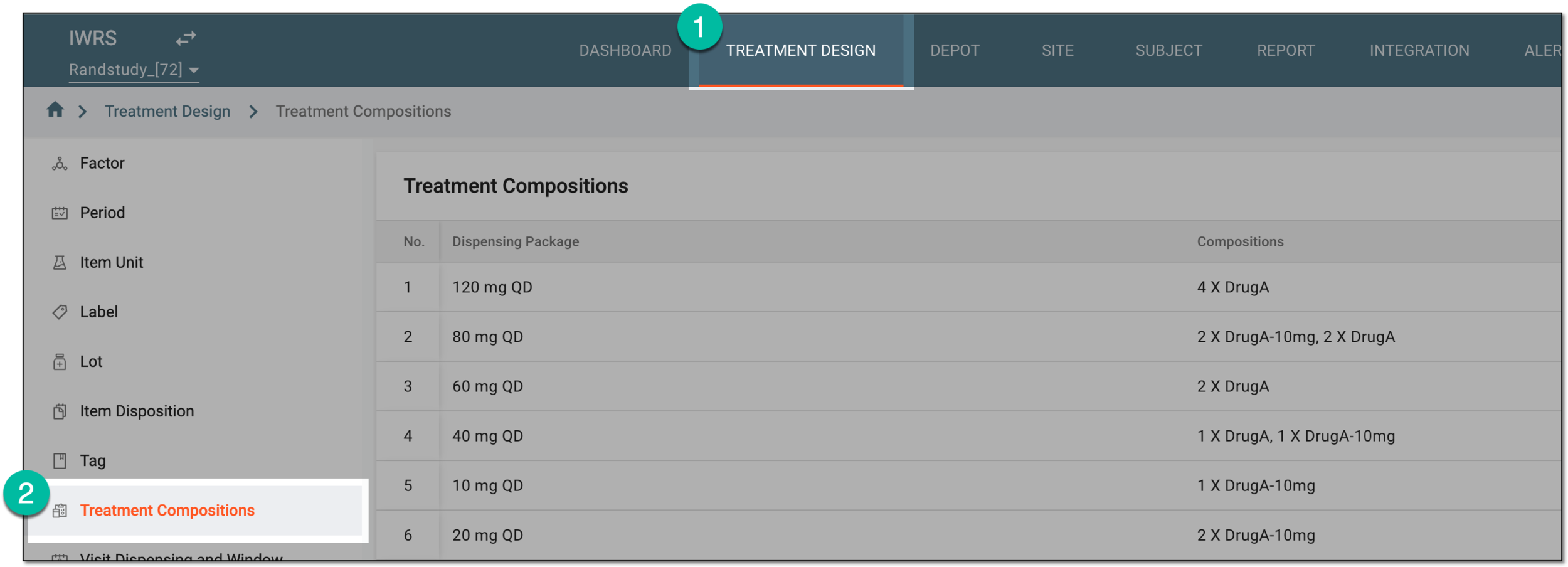 Figure 1. Accessing treatment compositions
-
In the Treatment Compositions table that appears, go to the dispensing package that you want to update. Then from the Action(s) column next to the dispensing package, select Edit
 .
. Figure 2. Selecting option to edit dispensing package
-
In the Edit dialog that appears, update the fields as needed. These fields are identical to the ones explained in the table of the Create dispensing package section.
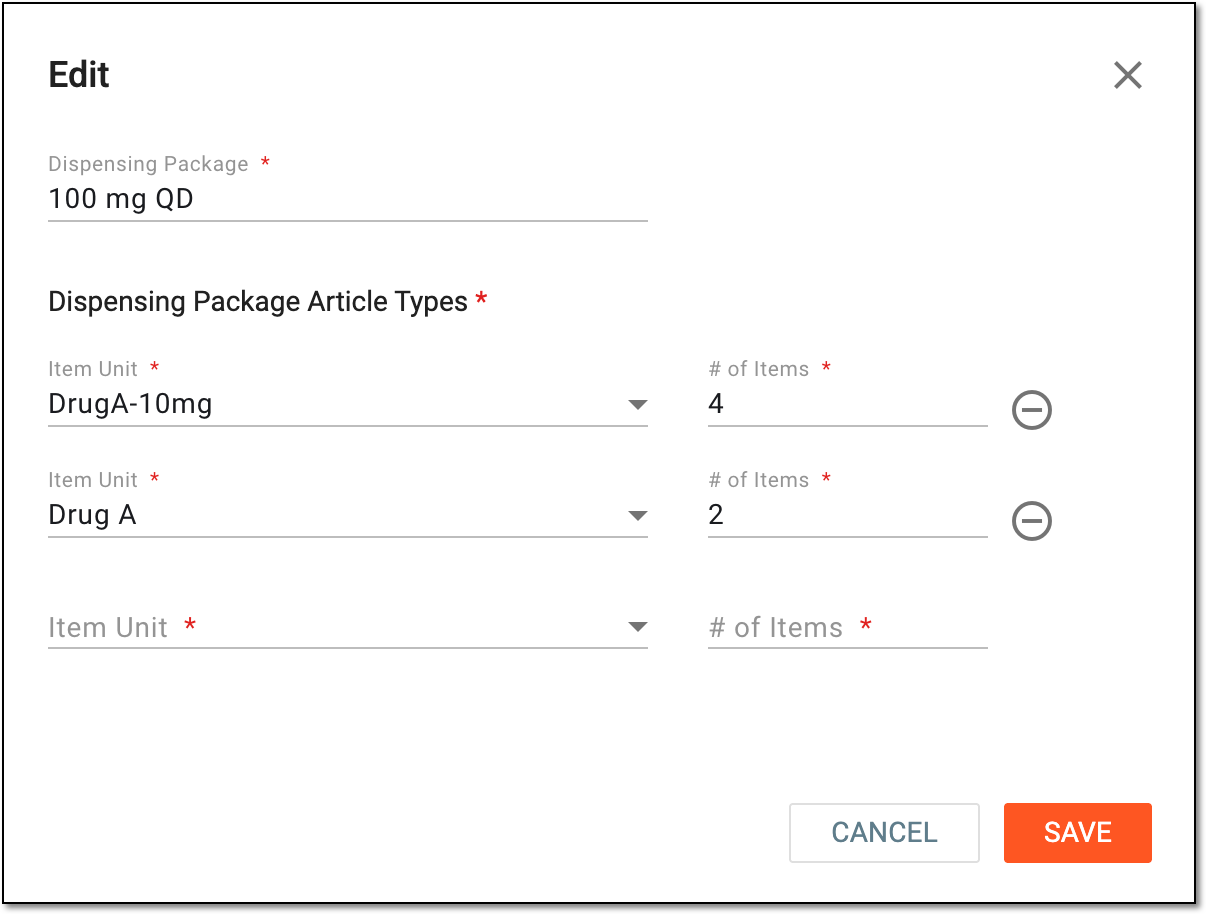 Figure 3. Editing dispensing package
-
Select
 to implement the changes.
Once saved, your dispensing package is updated.