Move dispensing package in treatment composition list
In IWRS, you can create as many various dispensing packages as needed to satisfy your study treatment plan. All the added packages appear on the Treatment Compositions list obtaining the sequential number based on their positioning. This number dictates the order in which the dispensing packages appear in the dropdown list when selecting the assigned dose for subject dispensing. The sequential number can be adjusted at any time as required.
-
In the IWRS application header, select the TREATMENT DESIGN tab.
-
In the left pane, select Treatment Compositions.
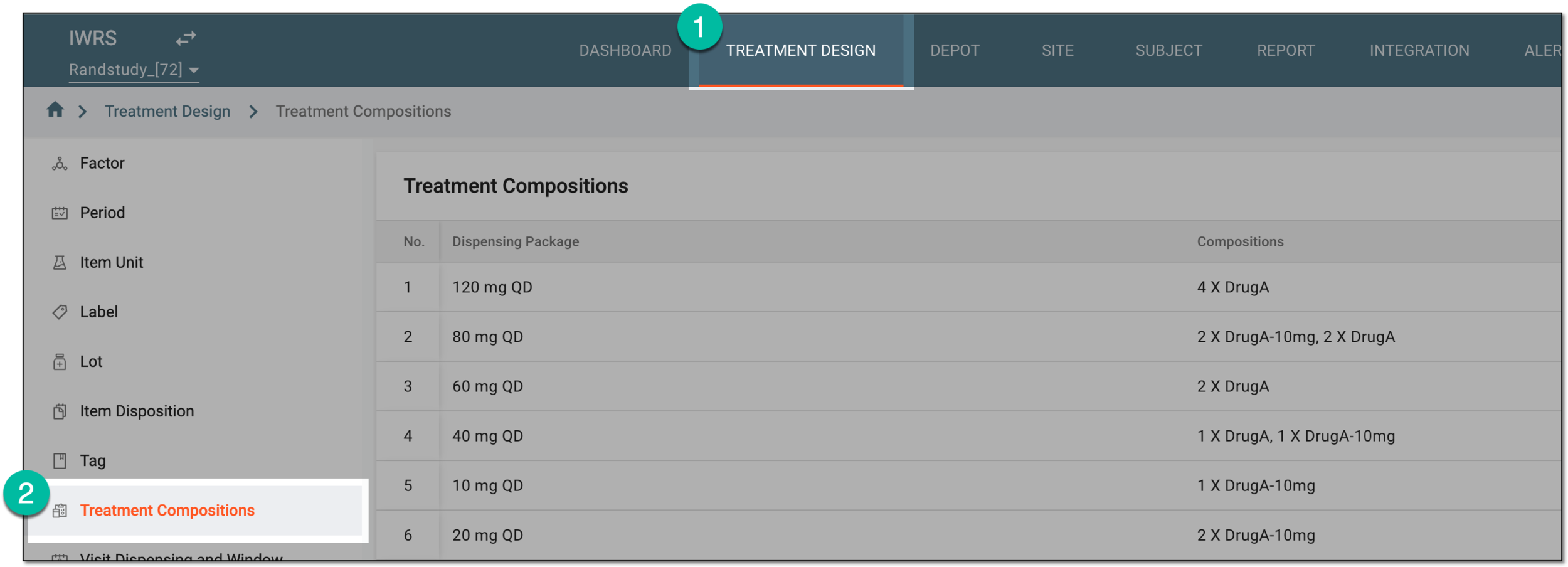 Figure 1. Accessing treatment compositions
-
In the Treatment Compositions table that appears, go to the dispensing package whose sequence you want to change. Then from the Action(s) column, select Move
 and drag the dispensing package and place it where required. Once released, the sequential number changes accordingly. Repeat the same action to move all packages to their correct placement
on the list.
and drag the dispensing package and place it where required. Once released, the sequential number changes accordingly. Repeat the same action to move all packages to their correct placement
on the list.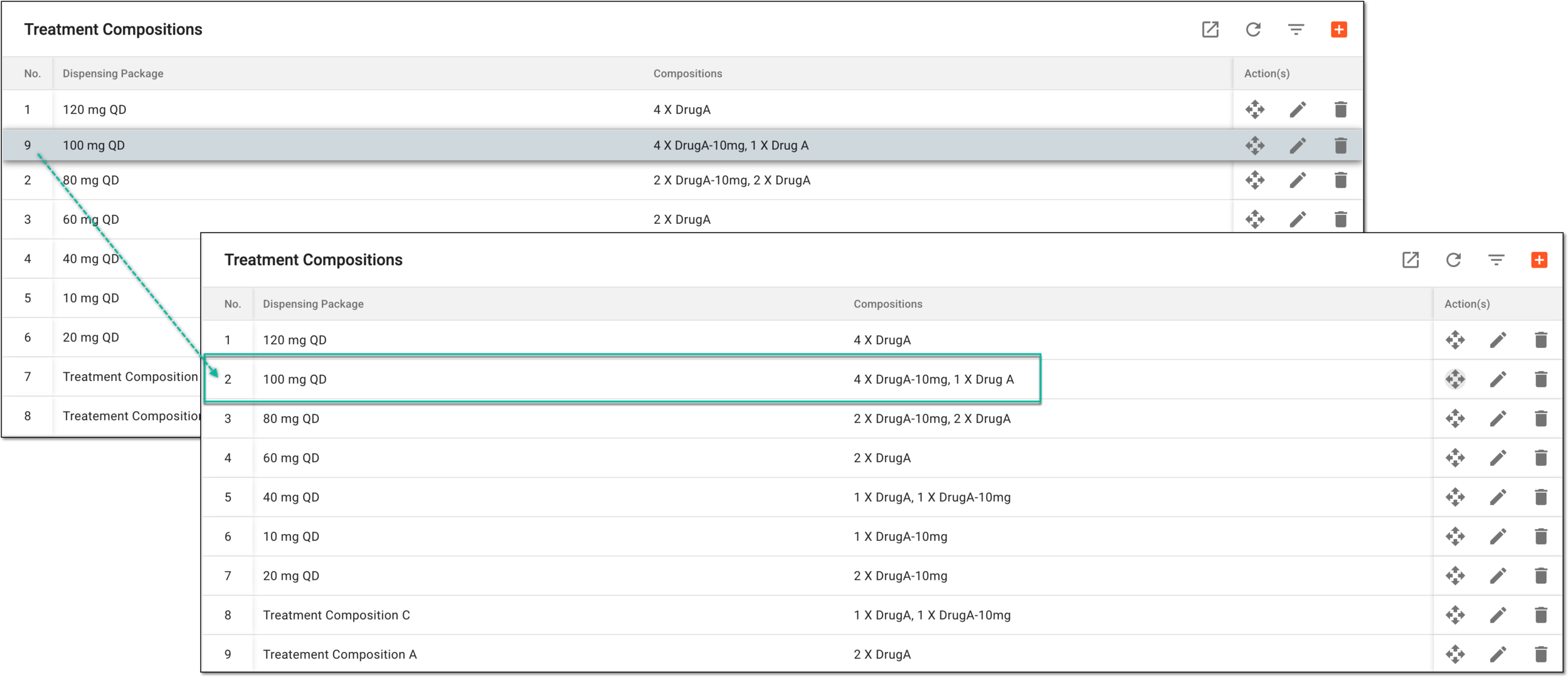 Figure 2. Moving dispensing package to change sequential number
You have successfully moved the dispensing packages to their correct sequential order.