Copy alert configuration between lifecycles
Alerts is a feature of EDC that helps you set up for different users to receive a notification email on predefined events occurring within the application (adverse event occurrence, subject phase change, queries being created, and so on).
In EDC, you can copy your added alert configurations between different lifecycles—from development (DEV) to testing (UAT) and production (PROD). This saves time on configuring the same alerts over and over again when setting up a new environment.
Important
You must have the same current CRF version in both environments to be able to copy the configurations.
-
From the EDC application toolbar, select the UAT or PROD lifecycle and the necessary role.
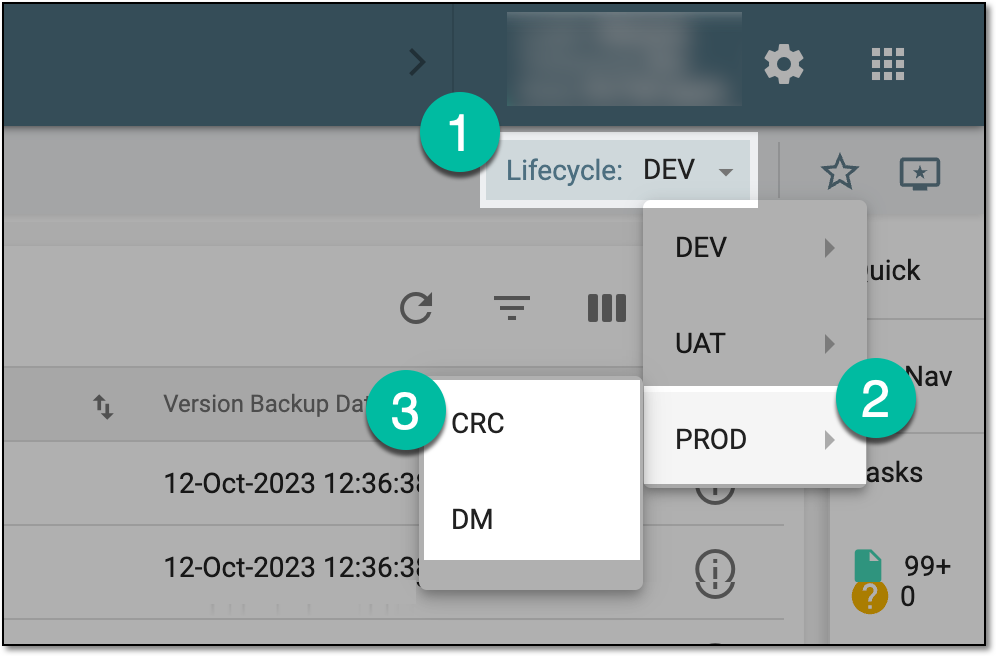 Figure 1. Accessing PROD lifecycle
-
In the EDC application header, select the STUDY INFO tab.
-
On the page that opens, in the left pane, select Alerts and in the list that expands, select the alert category for which you want to copy configurations.
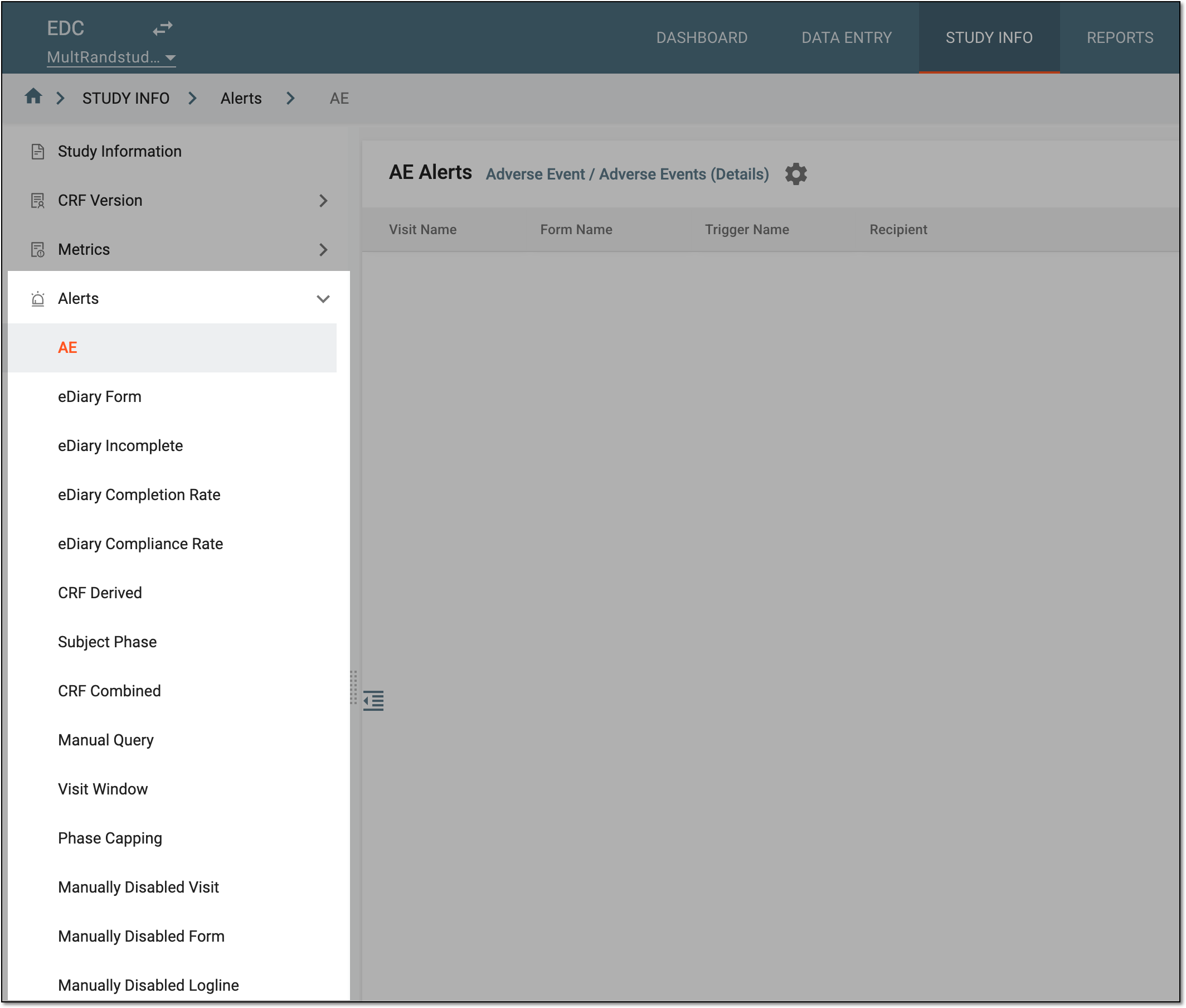 Figure 2. Accessing alerts
-
On the page that opens, from the toolbar, select Copy Configuration from
 .
 Figure 3. Selecting option to copy alert configuration
-
In the Copy Configuration from dialog that opens, select the lifecycle from which you want to copy the alert configuration. For UAT, only the DEV lifecycle can be selected; for PROD, either DEV or UAT can be selected. Then select the configuration to copy and click SAVE.
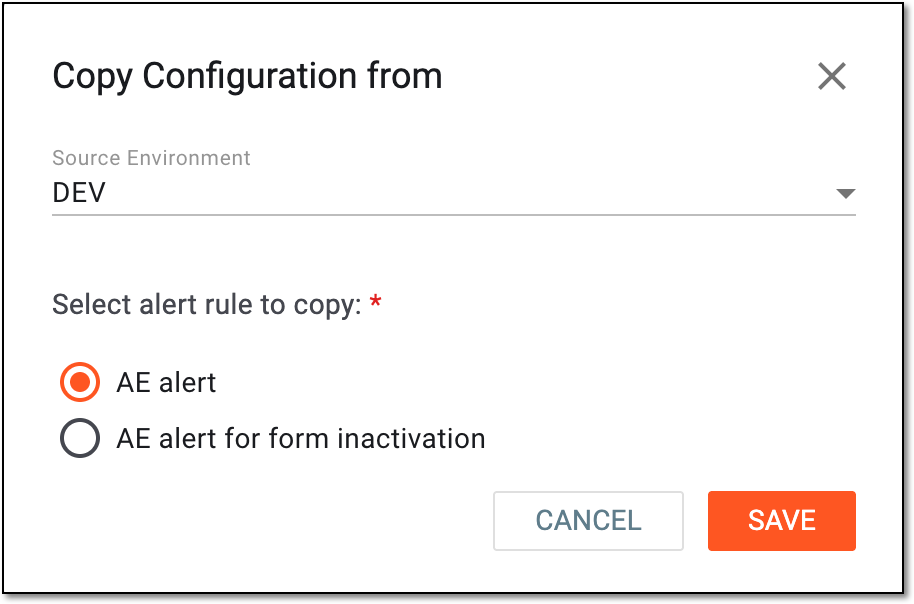 Figure 4. Selecting lifecycle to copy alert configuration
-
In the confirmation dialog that opens, select CONFIRM to acknowledge that you understand that the currently unsaved form data is going to be overwritten.
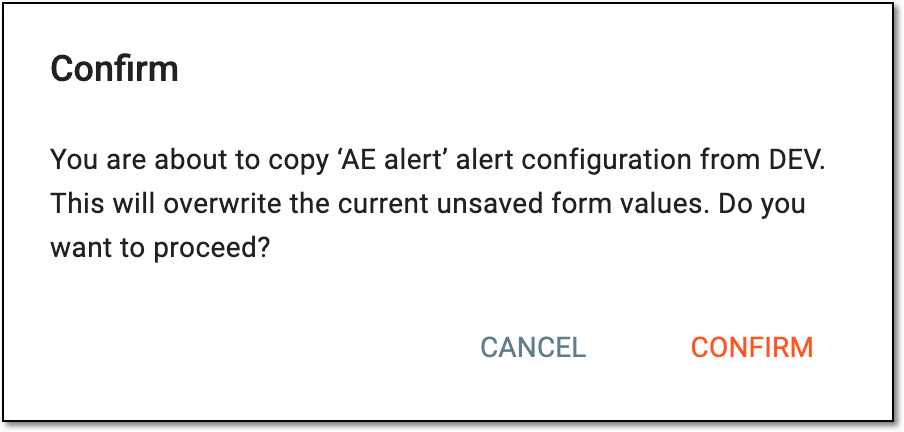 Figure 5. Confirming copying alert configuration
-
Once confirmed, the alert settings are copied from the selected lifecycle. You now have to add target sites and subjects, specify email recipients, and adjust the configurations as explained in the respective subsections of the Add alert section.
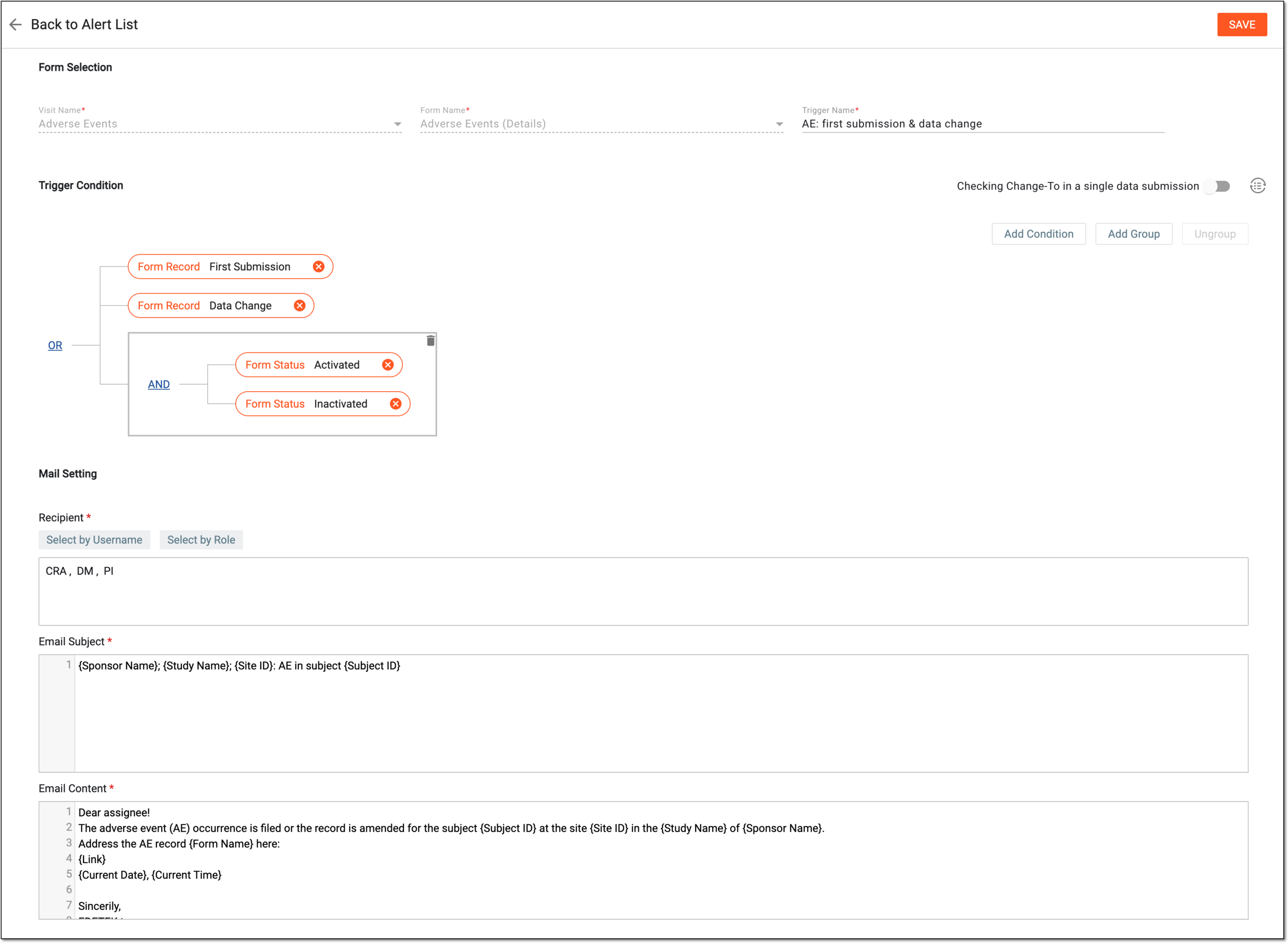 Figure 6. Example of adjusting AE alert configuration
-
Select
 to implement the changes.
Once saved, the alert configuration is ready and starts sending email notifications to the selected recipients when the set conditions are met.