Export fee categories
A fee category is a group of fee items—services or occurrences—intended for financial compensation. Each category is intended to group the fee items by their type or intention.
The complete list of fee categories available in the CTMS system can be extracted as the XLSX file to your computer for sharing with stakeholders or other business purposes.
-
In the CTMS application header, select the LIBRARY tab.
-
On the page that opens, from the left pane, select Fee Template.
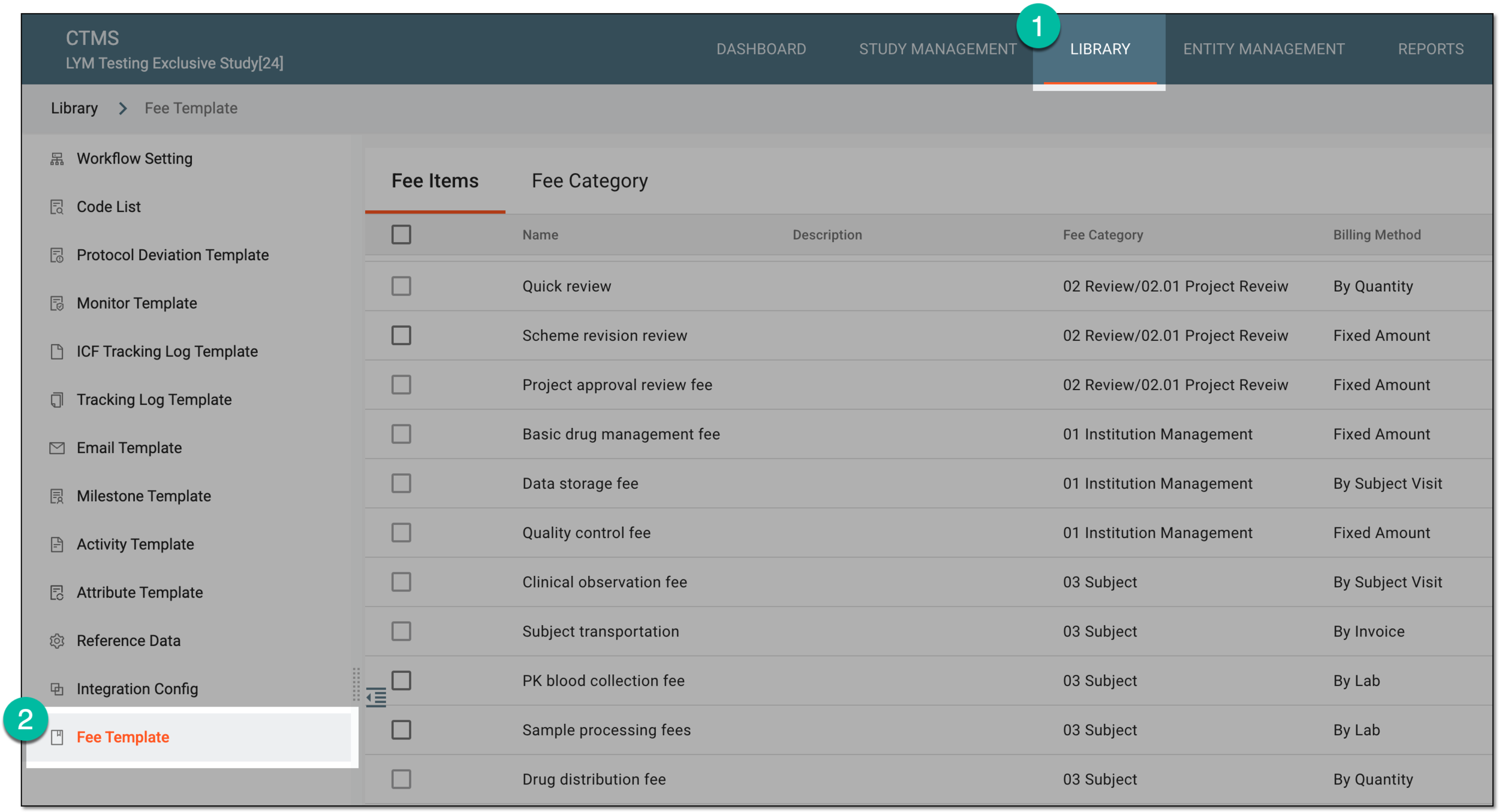 Figure 1. Accessing fee templates
-
From the contents panel, select the Fee Category tab.
-
On the Fee Category page that opens, from the workspace toolbar, select Export
 .
.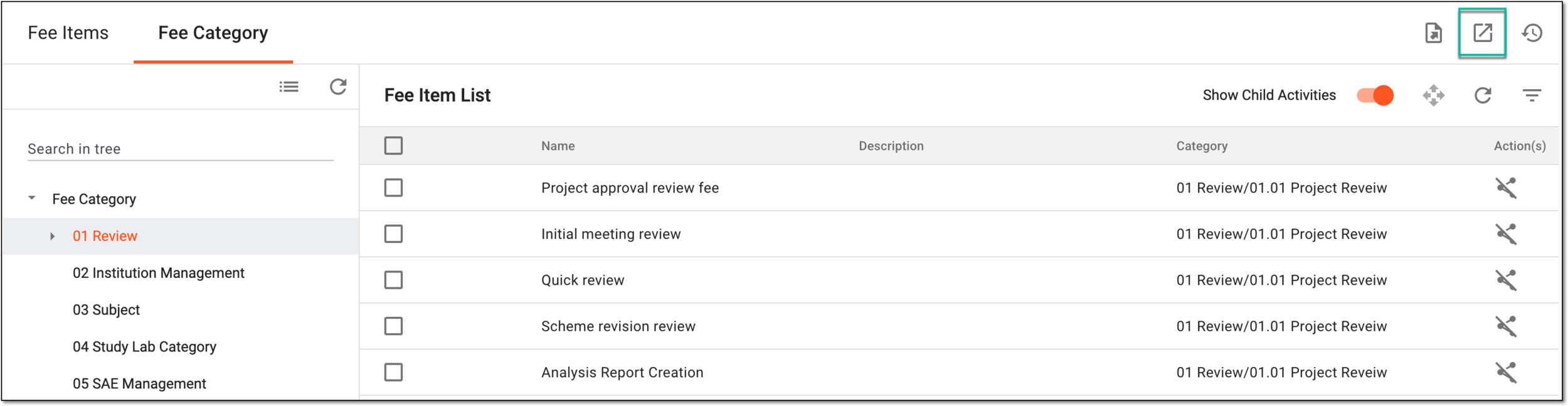 Figure 2. Selecting option to export fee category list
-
In the downloads widget that appears, view your download progress. Select the widget to open the My Downloads dialog.
 Figure 3. Downloads widget for fee category list
-
In the My Downloads dialog that opens, you can find the following tabs:
-
Preparing: lists all the files whose export is in progress, and they are not yet ready for download. Wait until the needed file moves to the Download is Ready tab.
-
Download is Ready: lists the files whose export is complete, and they can be downloaded to your computer by selecting
 .
.
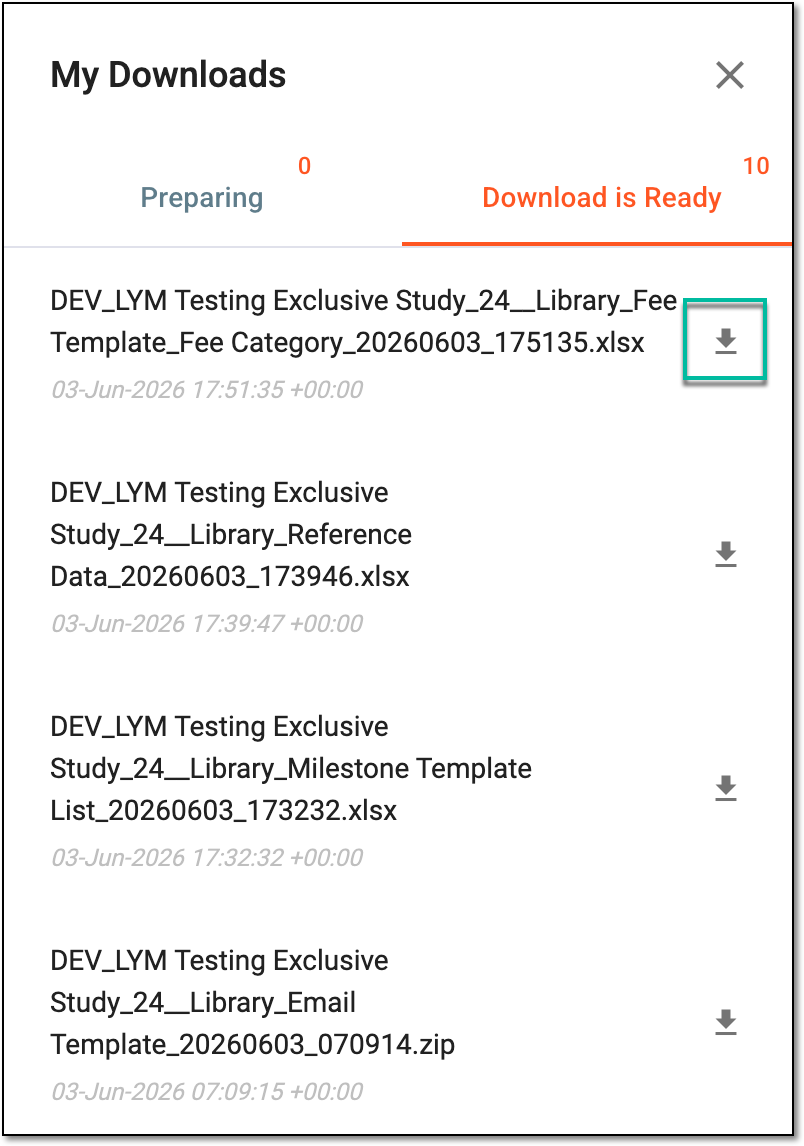 Figure 4. Downloading extracted fee category list
-
Once downloaded and saved, the fee category data in the XLSX format becomes available on your computer.