Delete fee category
A fee category is a group of fee items—services or occurrences—intended for financial compensation. Each category is intended to group the fee items by their type or intention.
All the previously added fee categories can be deleted from the system at any time if no longer needed. Deleting the fee category deletes all the child-level subcategories and disassociates the fee items within.
-
In the CTMS application header, select the LIBRARY tab.
-
On the page that opens, from the left pane, select Fee Template.
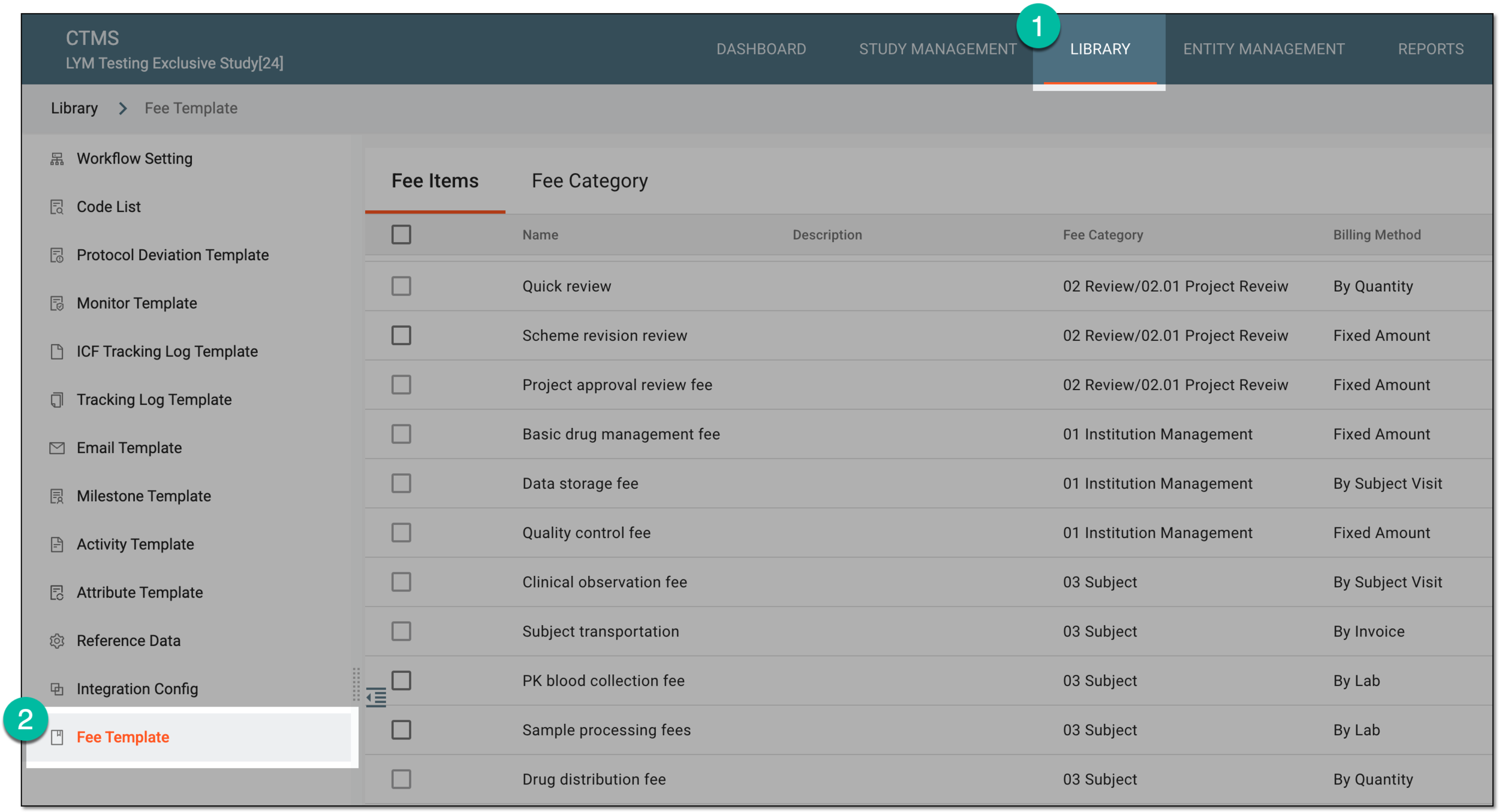 Figure 1. Accessing fee templates
-
From the contents panel, select the Fee Category tab.
-
In the tree that appears, right-click the category that you want to remove. Then from the menu that appears, select Delete
 .
.Important
Fee Category in the tree is the highest hierarchy to which you can only add categories; you cannot delete it.
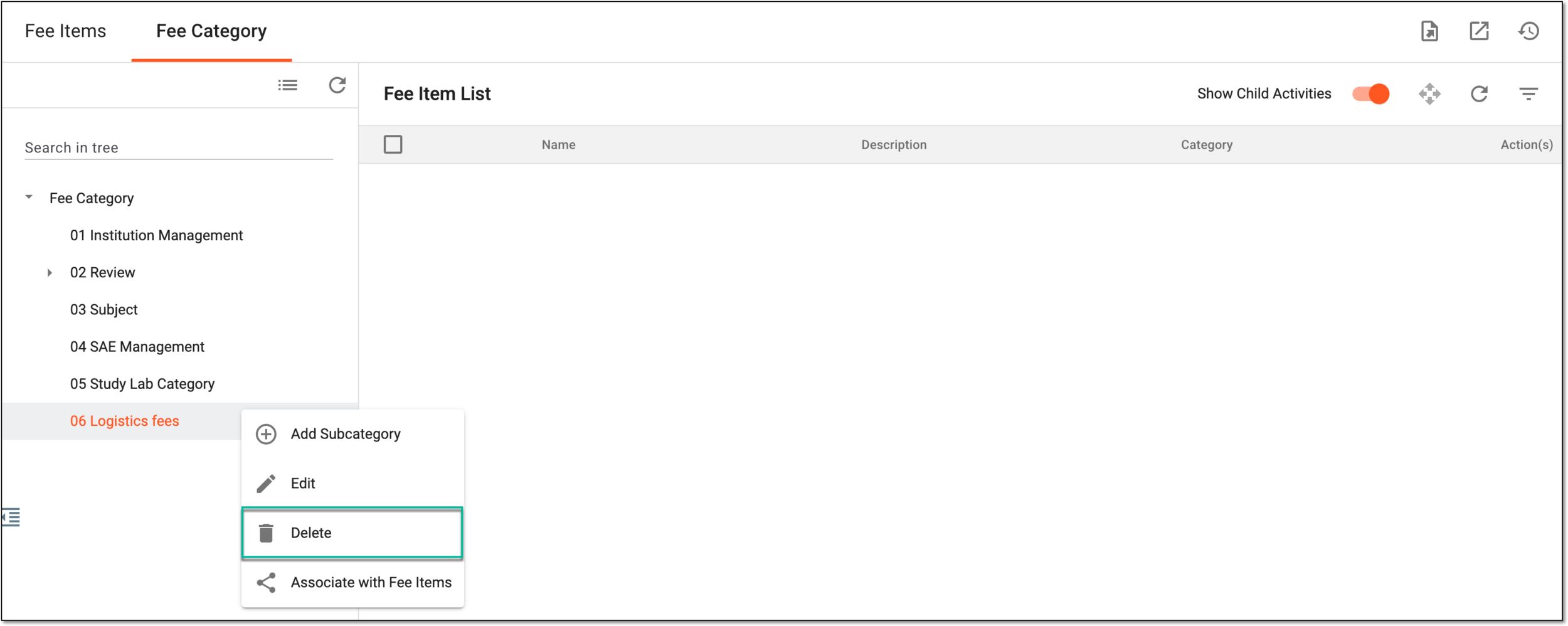 Figure 2. Selecting option to delete fee category
-
In the Reason dialog that appears, provide the argument for deleting the fee category. Then select
 .
.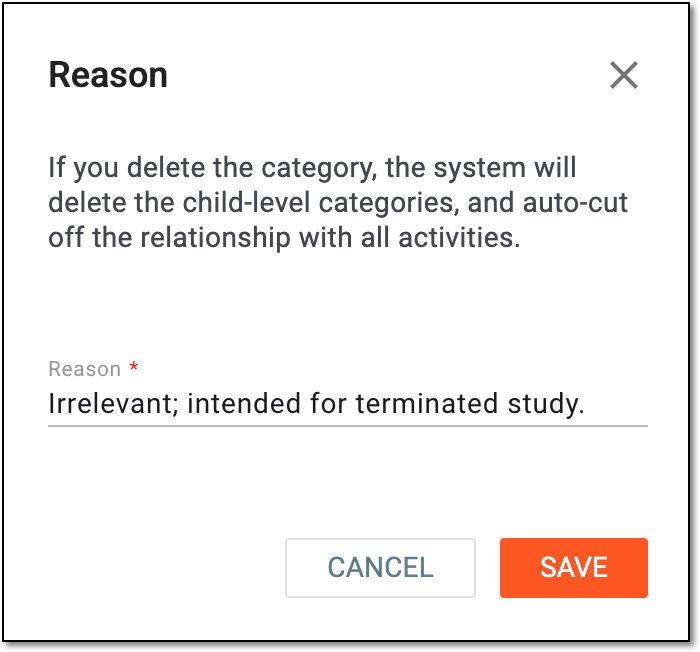 Figure 3. Providing reason for fee category deletion
Once confirmed, the fee category is deleted from CTMS along with all the subcategories within. The fee items are automatically disassociated and can be associated with another category if relevant.