Analyze execution history of autogenerated payment requests
A payment request is an inquiry to perform financial compensation for a service. In a clinical trial, payment requests are created to maintain financial operations between the sponsor and their vendors or other involved parties, such as sites, labs, and research facilities.
When managing your study payments in the eClinical system, in CTMS, you can enable the autogeneration of payment requests according to a convenient schedule. Once enabled, the system starts generating payment requests in the Draft status per site that cover all the eligible payable items—those intended for compensation to date of request autogeneration.
For traceability and easy access, the log of all payment requests autogenerated by the system is kept via Auto-Generation Execution History.
-
In the EDC application header, select the STUDY INFO tab.
-
On the page that opens, in the left pane, select Site Payment > Payment Request List.
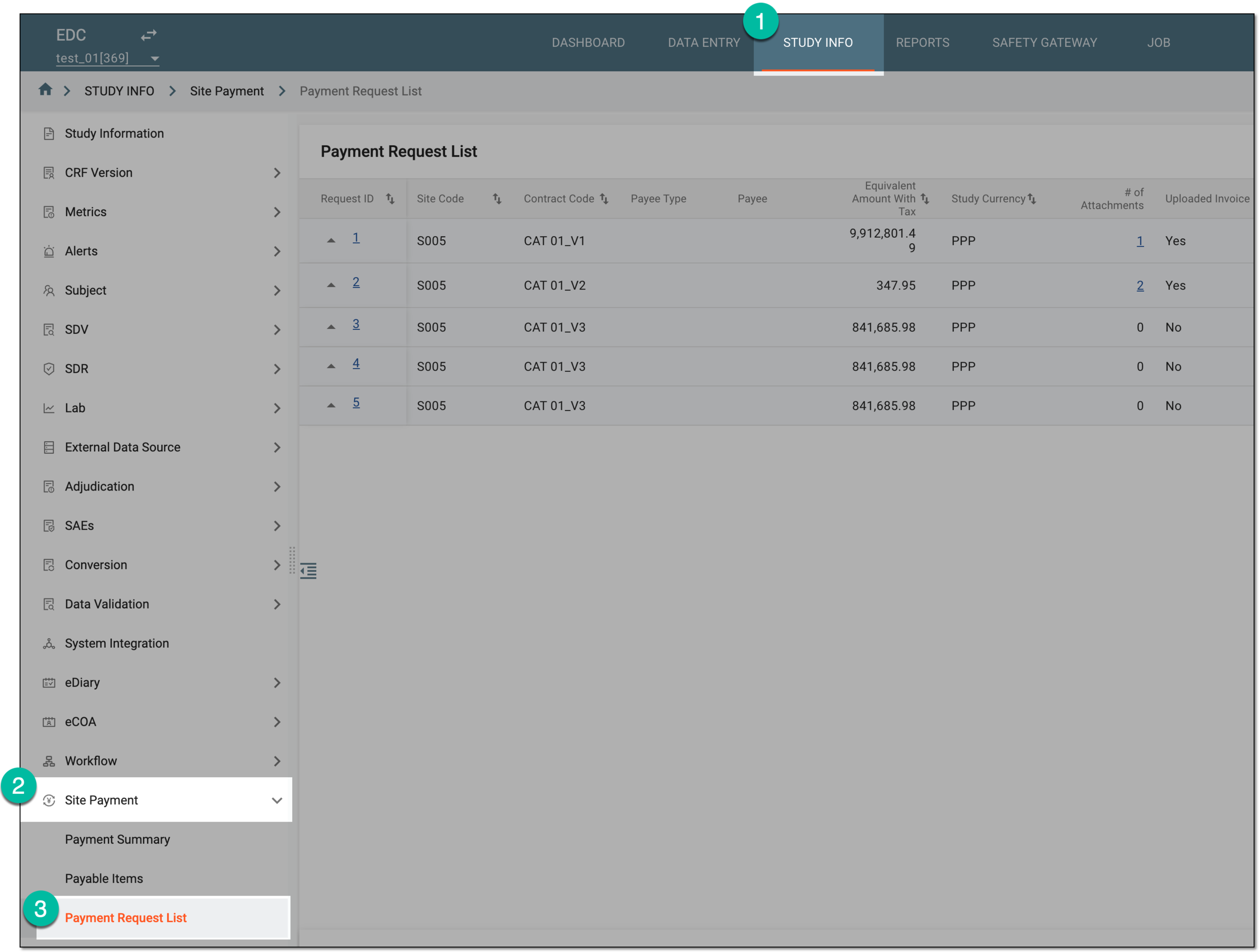 Figure 1. Accessing payment request list
-
On the Payment Request List page that opens, from the workspace toolbar, select Auto-Generation Execution History
 .
. Figure 2. Accessing execution history for autogenerated payment requests
-
In the Auto-Generation Execution History dialog that opens, analyze the details as explained in the following table.
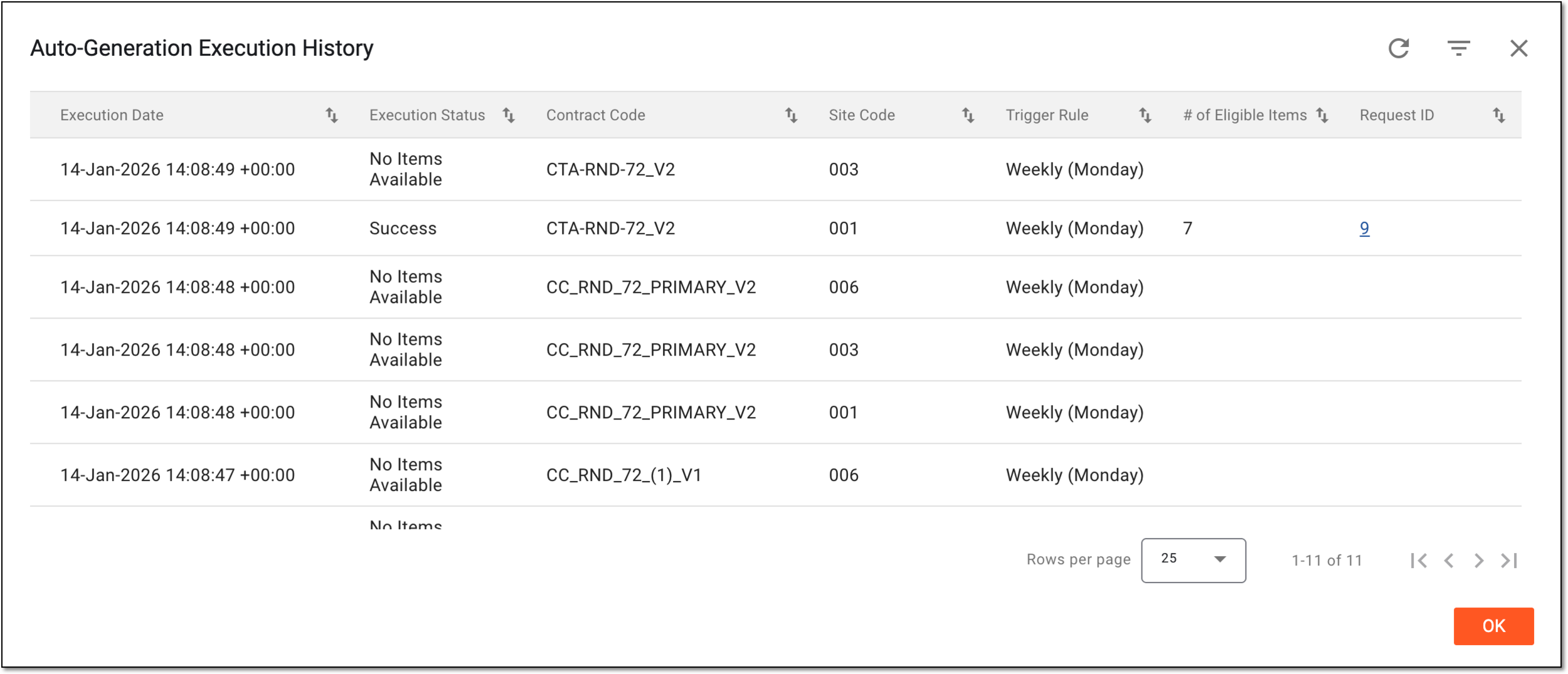 Figure 3. Analyzing execution history for autogenerated payment requests
Column
Details
Execution Date
Represents the exact date, time, and time zone indicator when the system autogenerated the payment request.
Execution Status
Represents the result of the system check for eligible payable items per site as follows:
-
Success: the system has detected eligible payable items and generated a draft payment request for them.
-
No Items Available: the system has not detected any eligible payable items; no payment request has been generated.
Contract Code
Represents the identifier of the contract according to which the site payments are held between the sponsor and the payee.
The contract code is pulled from CTMS contracts.Site Code
Represents the identifier of the site where the payable item (event) happens—subject visit, site monitoring, CRF completion, and so on.
Trigger Rule
Represents the frequency of payment request autogeneration configured in CTMS.
# of Eligible Items
Represents the total number of payable items that the system detected as eligible for payment—those that were not yet requested to be paid to date of autogeneration.
Request ID
Represents the payment request identifier that can be selected to access the details page where you can submit the draft payment request.
-
You have analyzed the complete history of the autogenerated payment requests. You can now select OK to close the dialog and return to Payment Request List.