Export on-demand report configuration
In EDC, you can configure custom on-demand reports to include only the data you need for your statistical analysis or other business needs. There are multiple ways to configure the on-demand report, one of which is the template file import. In EDC, you can export any of the existing report configurations, amend the data within if needed, and then import it back to the system.
-
In the EDC application header, select the REPORTS tab.
-
On the page that opens, in the left pane, select On-Demand Report > Report Configuration.
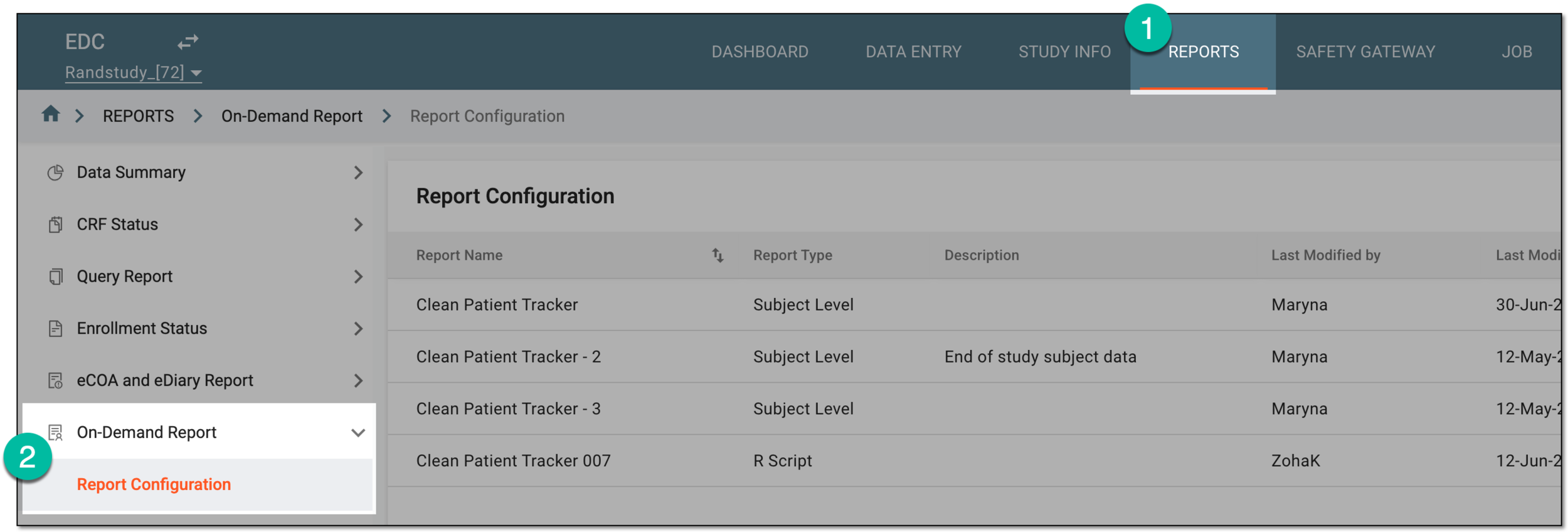 Figure 1. Accessing on-demand report configuration
-
In the Report Configuration list that appears, find the report you want to delete and next to it, in the Actions column, select More
 > Export Configuration
  .
.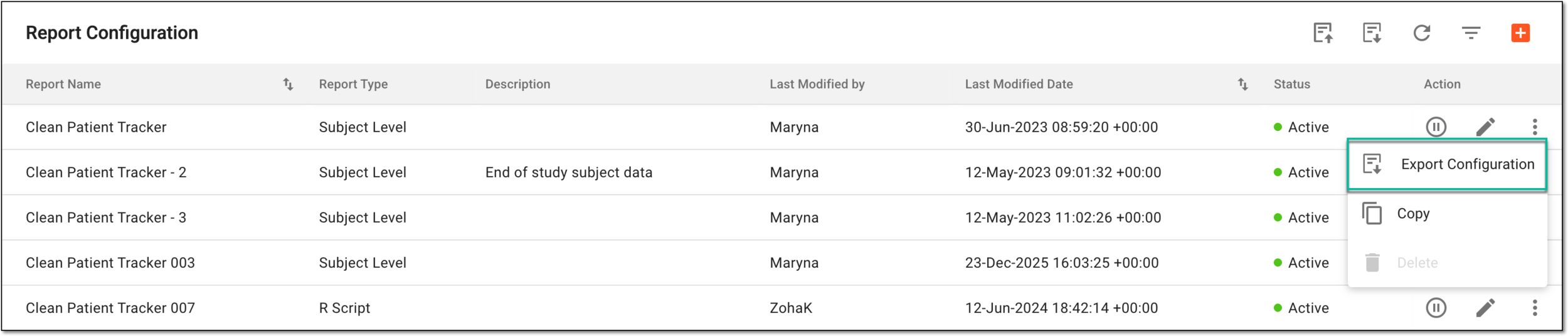 Figure 2. Selecting option to export report configuration
Once exported and saved, the report configuration becomes available as an XLSX file on your computer. You can now amend it or share with stakeholders according to your business needs.