Edit delayed shipment alert
In IWRS, you can create alerts to notify the personnel in charge of the shipment delay. In case such alert needs to be amended, you can adjust its details, recipients, or conditions at any time.
-
In the IWRS application header, select the ALERT tab.
-
In the left pane of the page that appears, select Delayed Shipment Alert.
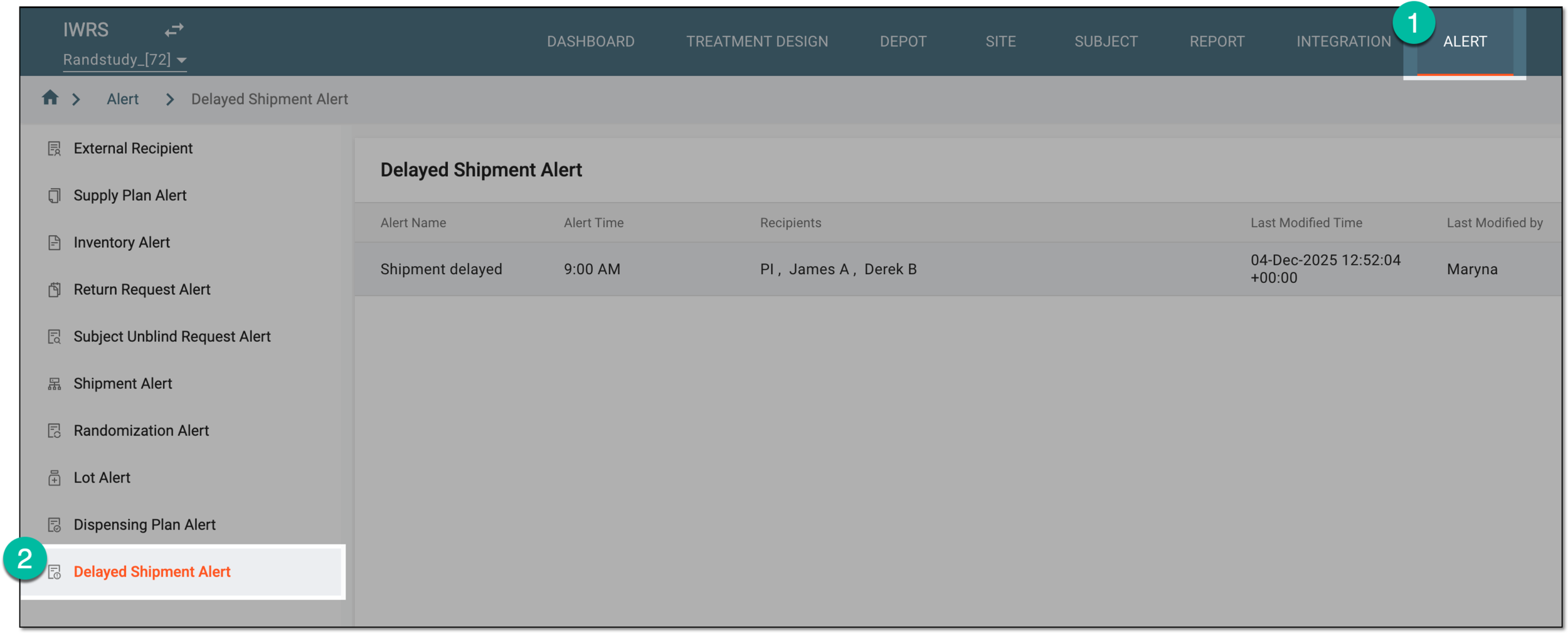 Figure 1. Accessing delayed shipment alert setting
-
In the Delayed Shipment Alert table that opens, locate the alert configuration that you need to activate or inactivate. Then from the Action(s) column, select More
 > Edit
  .
. Figure 2. Selecting to edit delayed shipment alert
-
On the page that appears, update the alert details as needed. These fields are identical to the ones explained in the table of the Create delayed shipment alert section.
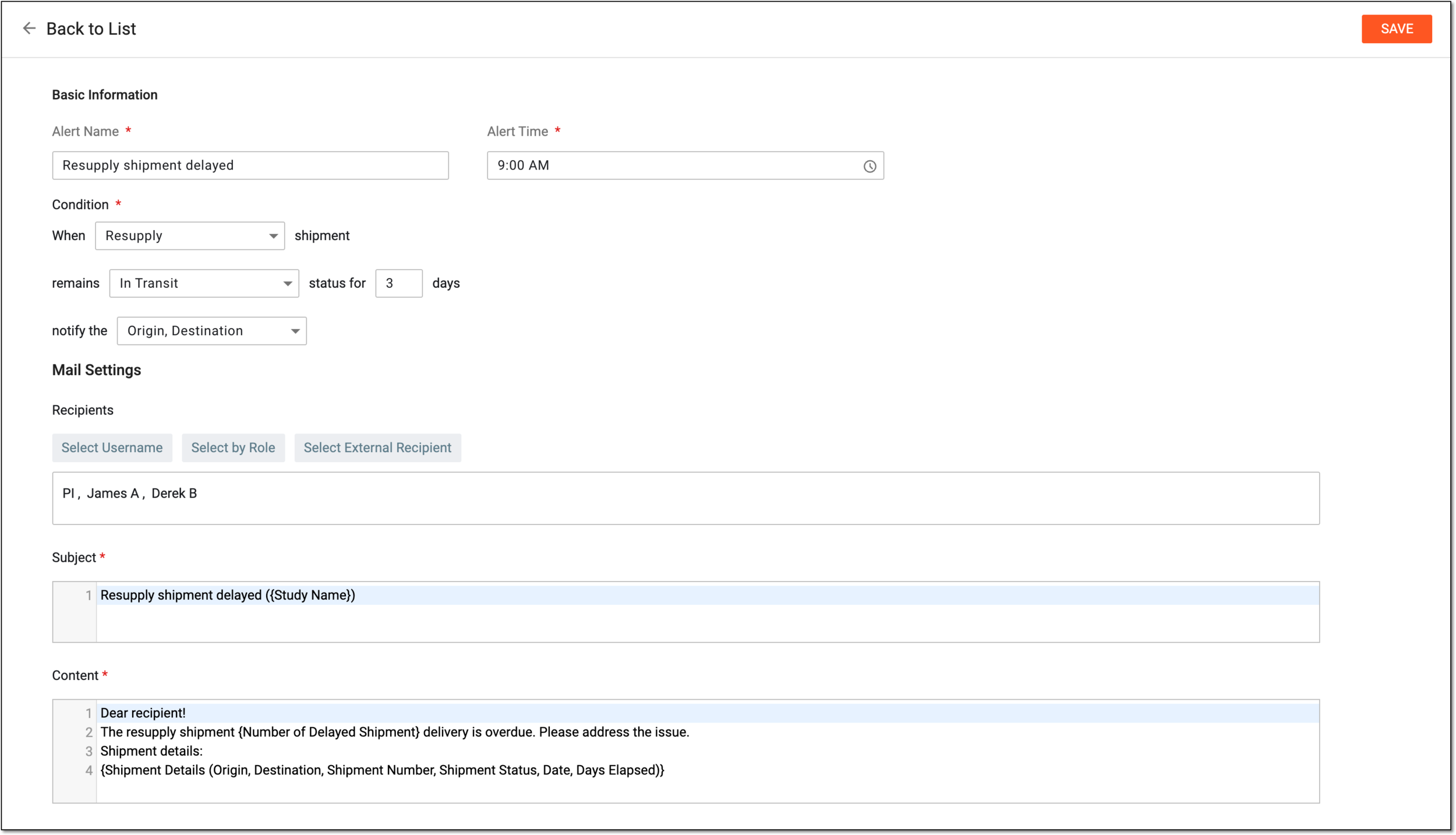 Figure 3. Editing delayed shipment alert
-
Select
 to implement the changes.
Once saved, the alert is updated. Now the system generates emails based on the new settings of the delayed shipment alert.