Review file lifecycle for document warehouse
In eTMF, the Document Warehouse tab is mainly used for the temporary storage of some unorganized files so that, upon request, they can be organized by data managers (DM) and other accountable individuals per DIA RM and uploaded to the Essential Documents storage.
For traceability of all files, you can review the comprehensive file lifecycle—a log on all actions with files from their upload to Document Warehouse to the current time.
-
In the eTMF application header, select the TMF tab.
-
In the Study List that opens, from the table, select the name of the study for which you want to access the document warehouse.
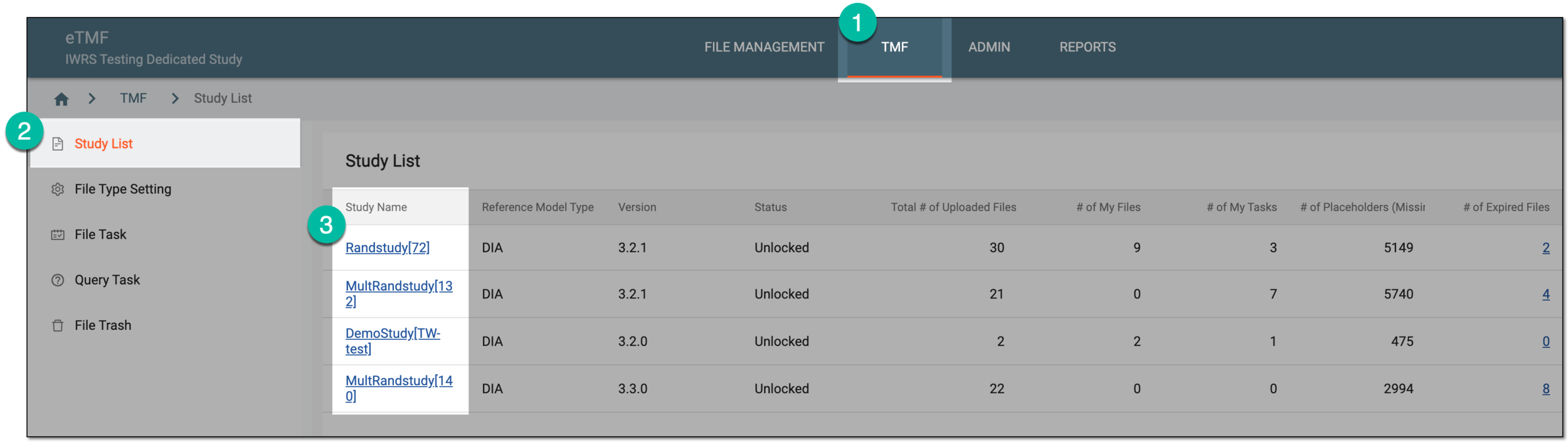 Figure 1. Selecting study
-
From the left pane, select the Document Warehouse subtab. If required, from the study selection field, you can change another study.
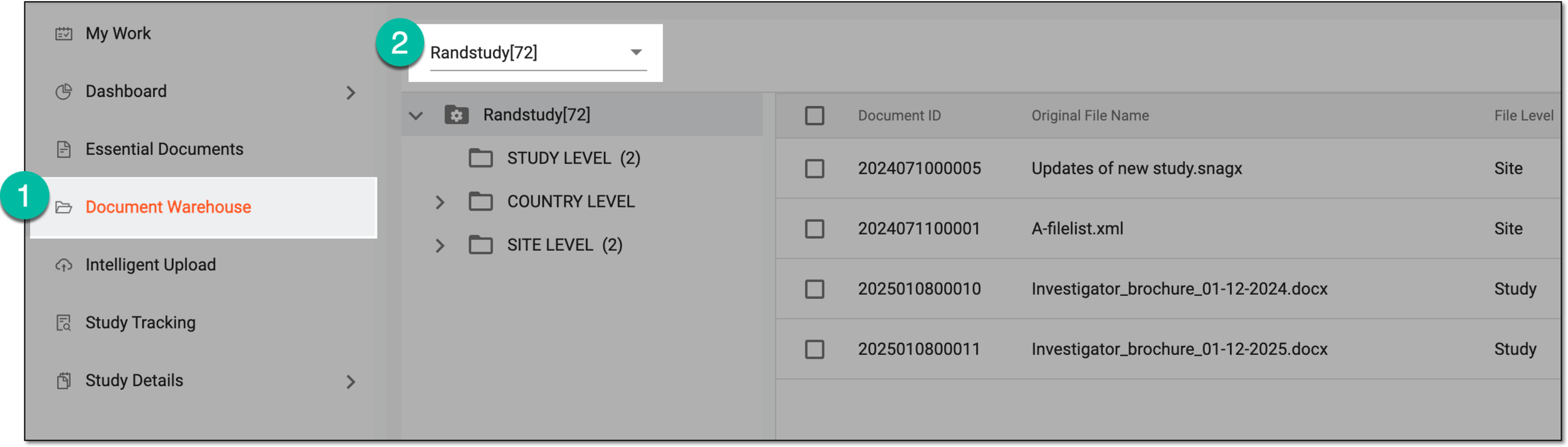 Figure 2. Accessing document warehouse and study
-
From the workspace toolbar, select Lifecycle
 .
.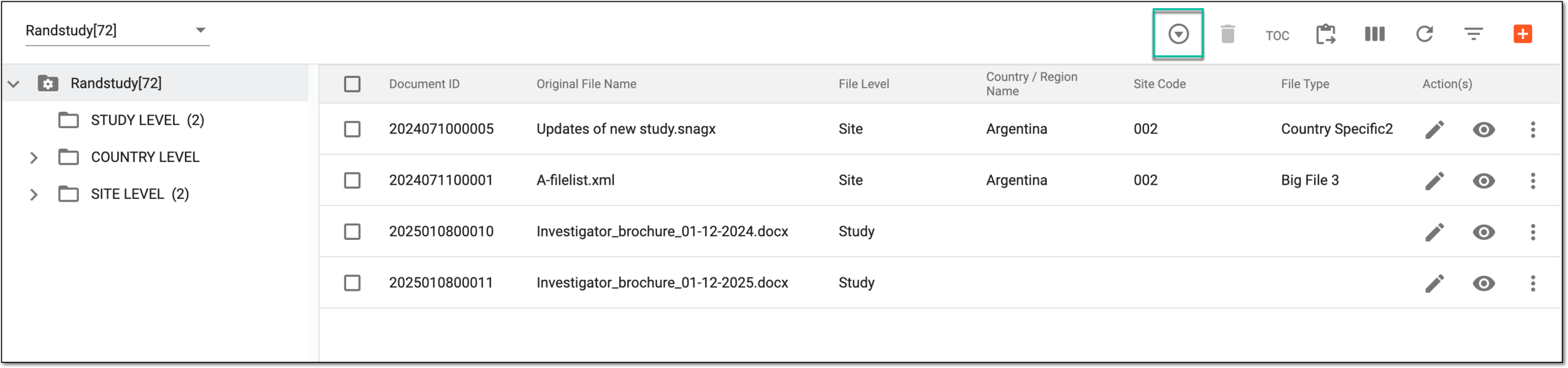 Figure 3. Accessing file lifecycle in document warehouse
-
On the Lifecycle page that opens, review the complete history of operations performed with the files currently stored in the document warehouse.
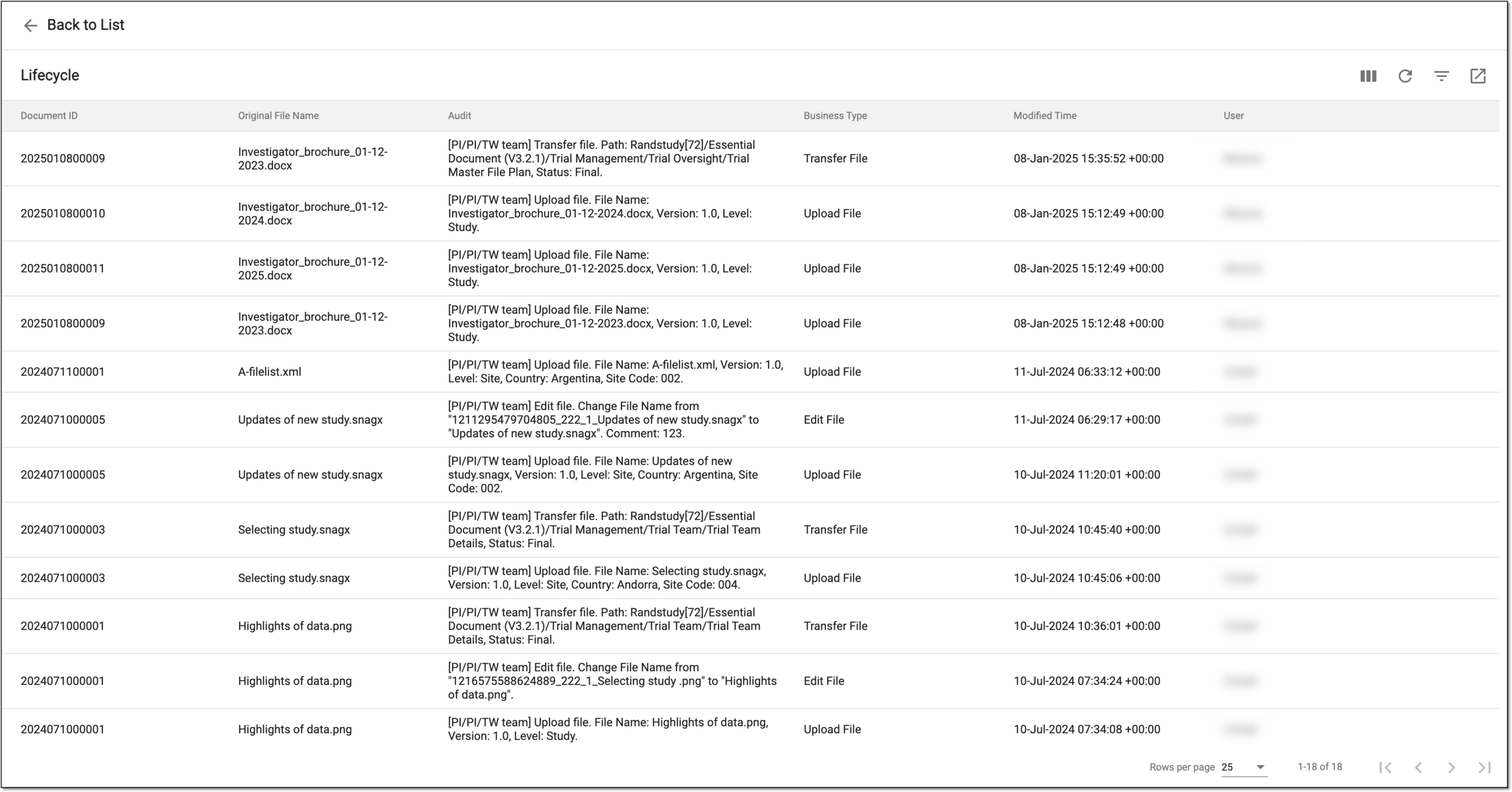 Figure 4. Reviewing file lifecycle in document warehouse
You have reviewed the file lifecycle. Select Back to List  to return to the Document
Warehouse file storage.
to return to the Document
Warehouse file storage.