View file attachments of site
A site is a medical facility or a research center where the study is conducted. In the CTMS application, you can view the files or documents added to the site, such as regulatory approvals, contracts, training records, and other important files required for compliance and site management.
-
Access the study management page in one of the following ways:
-
In the CTMS application header, select the DASHBOARD tab and then select the study dashboard of your interest.
 Figure 1. Accessing study management from dashboard
-
In the CTMS application header, select the STUDY MANAGEMENT tab. Then from the Study Data List table, select the study name of your interest.
 Figure 2. Accessing study management from study data list
-
-
From the left pane of the study page that opens, select Study Details > Site List.
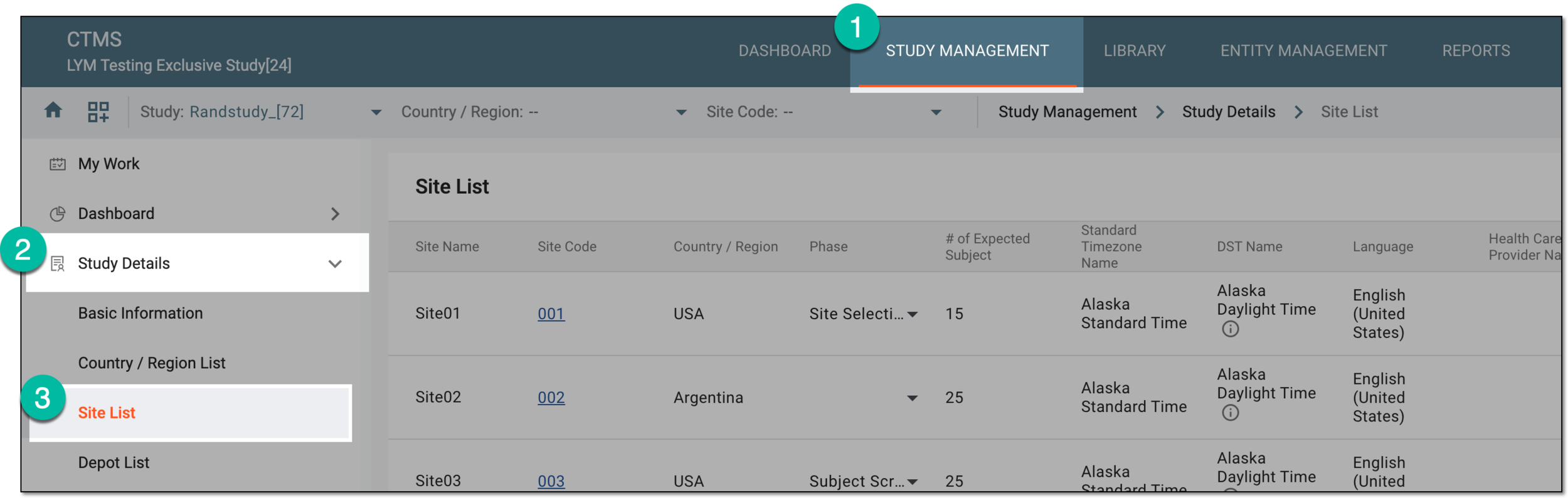 Figure 3. Accessing study sites
-
In the Site List table that appears, next to the needed site, select More
 > Attachments
  .
.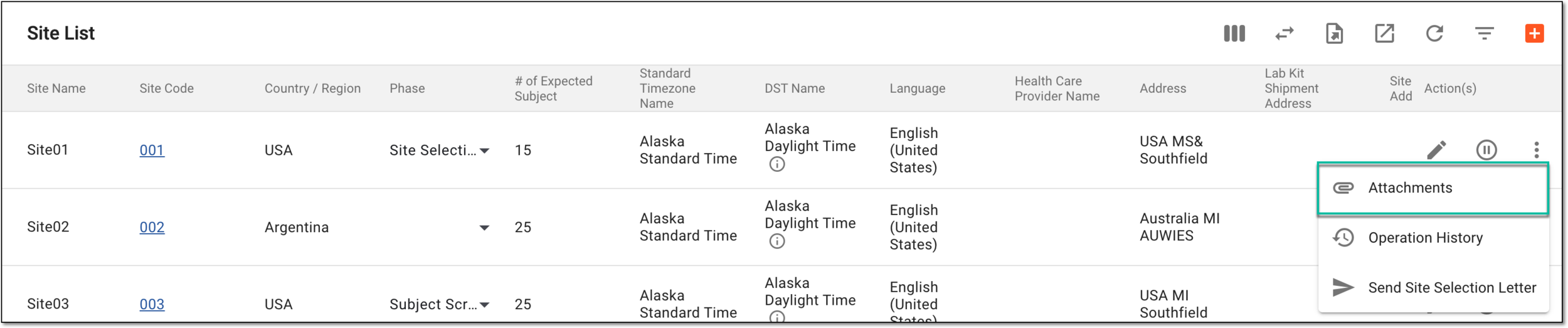 Figure 4. Accessing file attachments
-
In the File List panel that opens on the right, view the files attached to the site. You can also download them to your computer by selecting Download
 and the file instantly downloads to your computer.
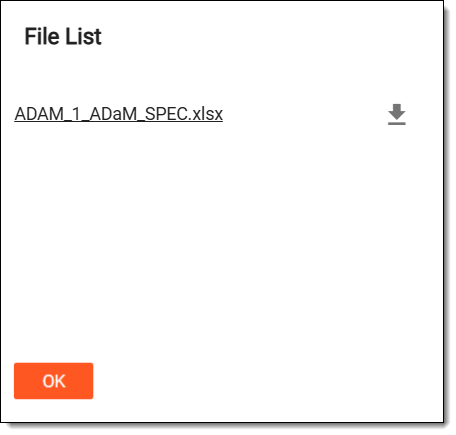 Figure 5. Viewing attached files
Once you are finished viewing the files, select OK to return to the Site List table.