Preview and download documents of participant organization
In CTMS, you can add and store essential documents associated with participating organizations involved in a clinical trial. These may include regulatory approvals, contracts, accreditation certificates, and other compliance-related files.
Whenever needed, the documents can be previewed in the system or downloaded to your computer to familiarize with their contents.
-
Access the study management page in one of the following ways:
-
In the CTMS application header, select the DASHBOARD tab and then select the study dashboard of your interest.
 Figure 1. Accessing study management from dashboard
-
In the CTMS application header, select the STUDY MANAGEMENT tab. Then from the Study Data List table, select the study name of your interest.
 Figure 2. Accessing study management from study data list
-
-
From the left pane of page that opens, select Study Details > Participating Organizations.
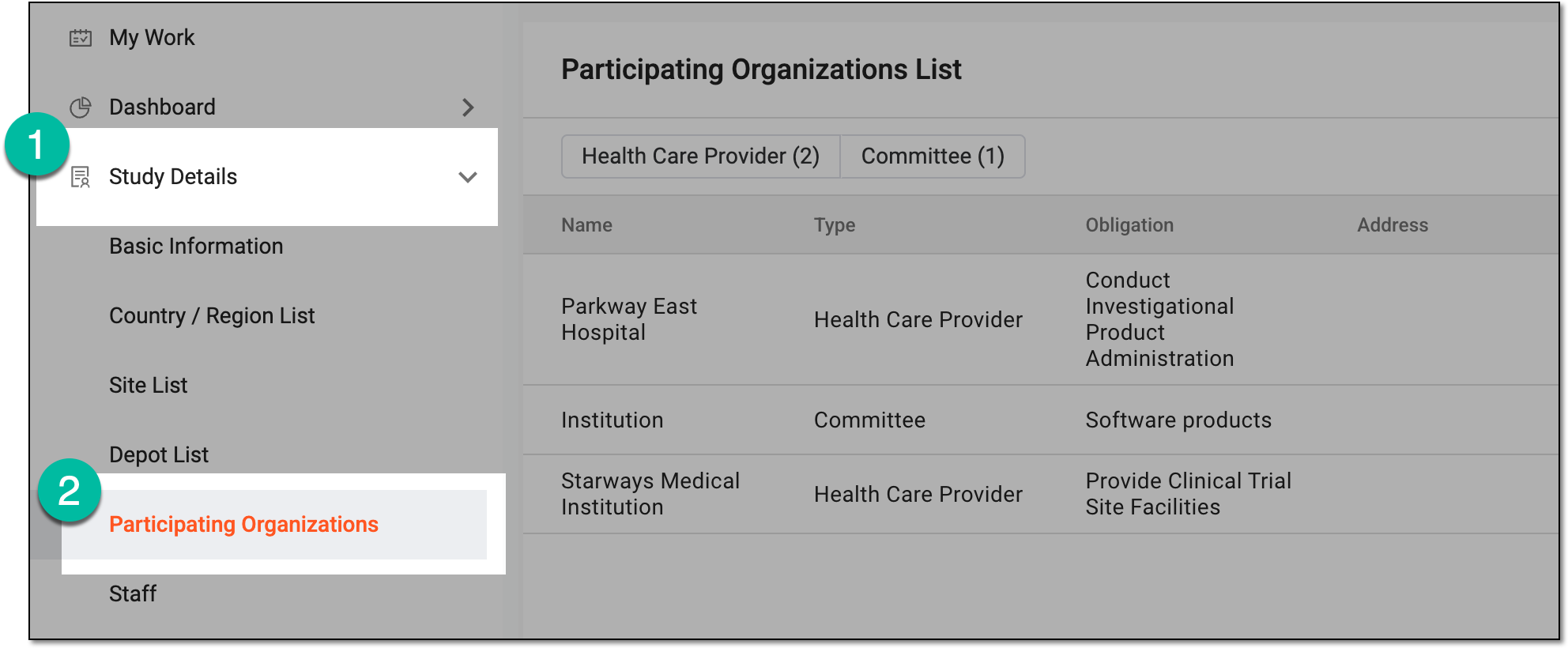 Figure 3. Accessing participating organizations of study
-
In Participating Organizations List, locate the participating organization for which you want to access uploaded documents. Then from the # of Uploaded Documents column, select the value.
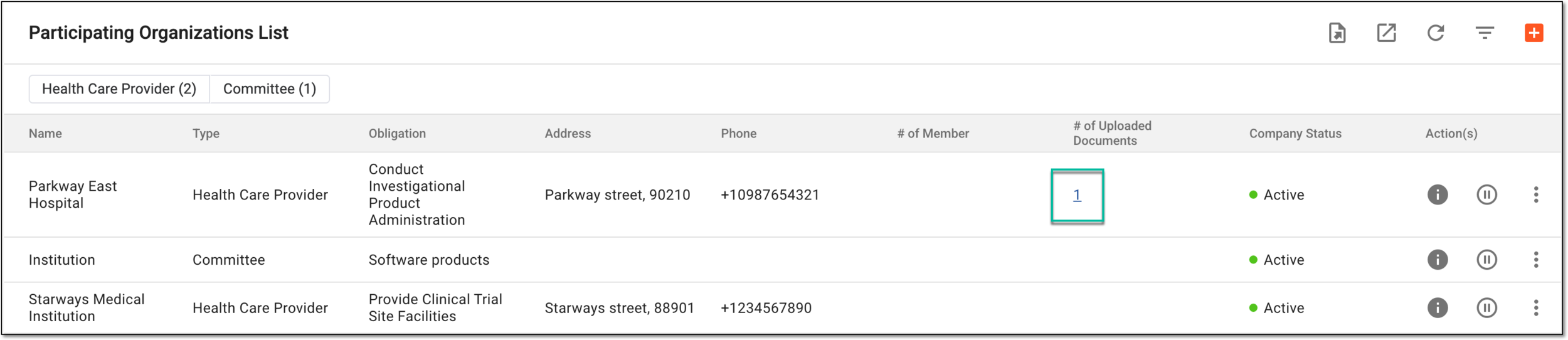 Figure 4. Accessing uploaded documents for participating organization
-
In the Uploaded Documents dialog that appears, locate the file of your interest and select one of the available actions.
-
Download
 : to download the document to your computer.
 -
Preview
 : to open the file contents preview in the new browser tab.
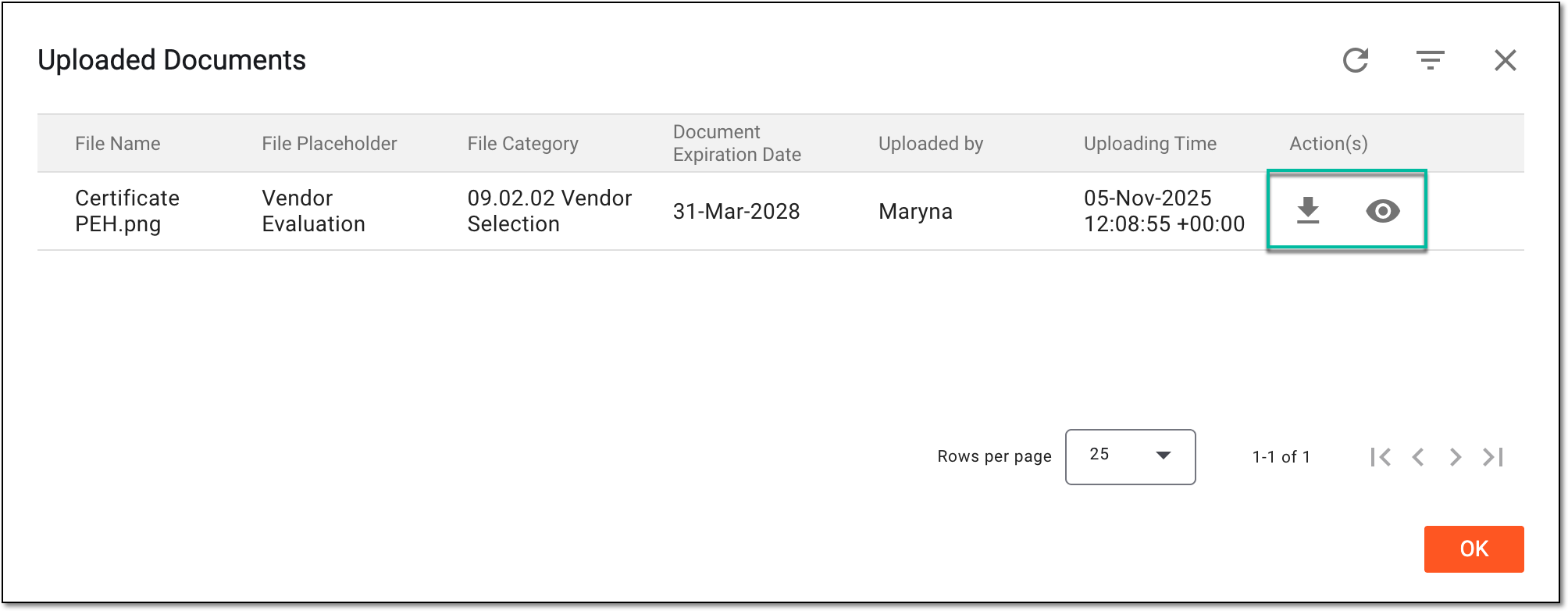 Figure 5. Selecting to download or preview documents for participating organization
-
You have downloaded or previewed the files for the participating organization. Now select OK to close the dialog and return to Participating Organizations List.