Edit dispensing plan alert
In IWRS, setting up alerts to notify the dedicated personnel of any changes in the dispensing plan of a subject provides an additional tier of scrutiny in tracing subject treatment adjustments and reacting to them promptly.
In the course of the clinical trial, some details might change and must be reflected in the alert setting, such as mail recipients, email contents, and so on.
-
In the IWRS application header, select the ALERT tab.
-
On the page that opens, from the left pane, select the subtab corresponding to the alert category of your interest.
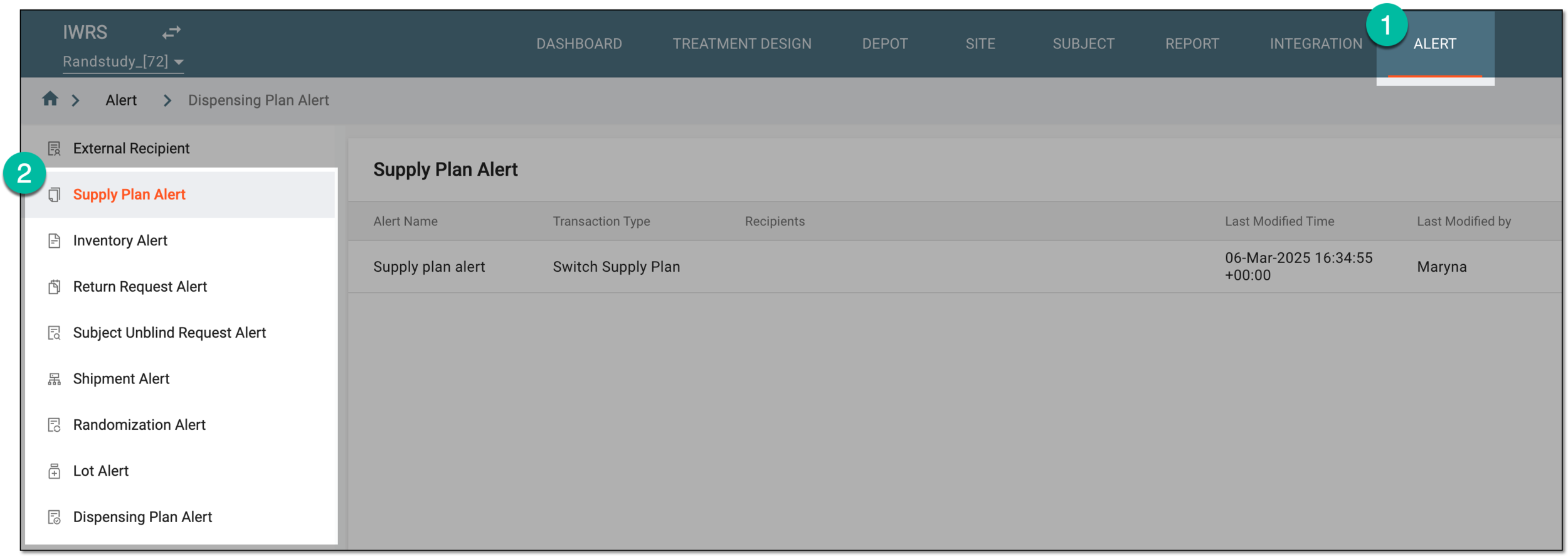 Figure 1. Accessing alert settings
-
In the Dispensing Plan Alert table that appears, next to the needed shipment alert, select More
 > Edit
  .
. Figure 2. Selecting to edit dispensing plan alert
-
On the page that appears, update the alert details as needed. These details are identical to the ones explained in the table of the Create dispensing plan alert section.
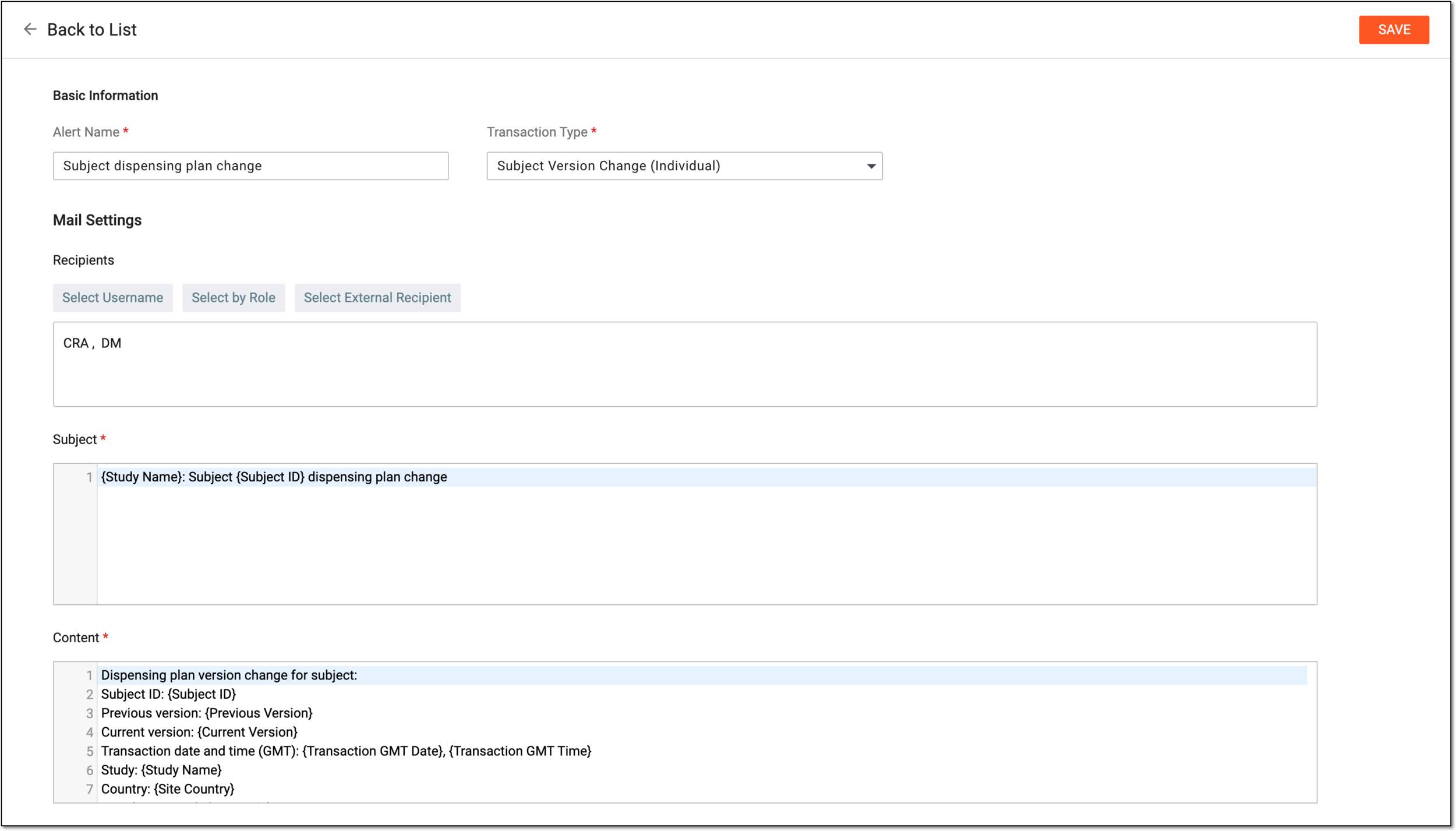 Figure 3. Editing dispensing plan alert
-
Select
 to apply new settings of the dispensing plan alert.
Once saved, the alert is updated; the system starts generating alert email based on the applied settings.