Edit container unit
In IWRS, containers are hierarchical units used to group and manage investigational medicinal products (IMPs) and placebos for shipping and inventory purposes. These containers serve as shipping units that enable the effective management of IMPs between depots and study sites, ensuring that products are properly categorized and tracked throughout their shipment lifecycle.
At any time, you can make updates and edits to your container units. For example, you may want to update the container unit components, depots, and so on.
-
In the IWRS application header, select the TREATMENT DESIGN tab.
-
In the left pane, select the Item Unit subtab.
-
On the page that appears, select the Container Unit tab.
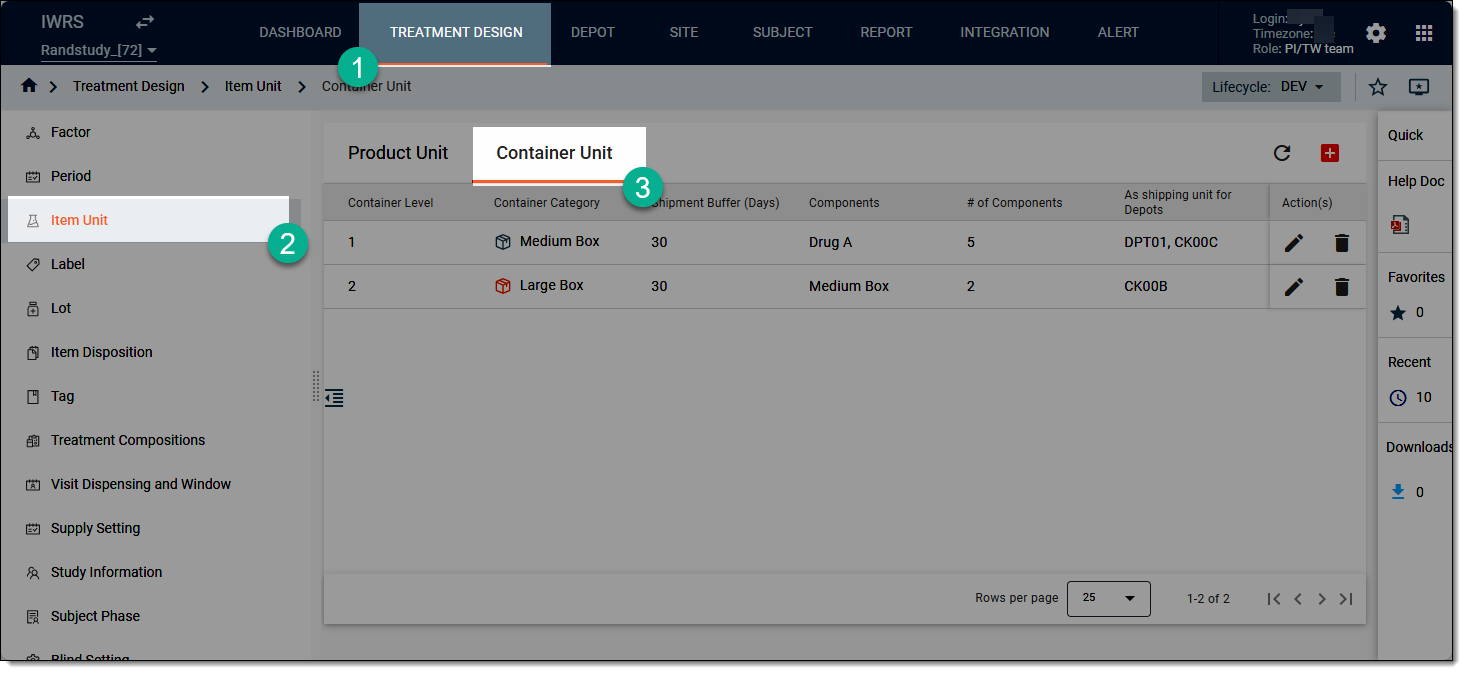 Figure 1. Accessing container unit list
-
On the page that opens, go to the container unit that you want to update, and then from the Action(s) column, select Edit
 .
.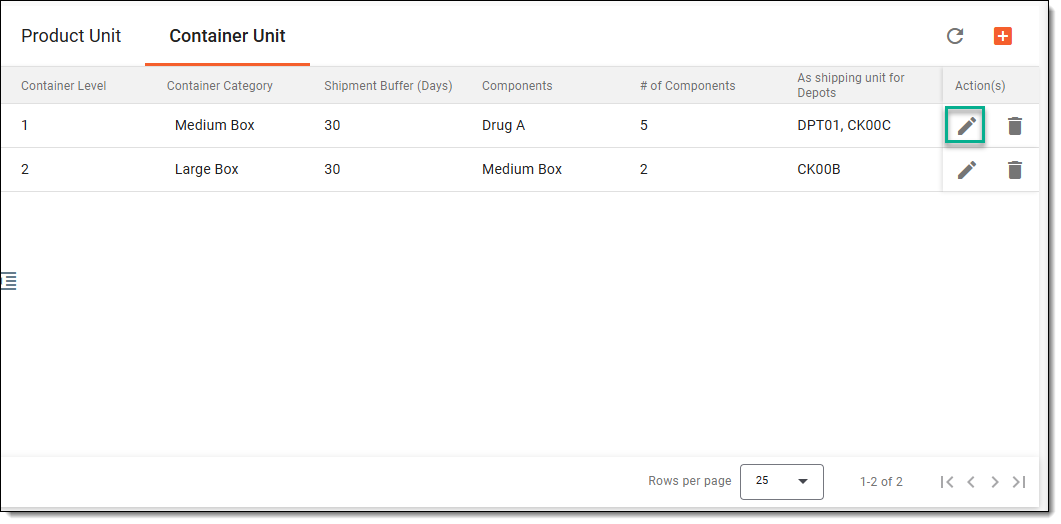 Figure 2. Accessing option to edit container unit
-
In the Edit dialog that opens, update the container unit details as explained in the table of the Add new container unit section.
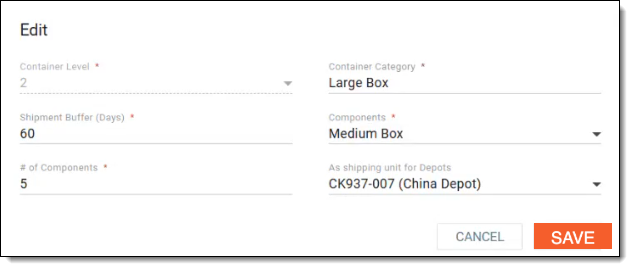 Figure 3. Editing container unit details
Once all the updates are saved, a confirmation message appears at the bottom of the screen. Your container unit has now been updated. You can now update your XLSX file and use it to generate the label package for your updated container unit.