Analyze history of PD template association for study, site, or subject
In CTMS, you can analyze the operation history of the protocol deviation (PD) template associated with a study, site, or subject. By reviewing this history, you can track changes, updates, version upgrades, and much more, ensuring transparency and traceability throughout the protocol deviation management process.
-
Access the study management page in one of the following ways:
-
In the CTMS application header, select the DASHBOARD tab and then select the study dashboard of your interest.
 Figure 1. Accessing study management from dashboard
-
In the CTMS application header, select the STUDY MANAGEMENT tab. Then from the Study Data List table, select the study name of your interest.
 Figure 2. Accessing study management from study data list
-
-
On the study page, in the left pane, expand Protocol Deviation and select Setting.
-
On the page that opens, from the workspace toolbar, select Operation History
 .
.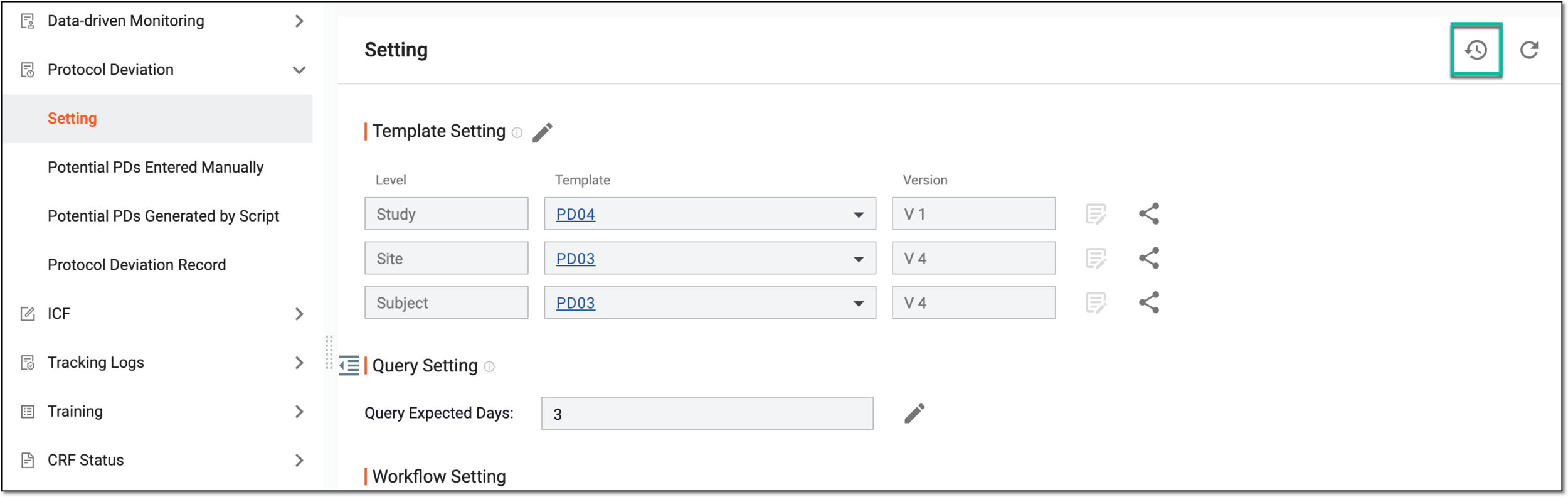 Figure 3. Accessing operation history of PD template
-
In the dialog that opens, analyze the changes made to PD templates.
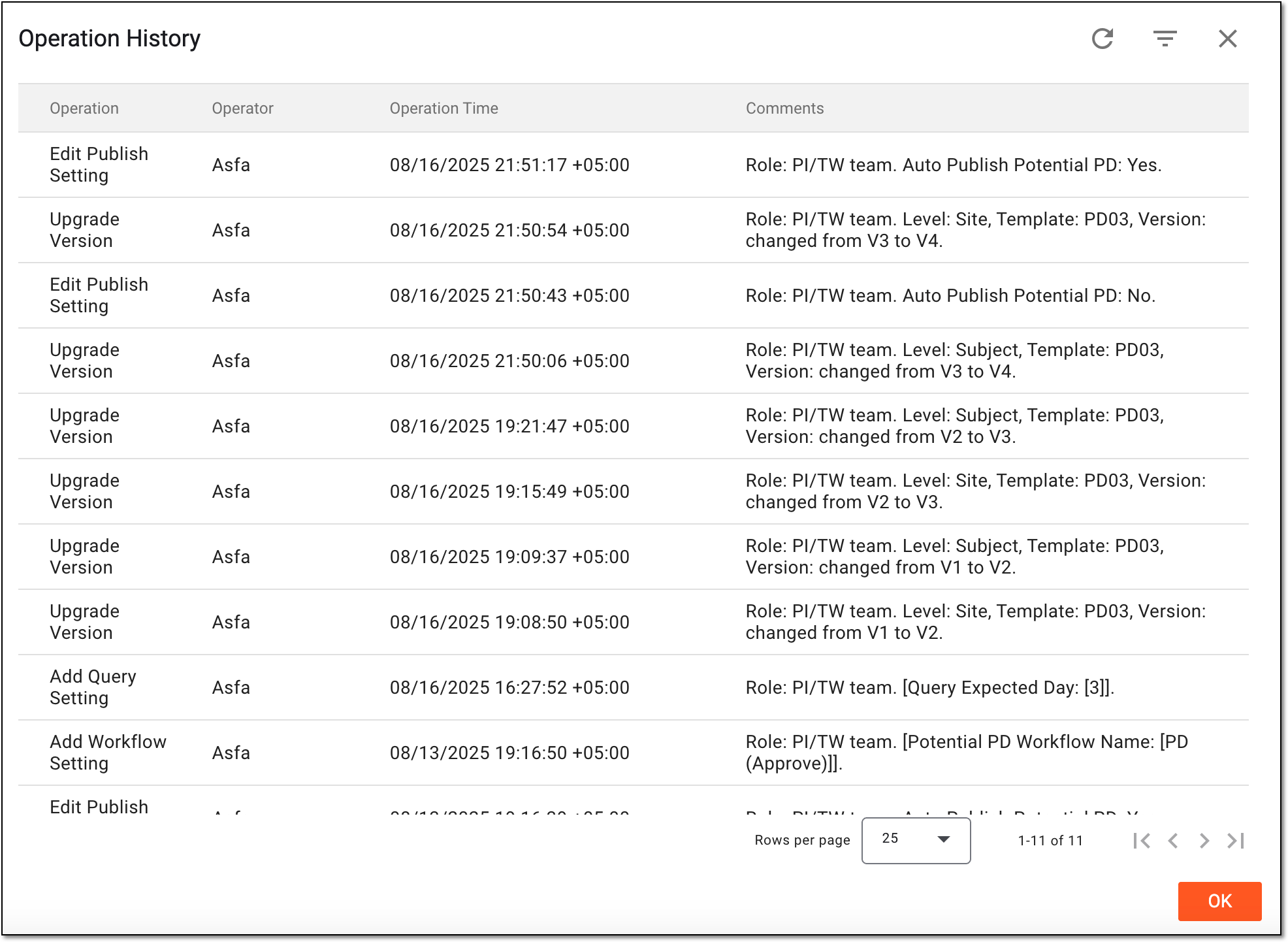 Figure 4. Analyzing operation history of PD templates
Once you have analyzed the changes, select OK to return to the template setting.