Define price for lab test
Laboratory tests held in the course of the clinical trial can have a commercial basis; thus, it becomes handy to have the ability to set pricing rates to handle the payments.
In EDC, you can define prices for all lab tests individually, making it easy to manage currencies, maintain price changes, and otherwise support lab payments throughout your trial.
Important
The pricing functionality in the Site Normal Range module is only available if, under the Study Information page, the Define Lab Test Price toggle is turned on.
-
In the EDC application header, select the STUDY INFO tab.
-
In the left pane, select Lab > Site Normal Range.
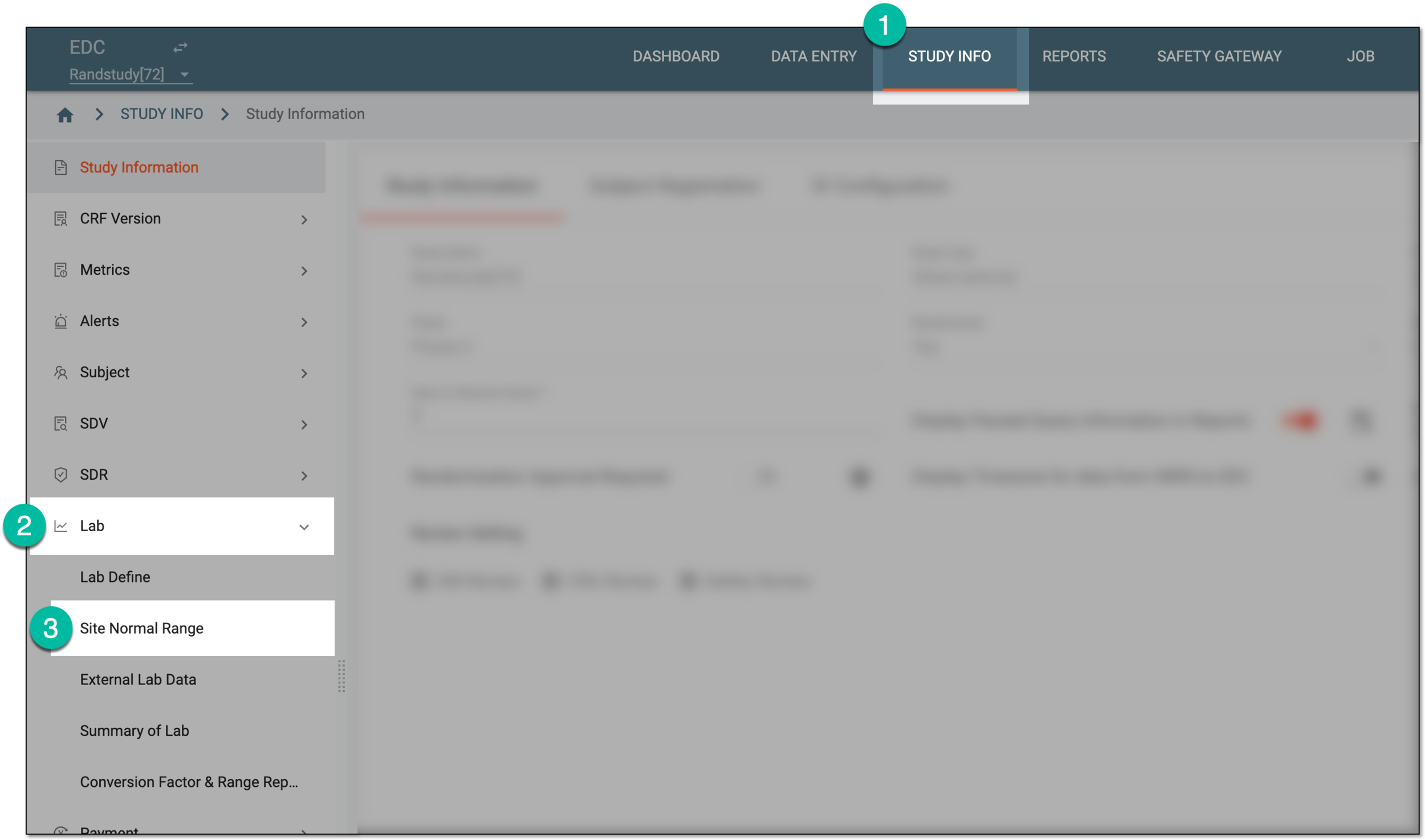 Figure 1. Accessing normal range list
-
In the Normal Range List table that appears, next to the normal range of your interest, select More
 > Define Lab Test Pricing
  .
.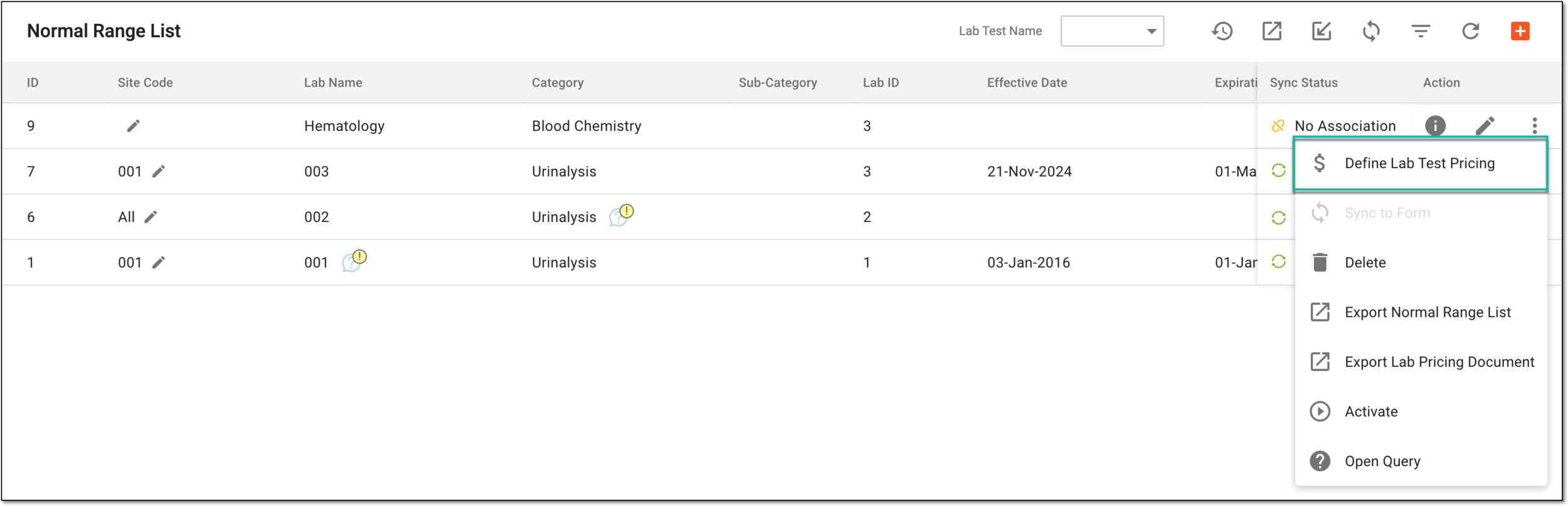 Figure 2. Selecting option to define lab test price
-
On the page that opens, in the Lab Currency field on the workspace toolbar, select the currency in which all the financial operation of the lab are handled.
Important
The currency is pulled from CTMS but can be changed manually in EDC.
 Figure 3. Defining currency for lab pricing
-
In the list of lab tests, next to the needed ones, locate the Payment Amount column and enter the price of the test in the previously set currency.
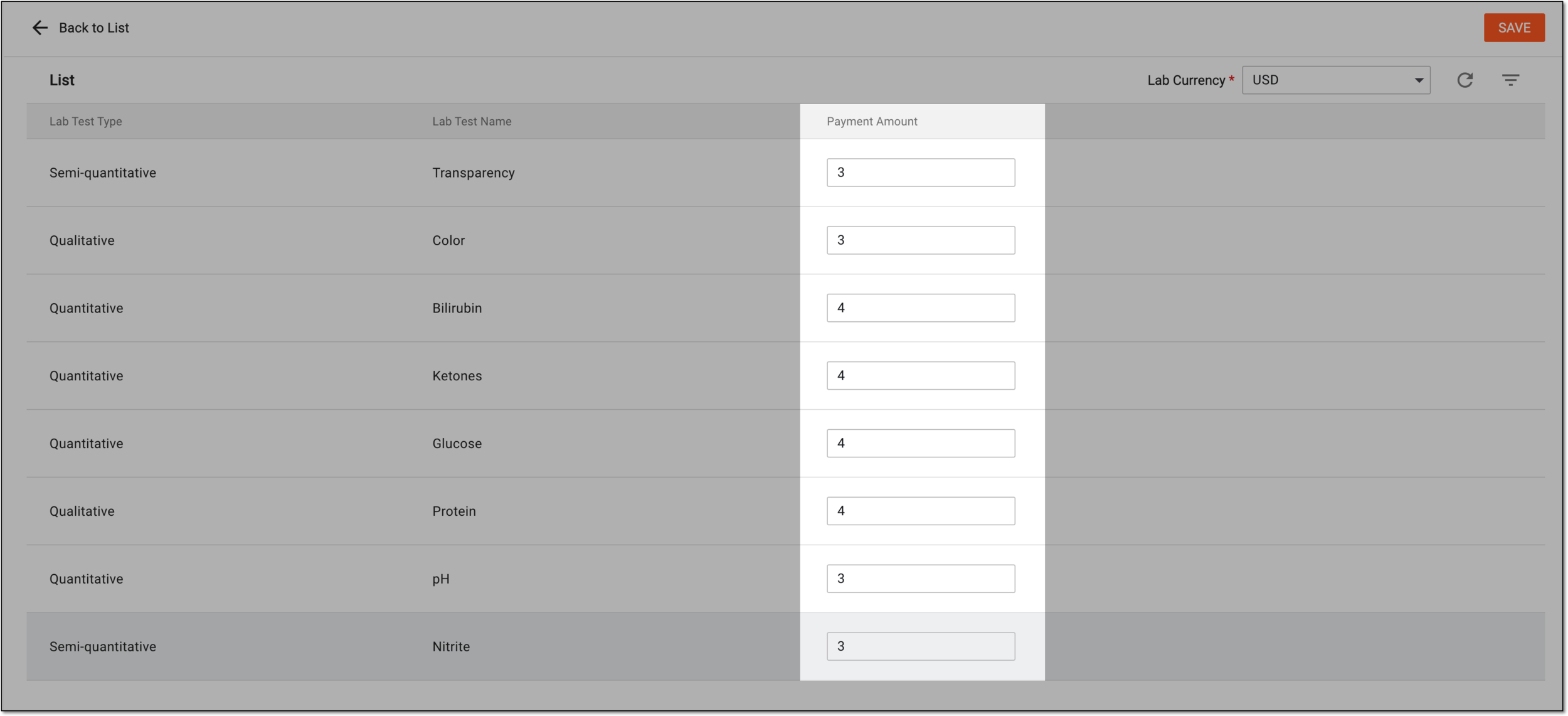 Figure 4. Defining lab test pricing
-
Select
 to implement the changes.
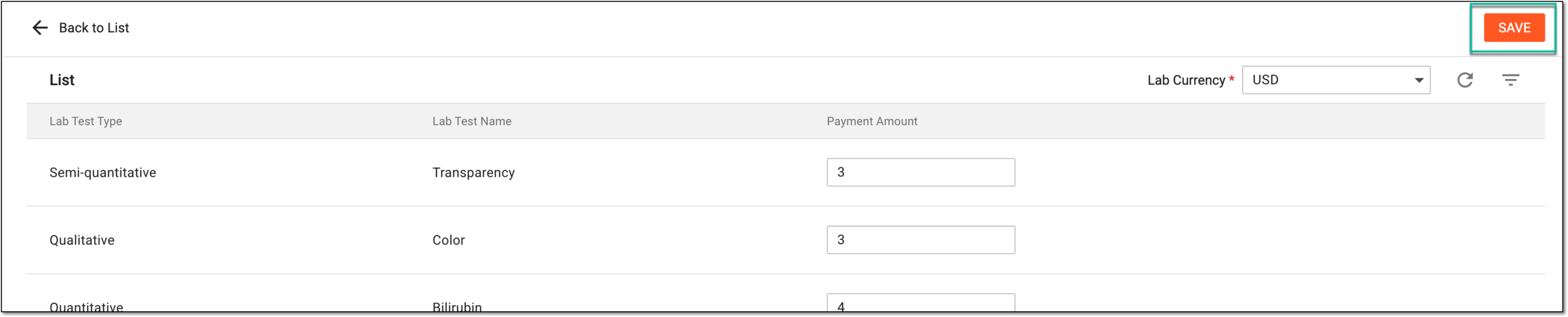 Figure 5. Saving lab test pricing settings
Once saved, the pricing of the lab tests is applied and accounted in financial operations of EDC. Repeat this procedure whenever you need to adjust the pricing.