Export lab pricing data
In EDC, you can define prices for the lab tests of your study, making it easy to manage currencies, maintain price changes, and otherwise support lab payments throughout your trial.
The lab test pricing details can be exported in the XLSX format for your convenience to use this sheet offline to share with stakeholders or for other business needs.
-
In the EDC application header, select the STUDY INFO tab.
-
In the left pane, select Lab > Site Normal Range.
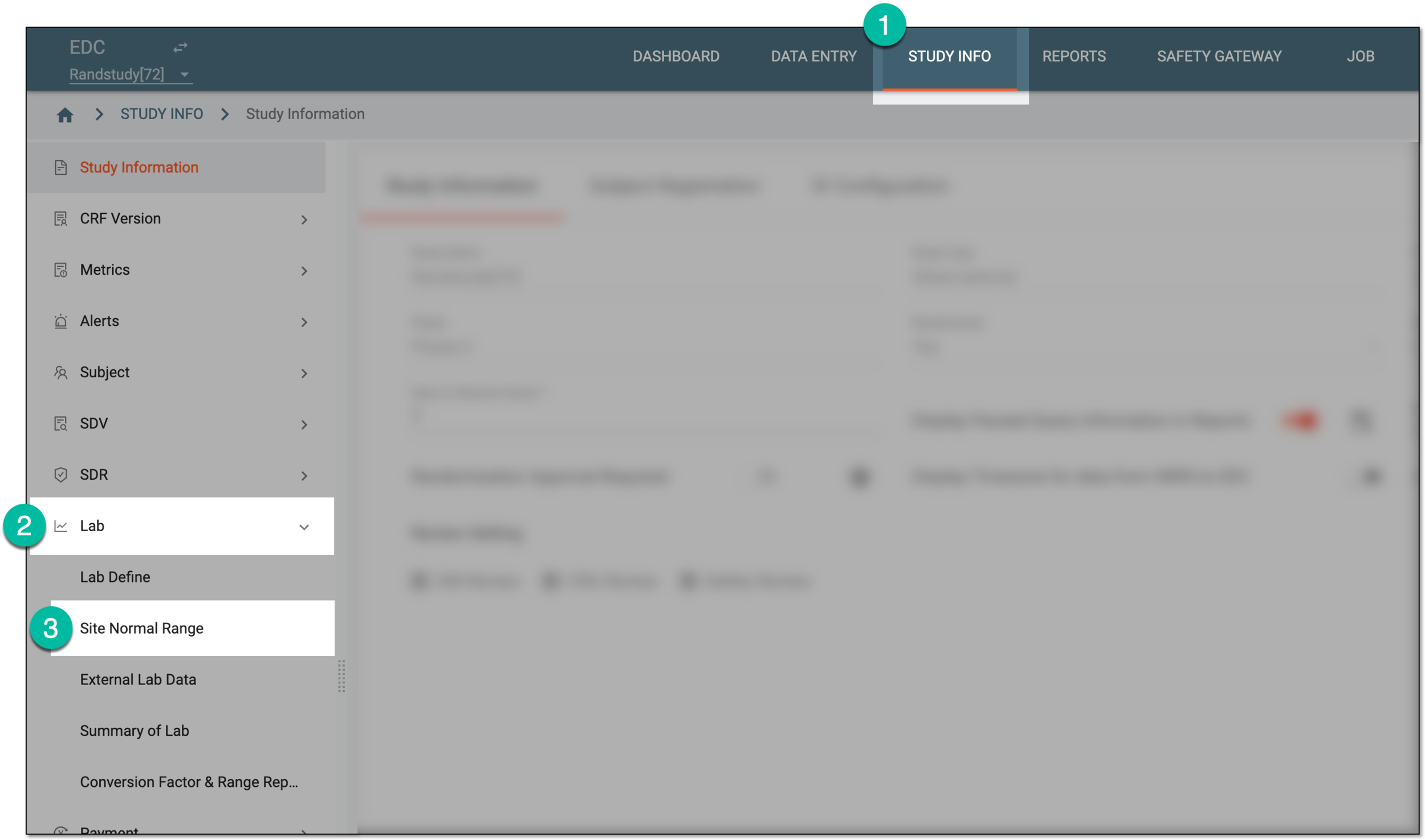 Figure 1. Accessing normal range list
-
On the Normal Range List page that opens, do one of the following.
-
In the downloads widget that appears, view your download progress. Select the widget to open the My Downloads dialog.
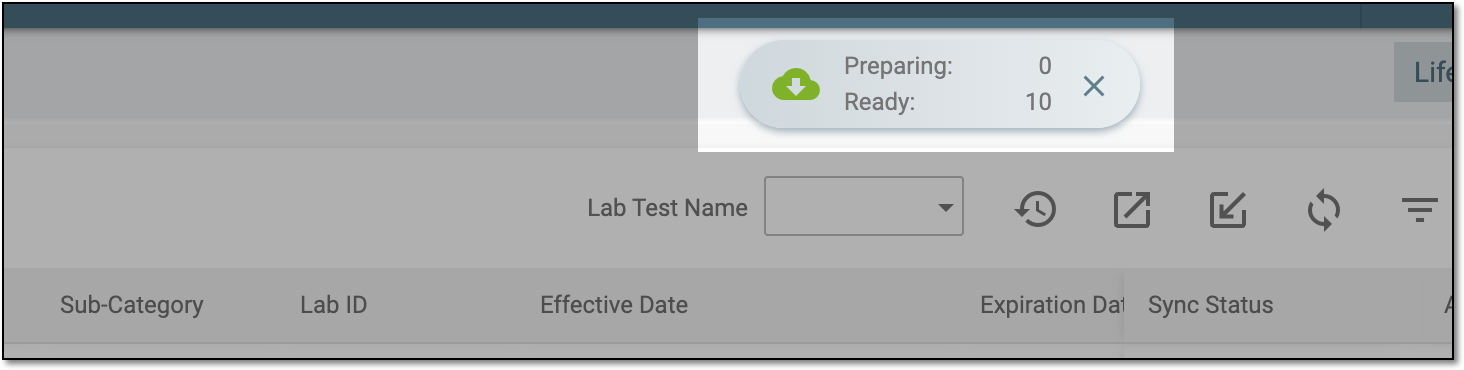 Figure 4. Downloads widget for site normal ranges
-
In the My Downloads dialog that opens, you can find the following tabs:
-
Preparing: lists all the files whose export is in progress, and they are not yet ready for download. Wait until the needed file moves to the Download is Ready tab.
-
Download is Ready: lists the files whose export is complete, and they can be downloaded to your computer by selecting
 .
.
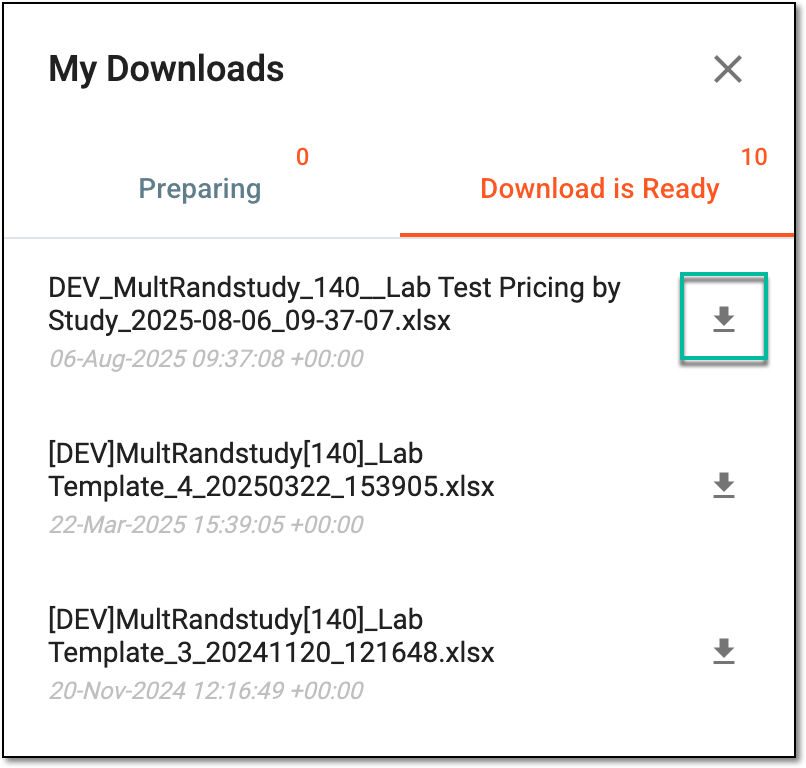 Figure 5. Downloading pricing document
-



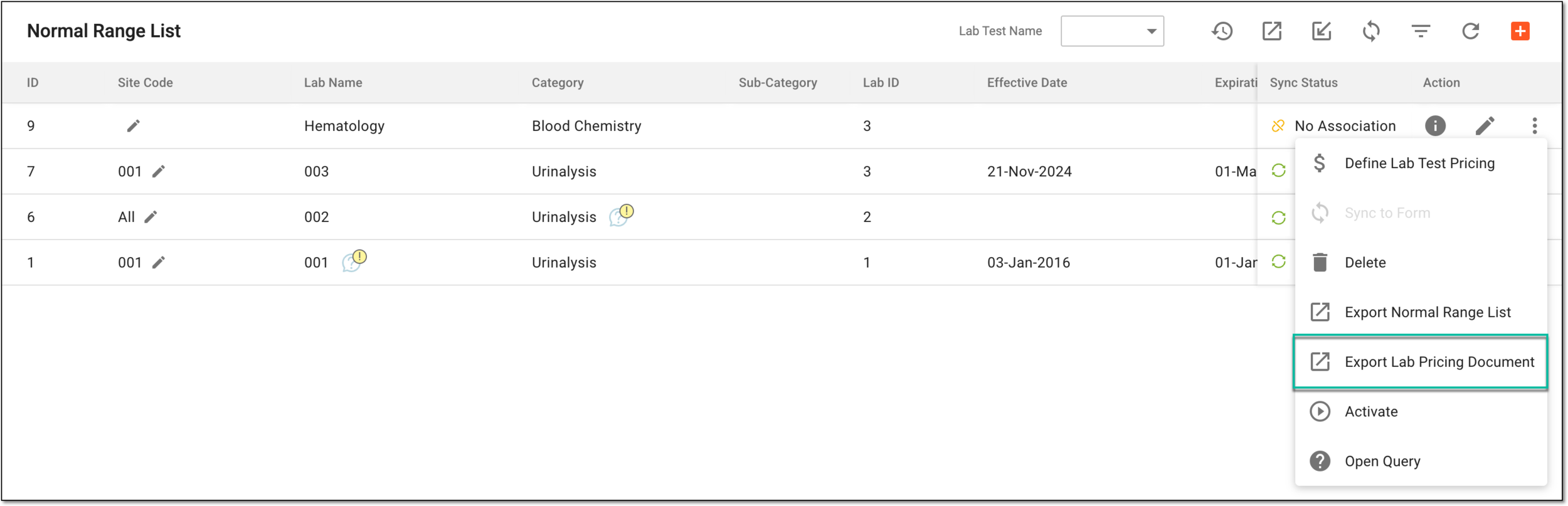
Once downloaded and saved, the pricing document in the XLSX format becomes available on your computer.