Delete activity
If required, you can remove an activity from the CTMS library when it is no longer needed. Deleting a activity helps keep the milestone list relevant and organized. Before deleting a milestone, make sure that:
-
The activity is not used in any study.
-
The activity is not associated with a milestone.
-
The activity is inactivated.
-
In the CTMS application header, select the LIBRARY tab.
-
On the page that opens, from the left pane, select Activity Template.
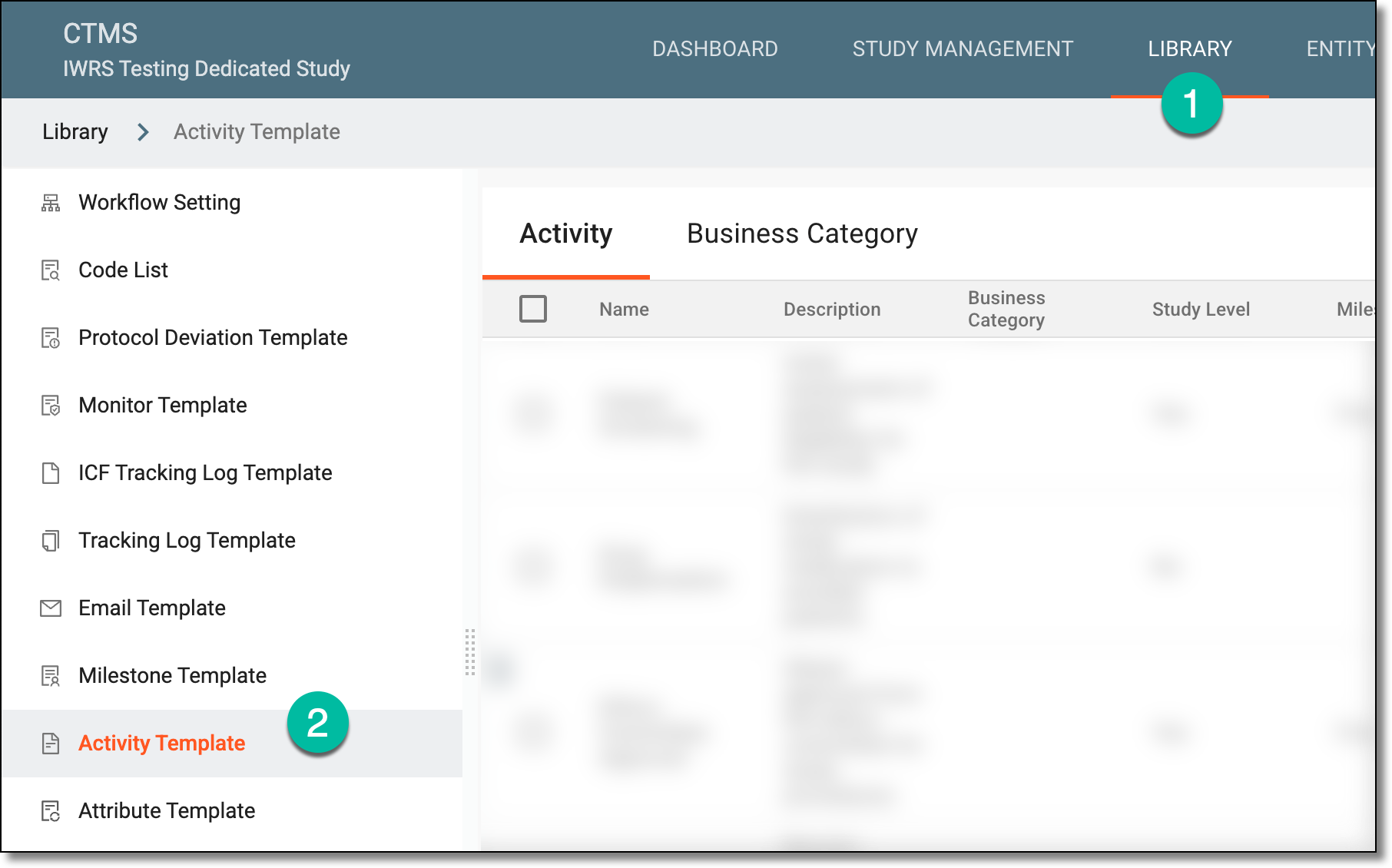 Figure 1. Accessing activity template subtab
-
On the Activity Template List page that opens, locate the activity that you want to delete. Then next to it, from the Action(s) column, select More
 > Delete
  .
.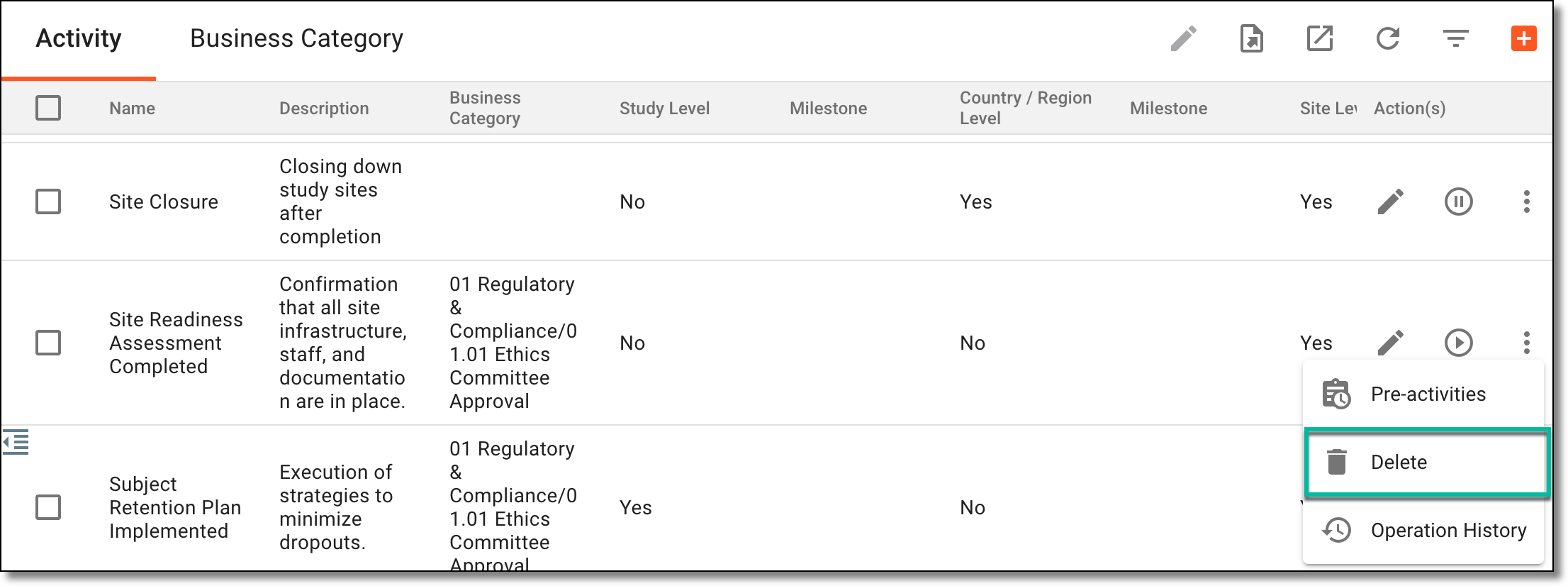 Figure 2. Selecting to delete activity
-
In the dialog that appears, confirm the action by selecting SAVE.
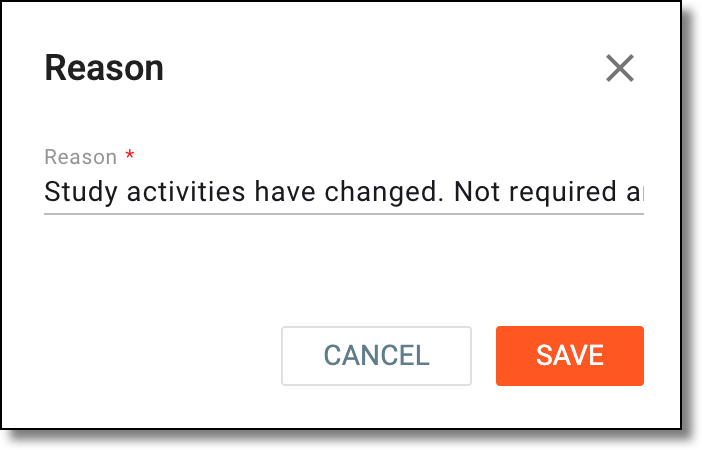 Figure 3. Deleting activity
Once confirmed, the activity is deleted from the CTMS library.