View operation history of milestone
In the CTMS library, you can access the record of all actions performed on a milestone, such as creation, updates, activation, or inactivation. This history helps track changes over time, supporting transparency and audit readiness.
To view the operation history of a milestone
-
In the CTMS application header, select the LIBRARY tab.
-
On the page that opens, from the left pane, select Milestone Template.
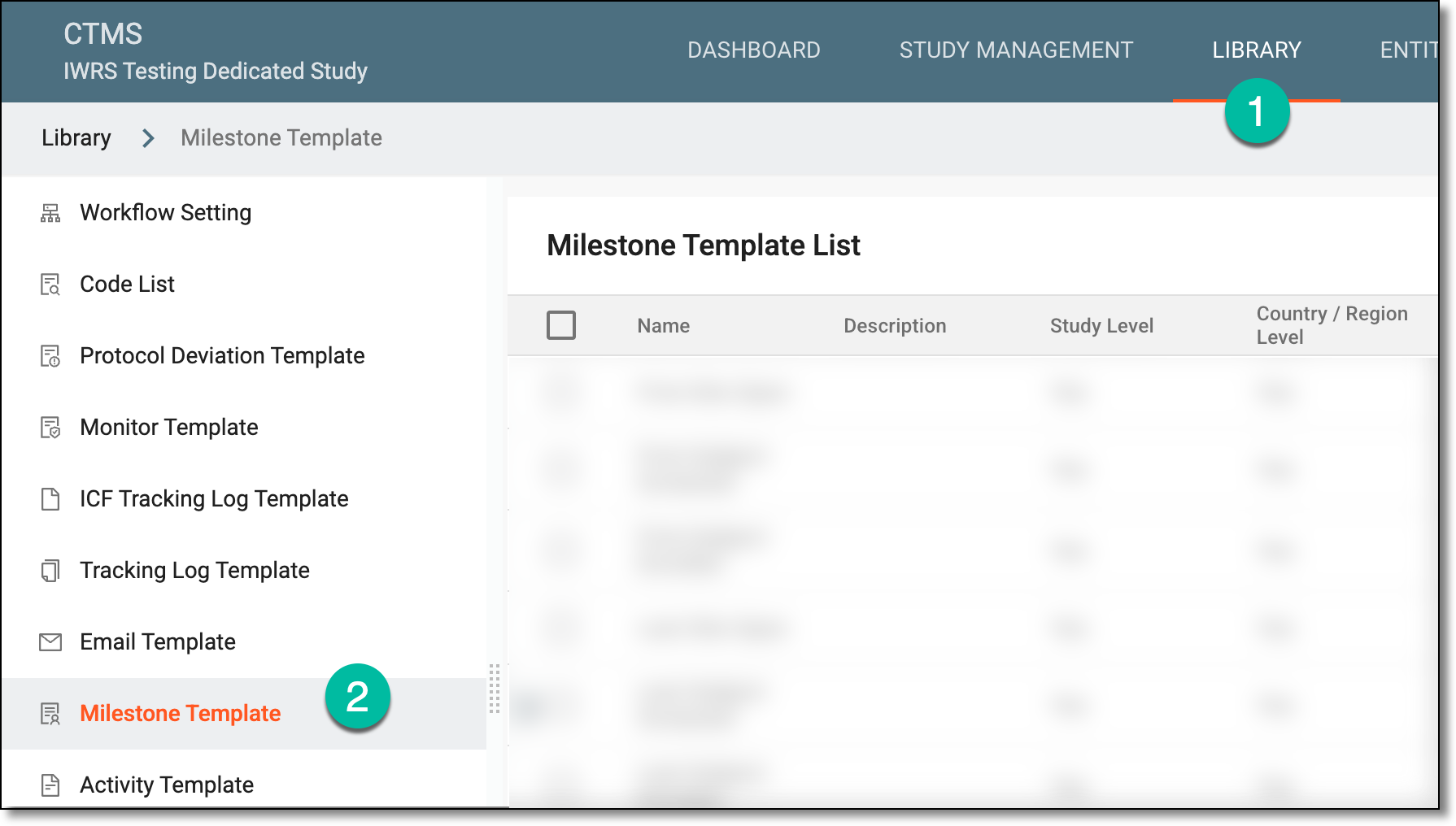 Figure 1. Accessing milestone template subtab
-
On the Milestone Template List page that opens, locate the required milestone, and next to it, from the Action(s) column, select More
 > Operation History
  .
.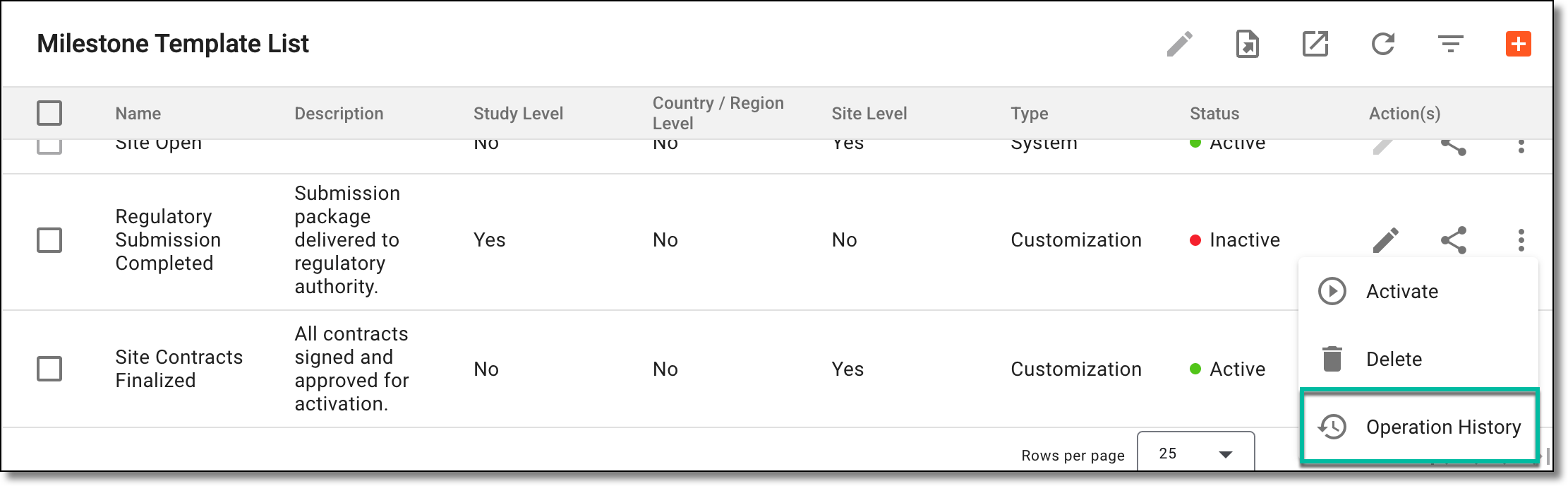 Figure 2. Accessing milestone operation history
-
In the dialog that opens, analyze the details of the changes made to the milestone.
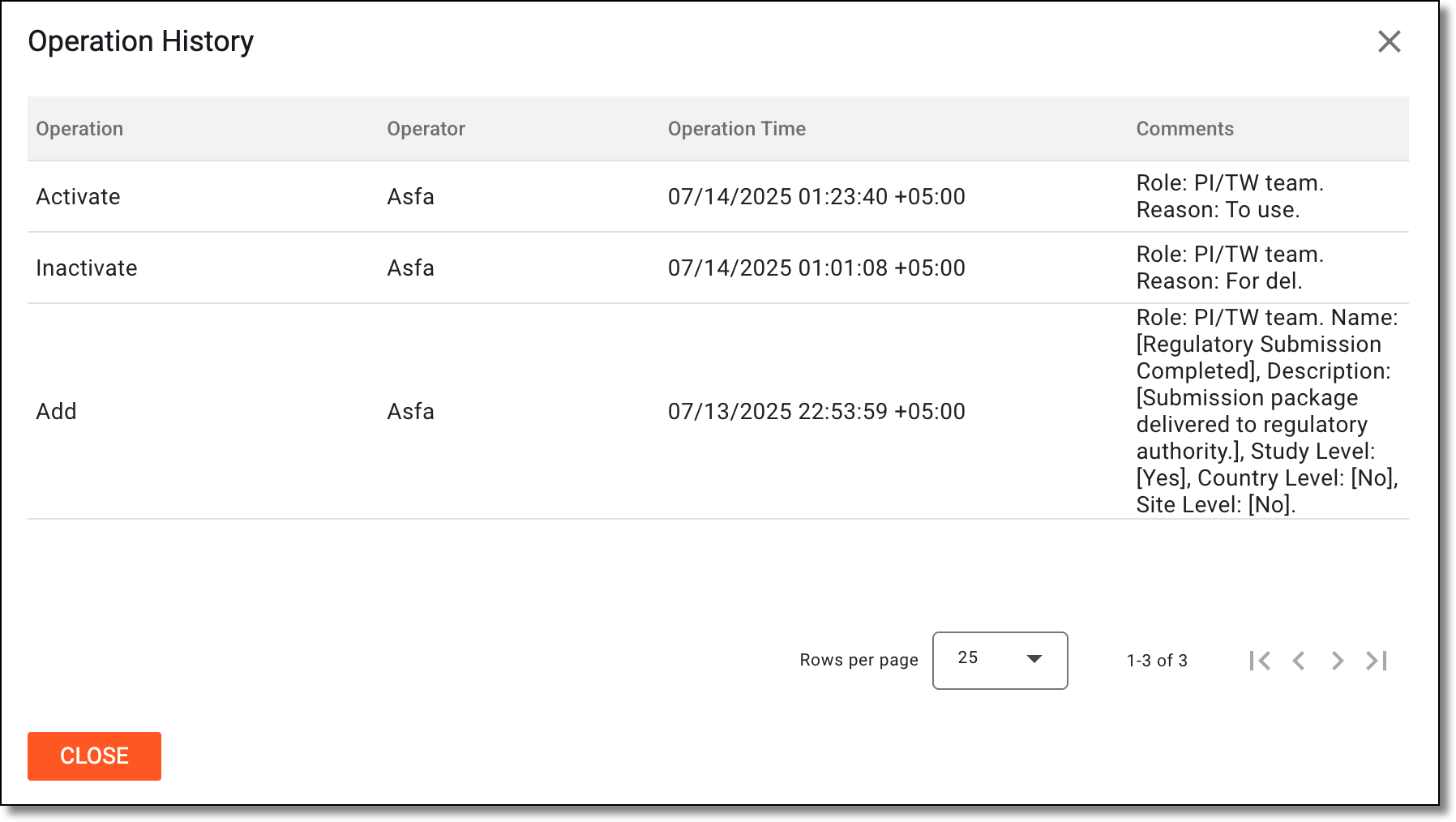 Figure 3. Analyzing operation history of milestone
Once you have analyzed the milestone's change history, select OK to close the dialog and return to the milestones.