Export dashboard data
In the eTMF system, the study dashboard is a valuable tool for tracking and managing task completion, original (source) file collection, electronic file expiration, artifacts, and other statistics.
Sometimes, you might need to export some dashboard data to use it offline on your computer.
-
In the eTMF application header, select the TMF tab.
-
In the Study List table that appears, select the study of your interest.
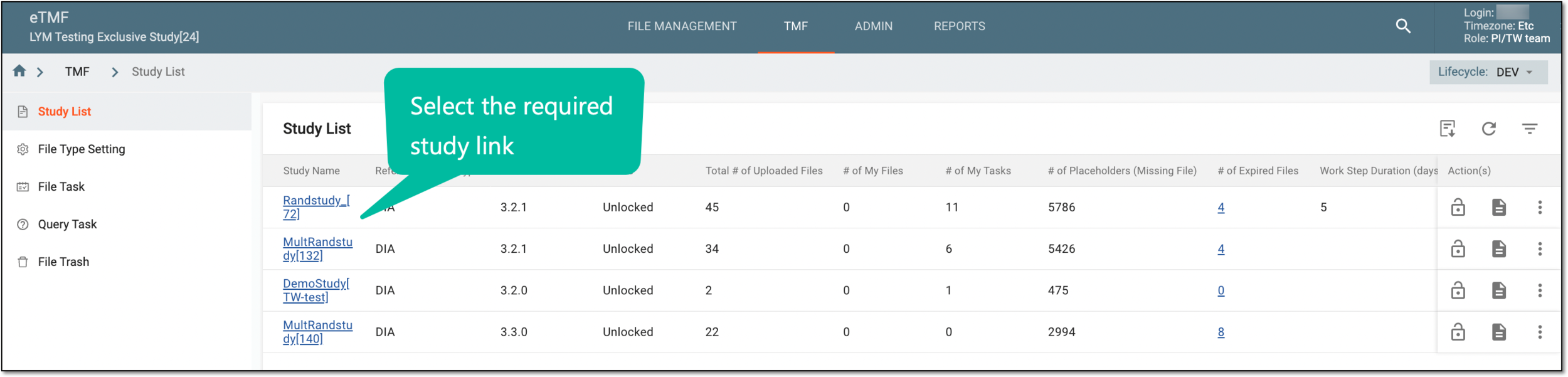 Figure 1. Accessing study
-
On the page that opens, in the left pane, either select My Work dashboard or expand the Dashboard tab, and from the expanded list, select the dashboard of your interest (Study Overview, Process Tracking or else).
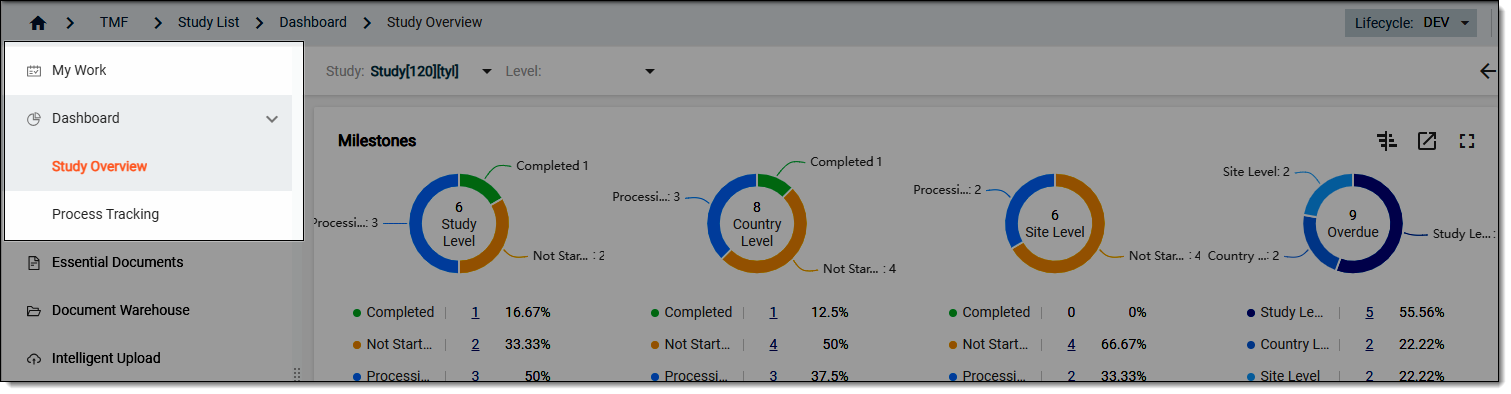 Figure 2. Selecting dashboard
-
On the respective dashboard page that opens, navigate to the needed block with data and select Export to Excel
 .
.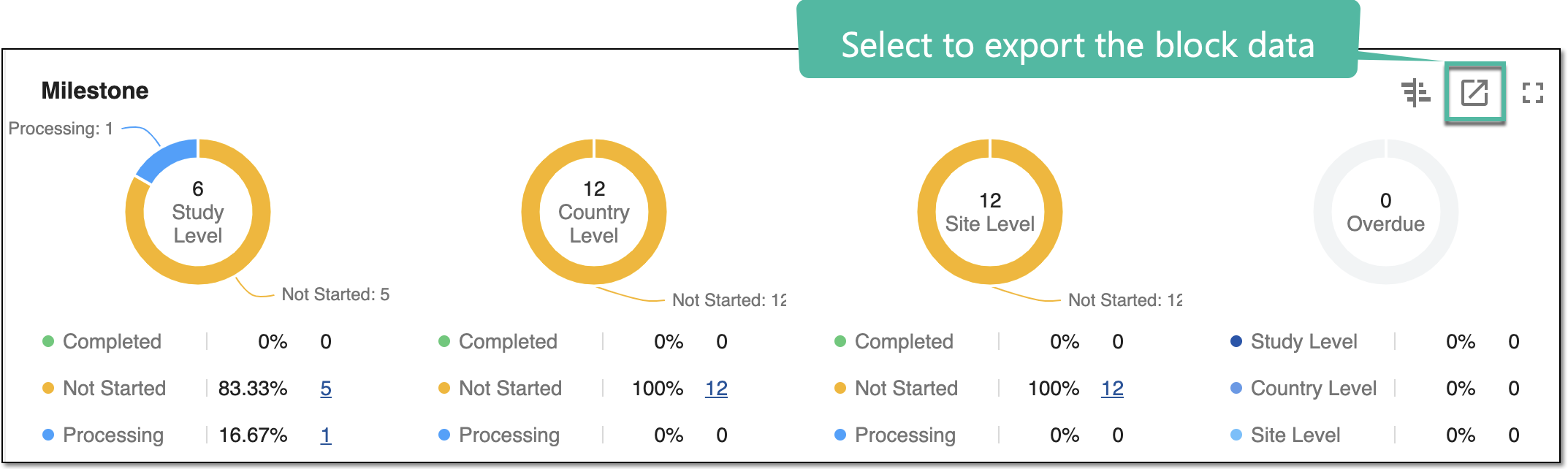 Figure 3. Exporting dashboard block data
-
Then follow the prompts of your operating system to save the file locally in the XLSX format.
Upon saving, the file with the respective data is available offline on your computer.