Delete data extraction job
Jobs are automated processes that can be set up in CTMS to schedule the execution of various activities, such as data extraction to external servers. Scheduling jobs saves time for manual export and enables regular and timely execution, minimizing risks of human error.
During your clinical trial management, your needs and arrangements might change, making certain previously created jobs obsolete. You can delete any job when and if the job is not required anymore.
-
In the CTMS application header, select the REPORT tab.
-
On the page that opens, in the left pane, select Job > Data Extraction.
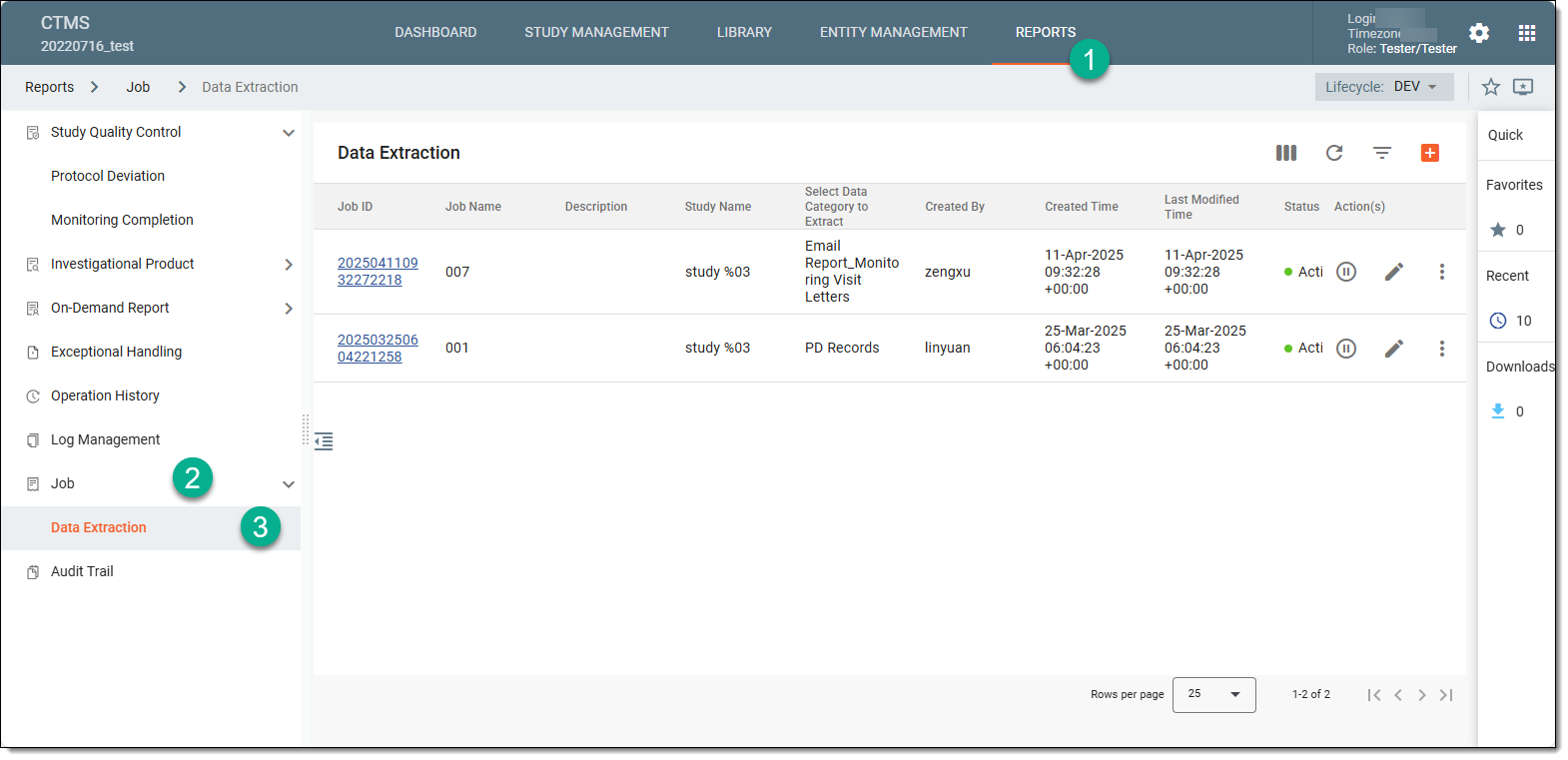 Figure 1. Accessing data extraction job configuration
-
On the Data Extraction page that opens, next to the job that you want to delete, from the Action(s) column, select More
 > Delete
  .
.Tip
This option is only available for the jobs in the Inactive status. You cannot delete active jobs.
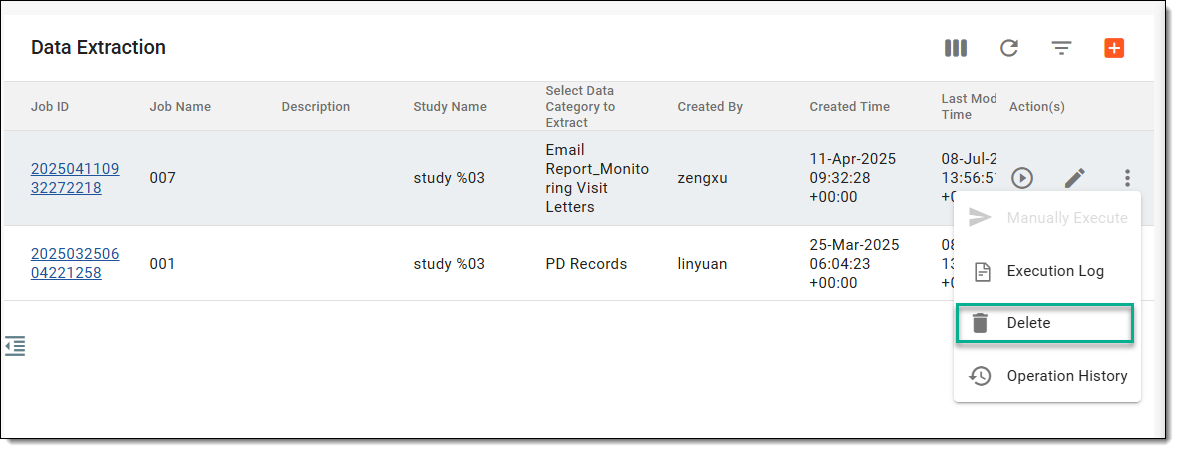 Figure 2. Deleting data extraction job
-
In the Reason dialog that opens, enter the reason for deletion and select
 .
.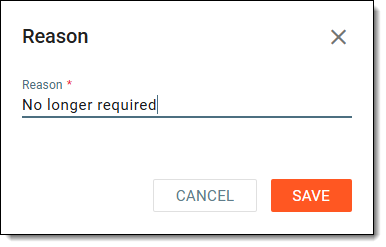 Figure 3. Providing reason for job deletion
Once saved, the data extraction job is deleted from the system and no longer displays in the Data Extraction page. If needed, you can set up a new job and schedule it as per your needs.