View operation history of data extraction job
Jobs are automated processes that can be set up in CTMS to schedule the execution of various activities, such as data extraction to external servers. Scheduling jobs saves time for manual export and enables regular and timely execution, minimizing risks of human error.
The operation history of a data extraction job holds the chronological log that records key details about each run or attempt of the extraction job. In CTMS, reviewing this history helps verify job execution status, identify errors, track data changes, and ensure compliance with audit and regulatory requirements.
-
In the CTMS application header, select the REPORT tab.
-
On the page that opens, in the left pane, select Job > Data Extraction.
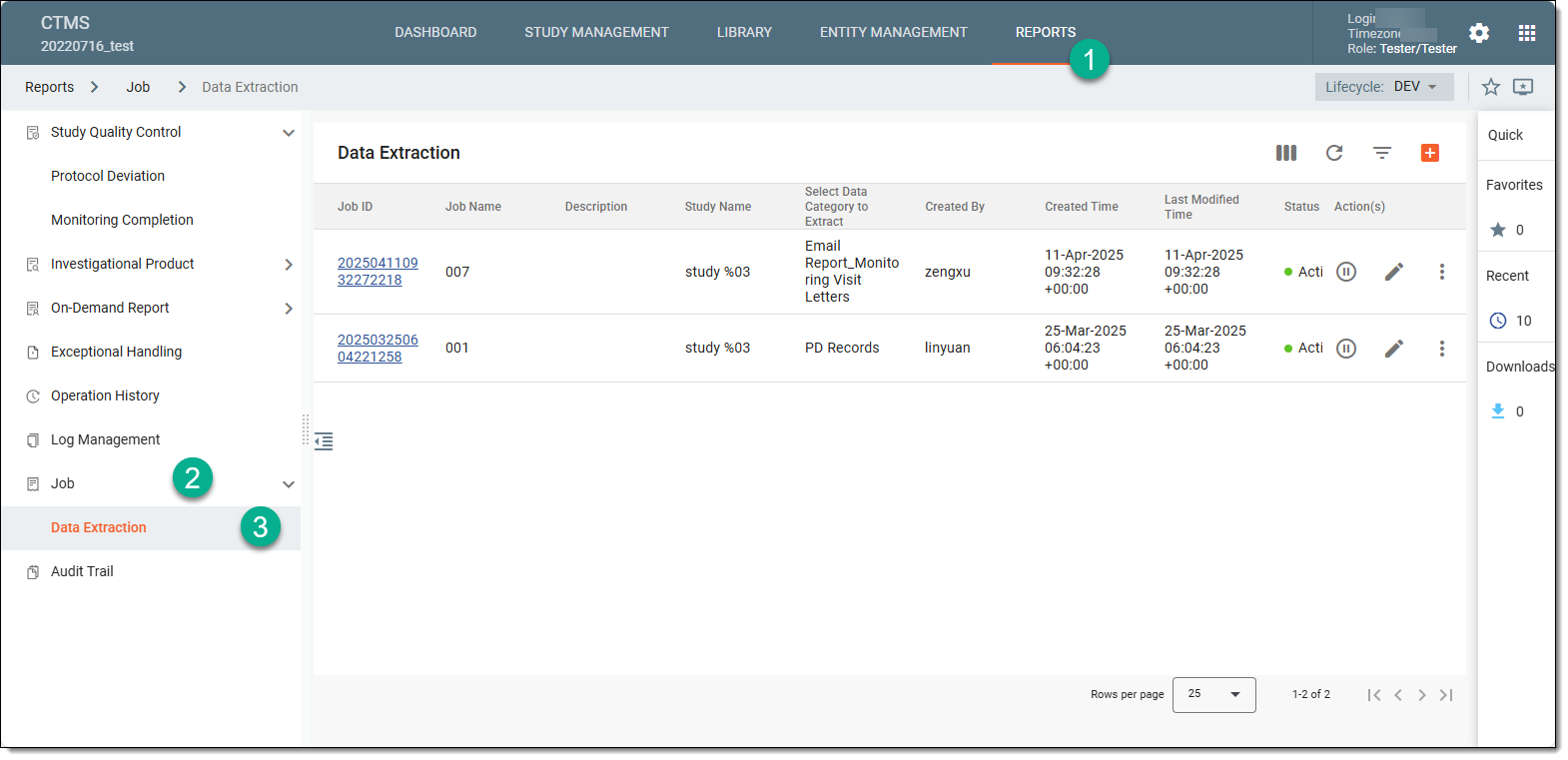 Figure 1. Accessing data extraction job configuration
-
On the Data Extraction page that opens, next to the job for which you want to view the operation history, select More
 > Operation History
  .
.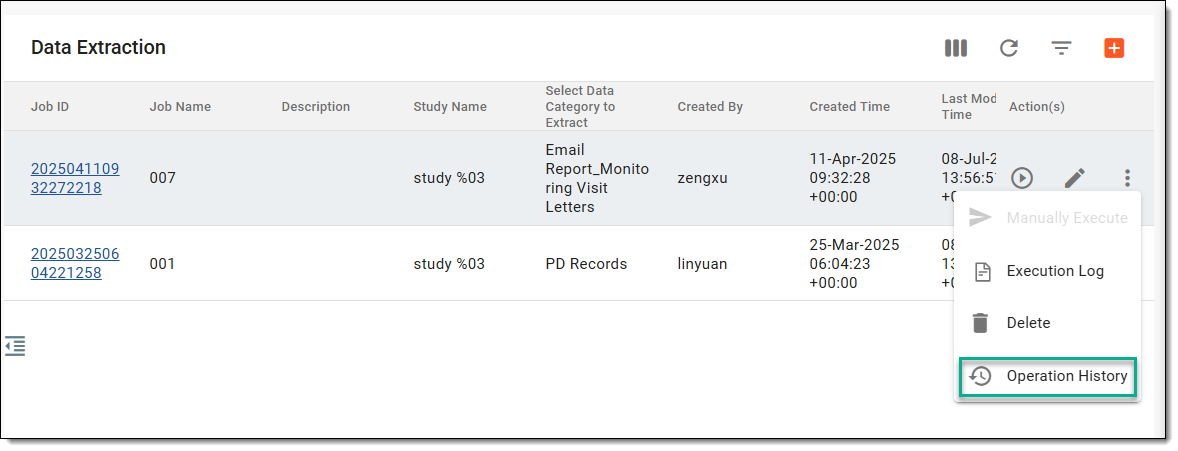 Figure 2. Opening operation history of job
-
In the Operation History dialog that opens, analyze all the actions performed on the job.
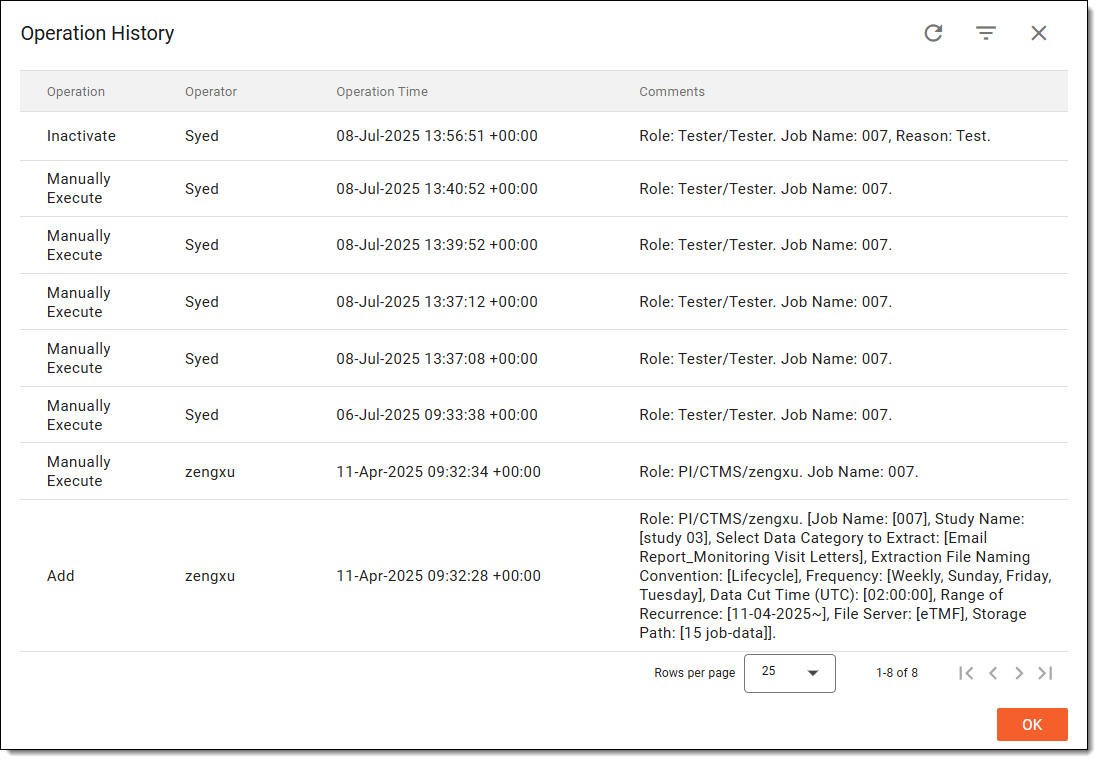 Figure 3. Analyzing operation history
Once analyzed, select  to close the dialog and return to the Data Extraction page.