Edit data extraction job
Jobs are automated processes that can be set up in CTMS to schedule the execution of various activities, such as data extraction to external servers. Scheduling jobs saves time for manual export and enables regular and timely execution, minimizing risks of human error.
You can edit a job if the job's requirements change, for example, a job is set to extract data twice a month, however, this data extraction is not required, you can edit the job and set the required occurrence pattern and save it.
-
In the CTMS application header, select the REPORT tab.
-
On the page that opens, in the left pane, select Job > Data Extraction.
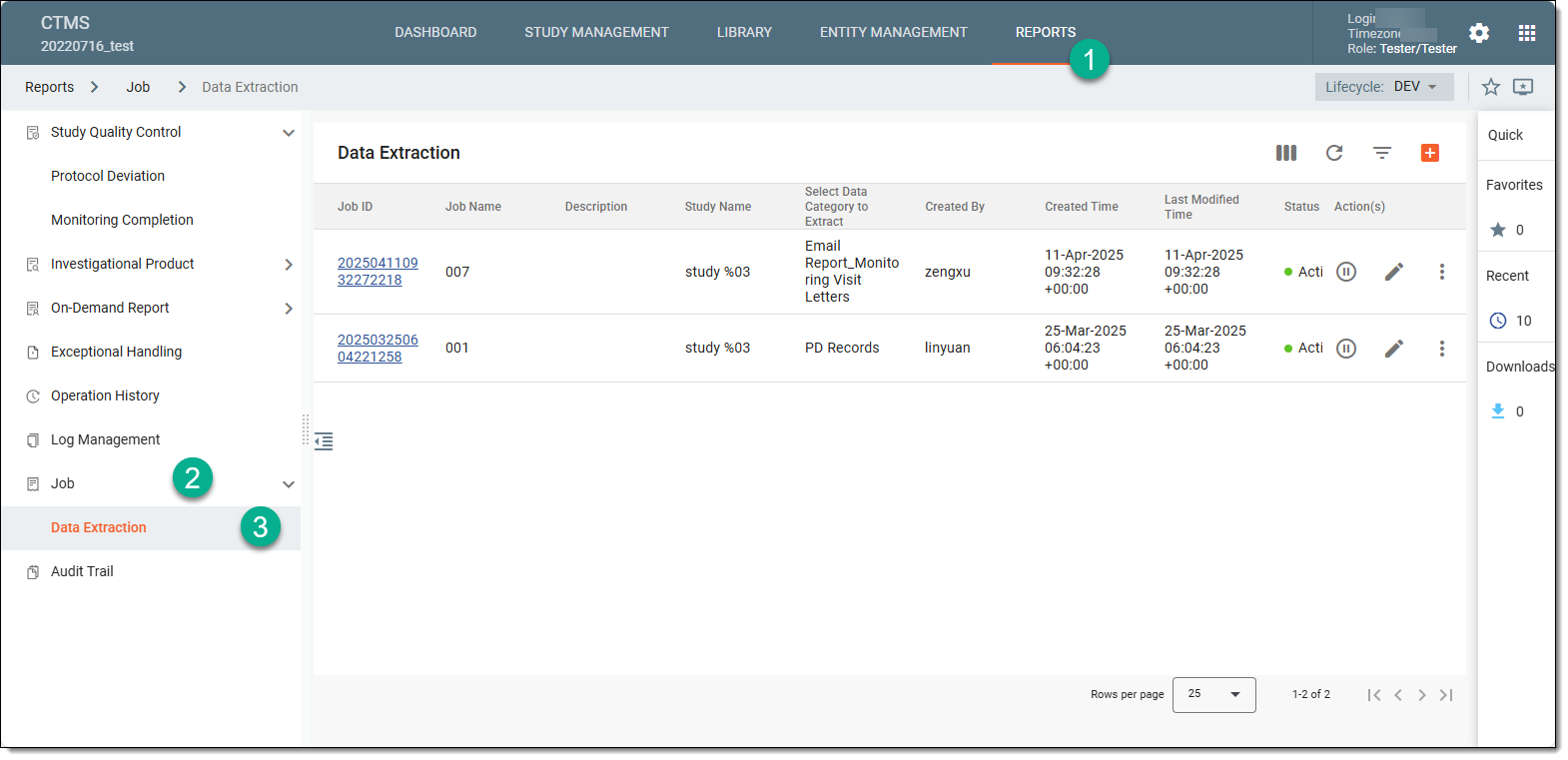 Figure 1. Accessing data extraction job configuration
-
On the Data Extraction page that opens, next to the job that you want to update, select Edit
 .
.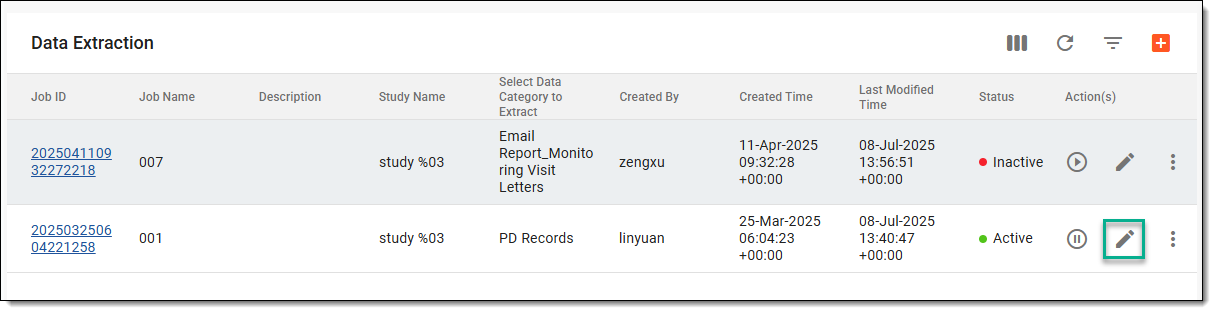 Figure 2. Accessing option to edit data extraction job
-
In the form that opens, edit the needed fields as explained in the table of the Set up data extraction job section.
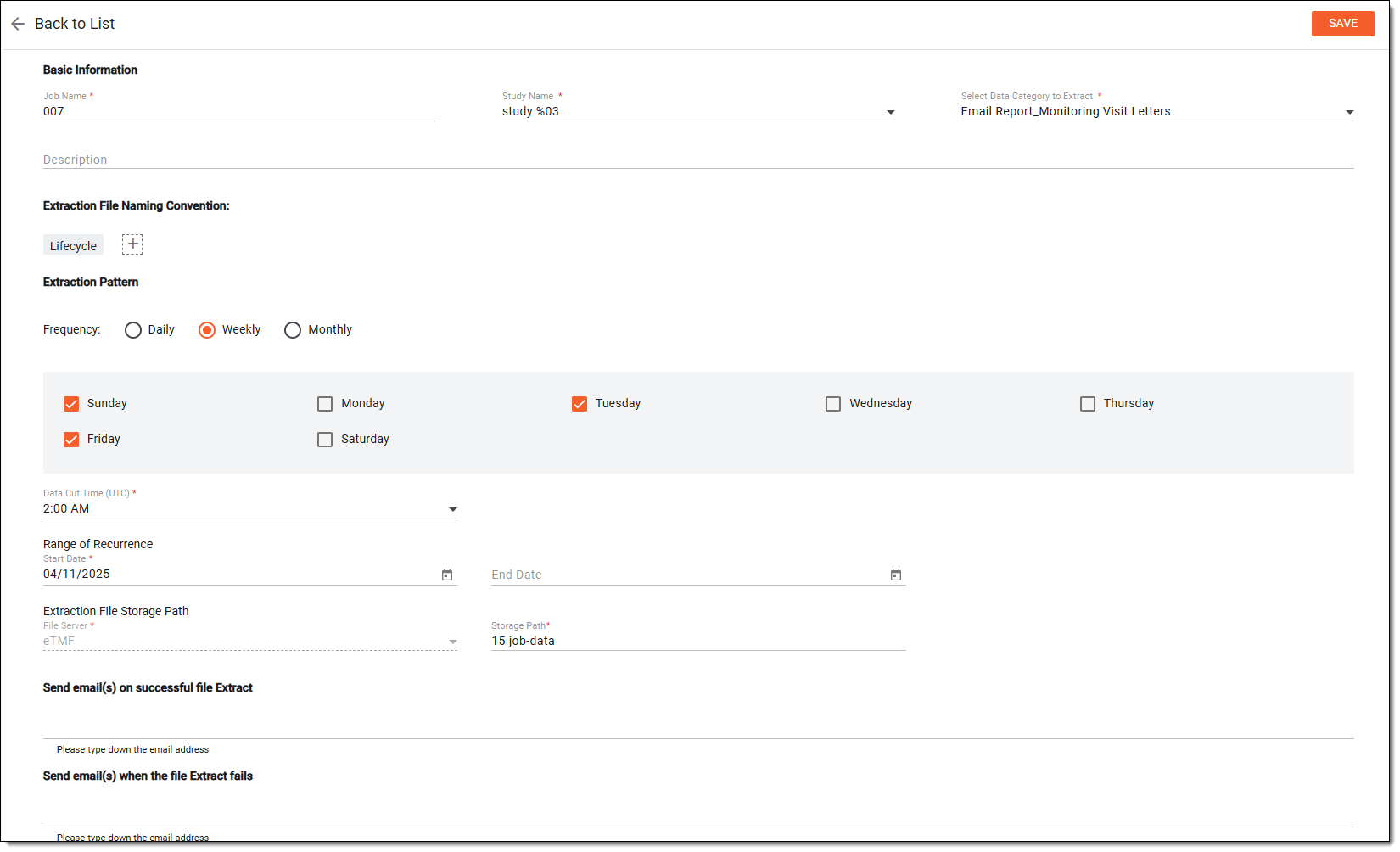 Figure 3. Editing data extraction job
Upon saving, the data extraction job is updated.