Analyze operation history report
In CTMS, you can define categories to group related activities under a structured classification, making it easier to manage and track tasks within a study. Categories help organize activities based on their function, such as screening, data collection, regulatory compliance, or monitoring.
Viewing the operation history report of these associations helps you track changes over time, such as the name of the operation and operator, the time when the operation took place, and any additional comments to support the operation executed on the business categories or their related activities. This helps maintain transparency, audit modifications, and ensure accurate recordkeeping.
-
In the CTMS application header, select the REPORT tab.
-
On the page that opens, in the left pane, select Operation History.
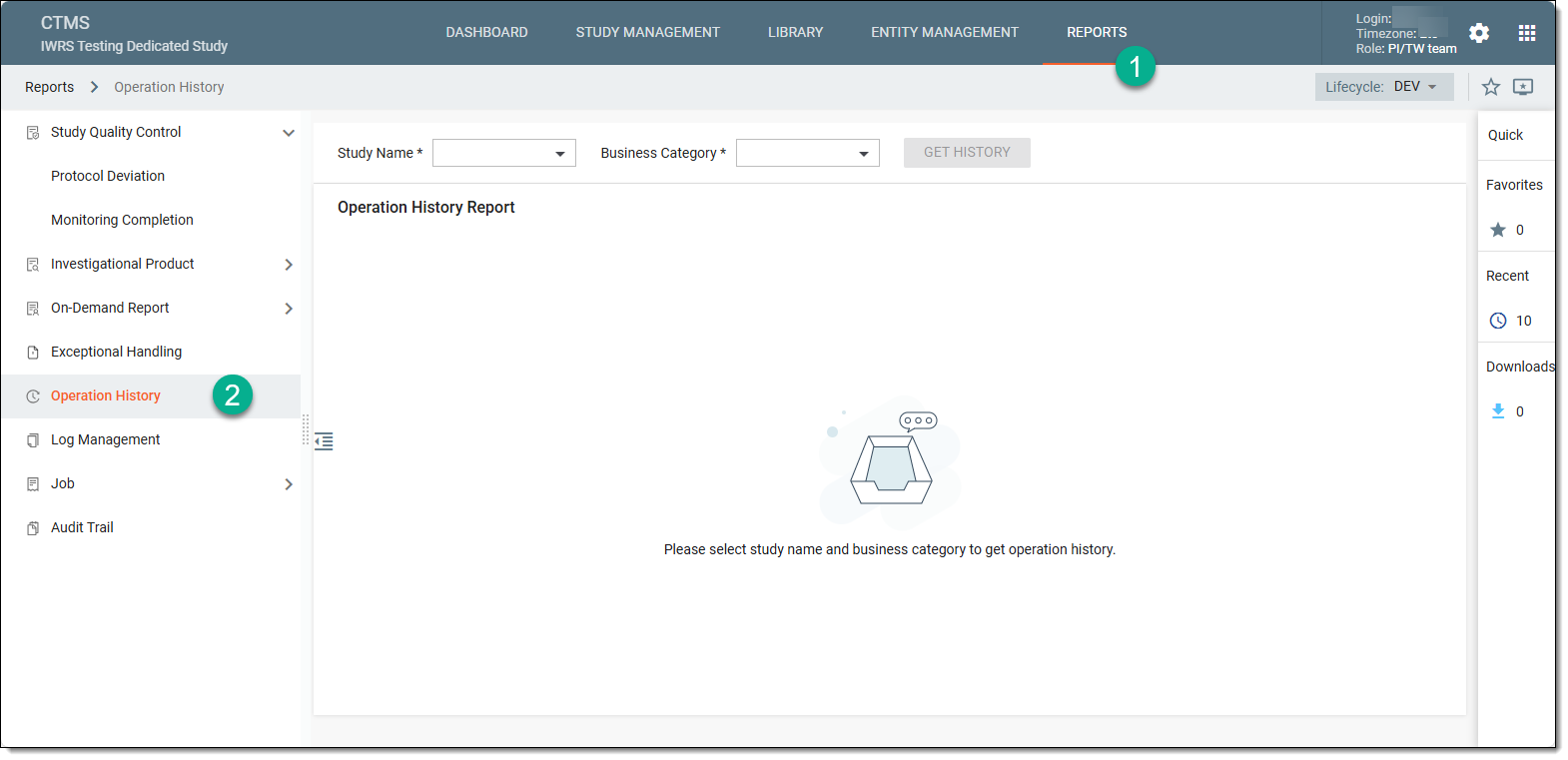 Figure 1. Accessing operation history
-
In the Operation History Report page that opens, from the respective dropdown menus, select the study and the business category for which you want to view the operation history and select
 .
.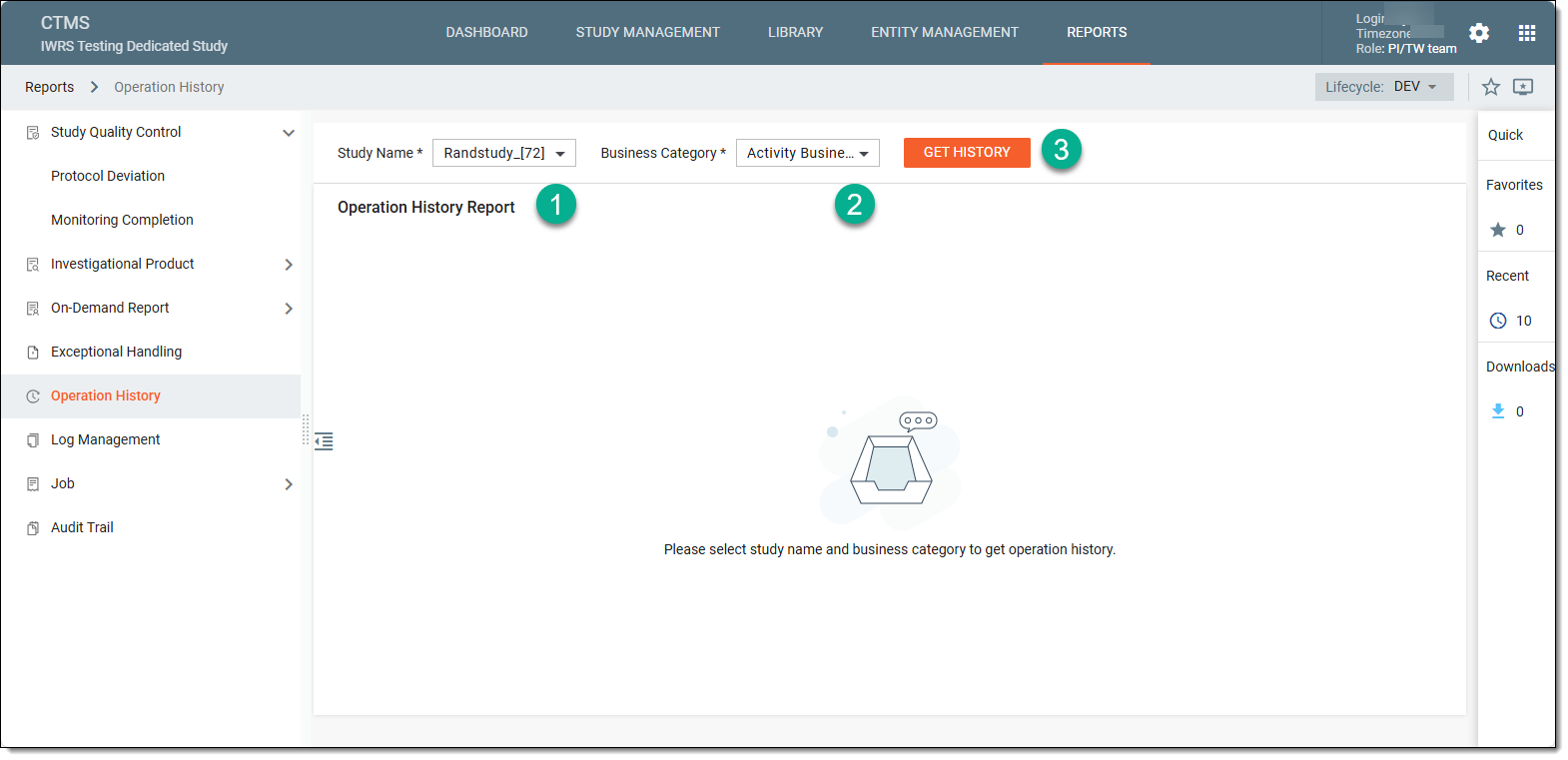 Figure 2. Selecting study and business category
-
In the Operation History Report table that appears, analyze the information provided in each column of the table.
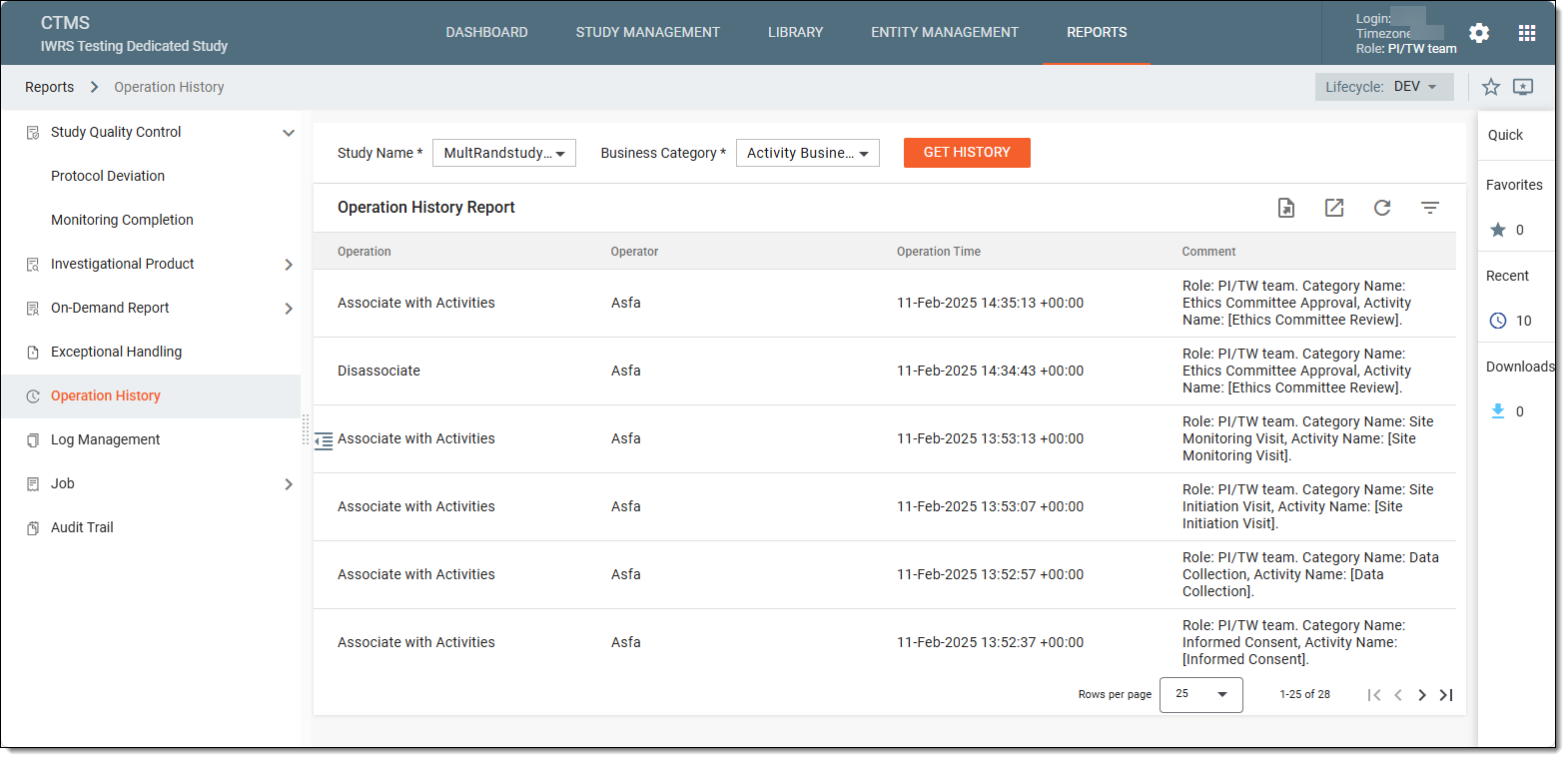 Figure 3. Analyzing operation history report
Tip
If you want to analyze the operation history report for a different study or business category, simply choose a new study or business category from the dropdown menus and select
.
Once analyzed, you can now export the operation history report to your computer if needed.