Analyze operation history for exception handling
In the CTMS application, with the Exceptional Handling feature, you can reassign the tasks of an inactive user or approver to an active one. The task list generated upon exception handling operations helps you analyze the details of the tasks assigned to a certain user and make a decision on their reassignment.
You can view the history of all operations with task replacement for workflow approvers and monitoring visit owners.
-
In the CTMS application header, select the REPORT tab.
-
On the page that opens, from the left pane, select Exceptional Handling.
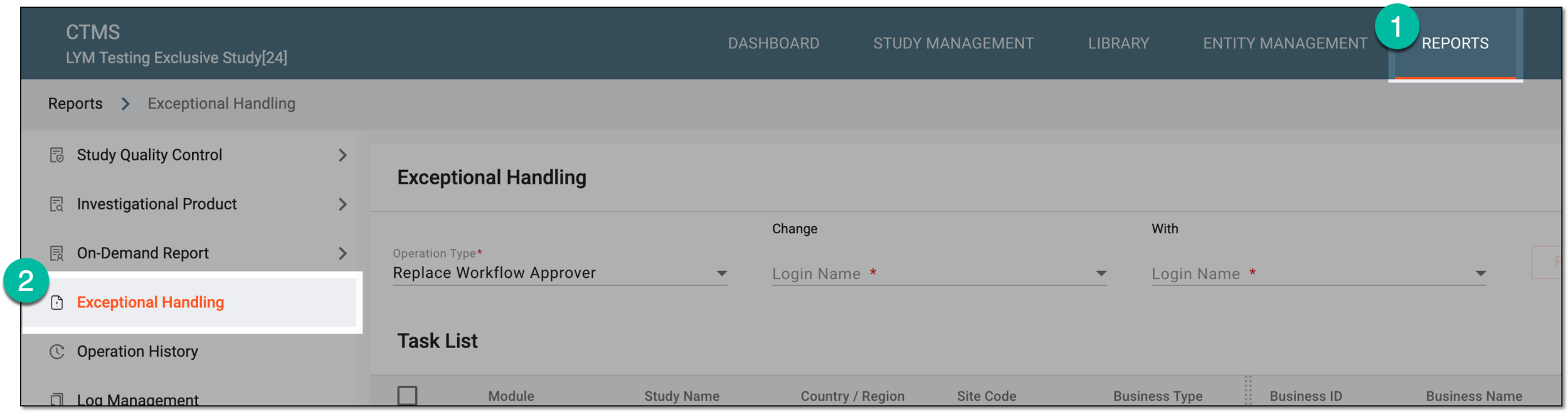 Figure 1. Accessing exception handling
-
On the Exceptional Handling page that opens select Operation History
 .
. Figure 2. Accessing operation history for exception handling
-
In the Operation History dialog that opens, select the operation type for which you need to analyze the history. Then in the resulting table, analyze the details of all the operations performed for the selected type to date.
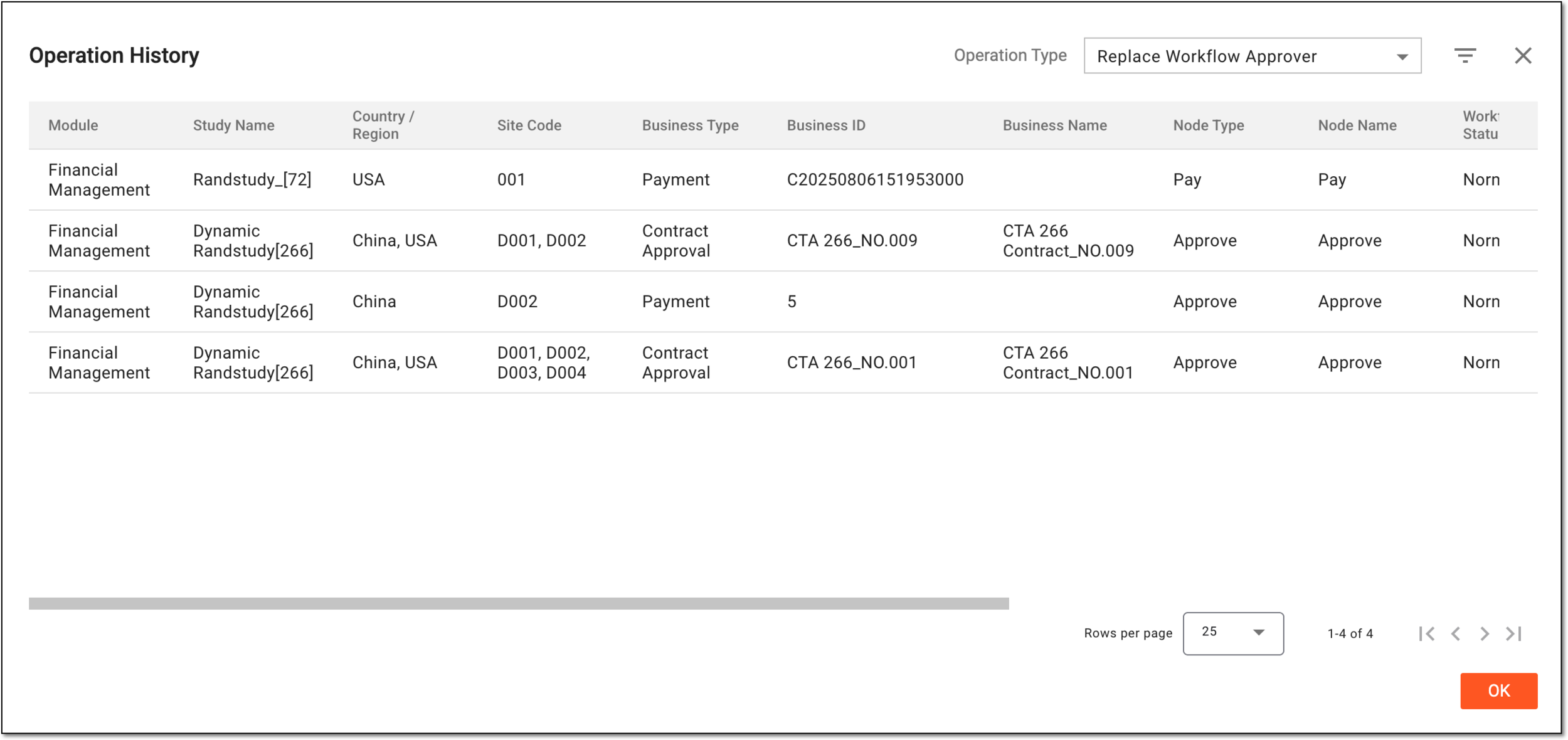 Figure 3. Analyzing operation history for exception handling
Once analyzed, select  or
or  to
close the Operation History dialog.
to
close the Operation History dialog.