Export meetings and events
In CTMS, you can download a record of scheduled meetings and events, including their details, participants, and outcomes. Exporting this information supports reporting, documentation, and external review, helping teams maintain organized and accessible records outside the system.
-
Access the study management page in one of the following ways:
-
In the CTMS application header, select the DASHBOARD tab and then select the study dashboard of your interest.
 Figure 1. Accessing study management from dashboard
-
In the CTMS application header, select the STUDY MANAGEMENT tab. Then from the Study Data List table, select the study name of your interest.
 Figure 2. Accessing study management from study data list
-
-
From the left pane, select Communication Management > Communication Plan.
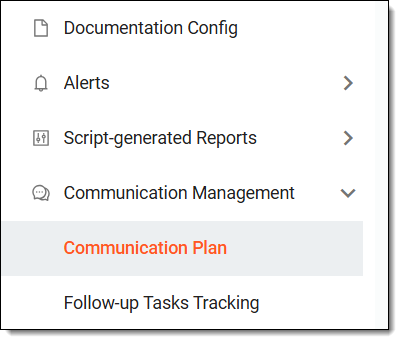 Figure 3. Accessing communication plan
-
In the calendar that opens, from the workspace toolbar, select Switch View
 to view the meetings or events in a table form.
 -
From the workspace toolbar, select Export
 .
.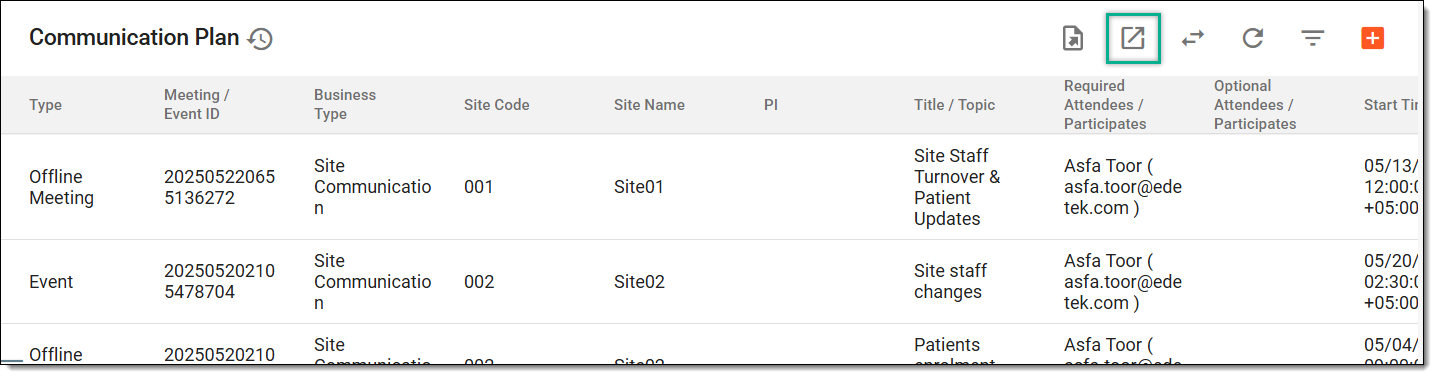 Figure 4. Exporting meetings and events
-
The downloads widget appears showing the export progress. Select the widget to access exported files.
 Figure 5. Downloads widget showing meetings/events exported
-
In the My Downloads dialog that appears, in the Download is Ready tab, select
 next to the required exported file.
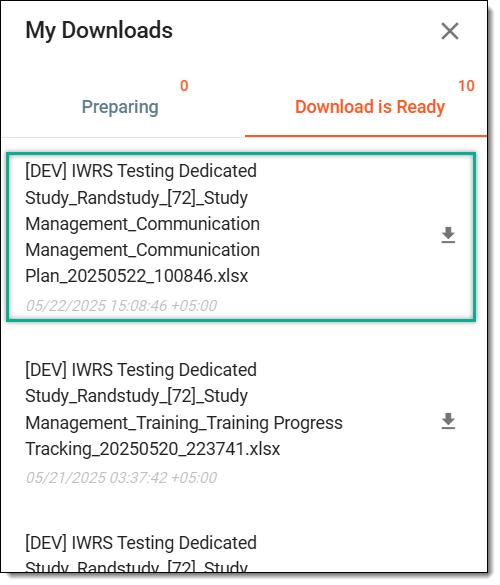 Figure 6. Downloading exported meetings/events
Once selected, the meetings and events are exported in the XLSX format to your computer. You can now work with it offline.