Review operation history of meetings and events
In CTMS, you can view a detailed log of all actions taken on a meeting or event, such as updates to scheduling, participants, notes, or tasks. Reviewing the operation history helps maintain transparency, supports accountability, and ensures an accurate audit trail for any changes made over time.
-
Access the study management page in one of the following ways:
-
In the CTMS application header, select the DASHBOARD tab and then select the study dashboard of your interest.
 Figure 1. Accessing study management from dashboard
-
In the CTMS application header, select the STUDY MANAGEMENT tab. Then from the Study Data List table, select the study name of your interest.
 Figure 2. Accessing study management from study data list
-
-
From the left pane, select Communication Management > Communication Plan.
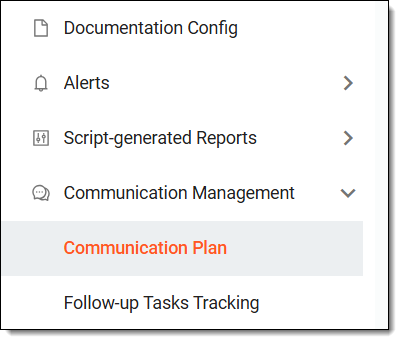 Figure 3. Accessing communication plan
-
In the calendar that opens, next to Communication Plan, select Operation History
 .
.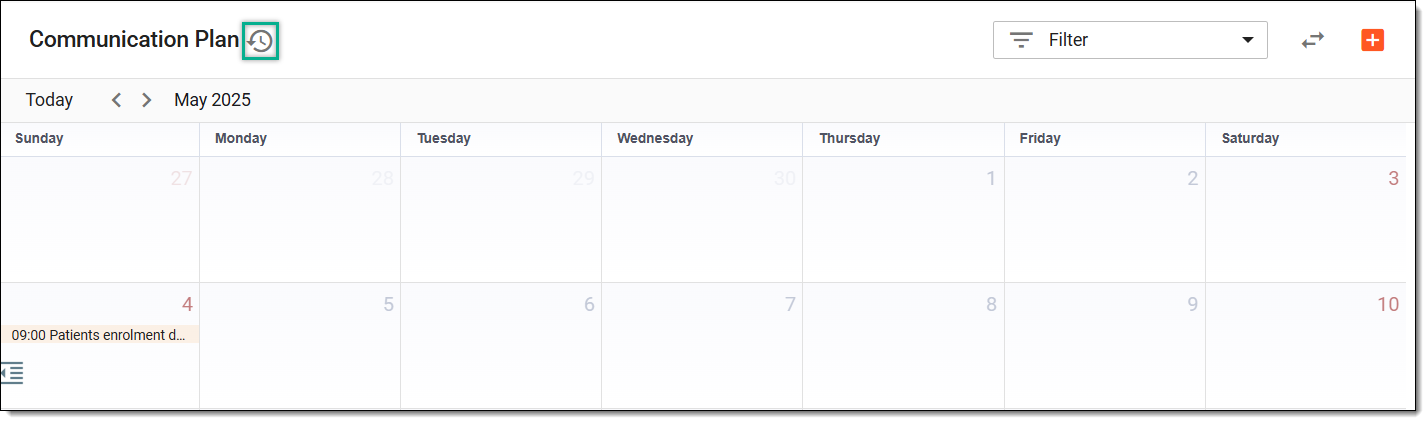 Figure 4. Accessing operation history of meetings and events
Tip
You can also select Switch View
 to view the meetings or events in a table form, and then from the
workspace toolbar, select Operation History .
to view the meetings or events in a table form, and then from the
workspace toolbar, select Operation History .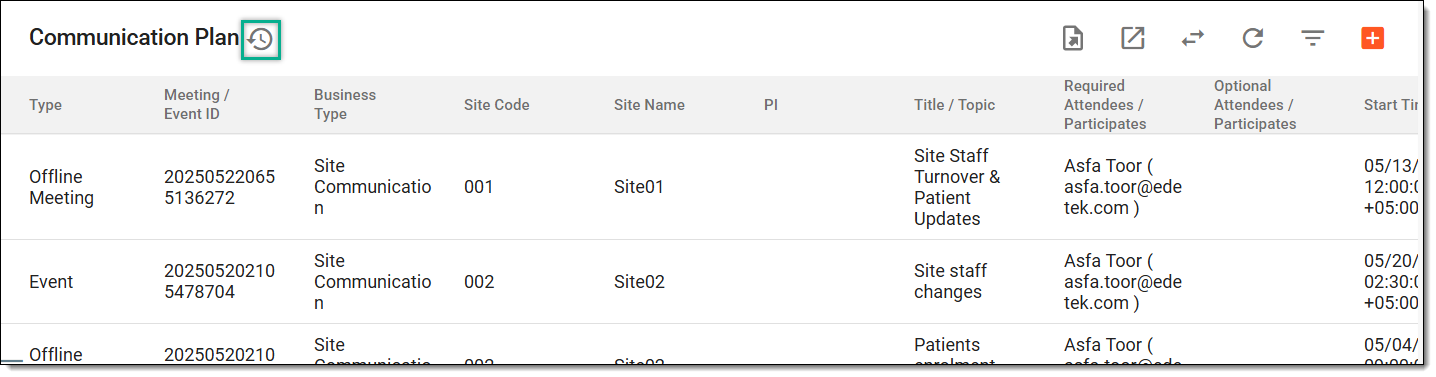 Figure 5. Accessing operation history of meetings and events from table view
-
In the Operation History dialog that opens, review the complete history of actions performed to the meetings and events.
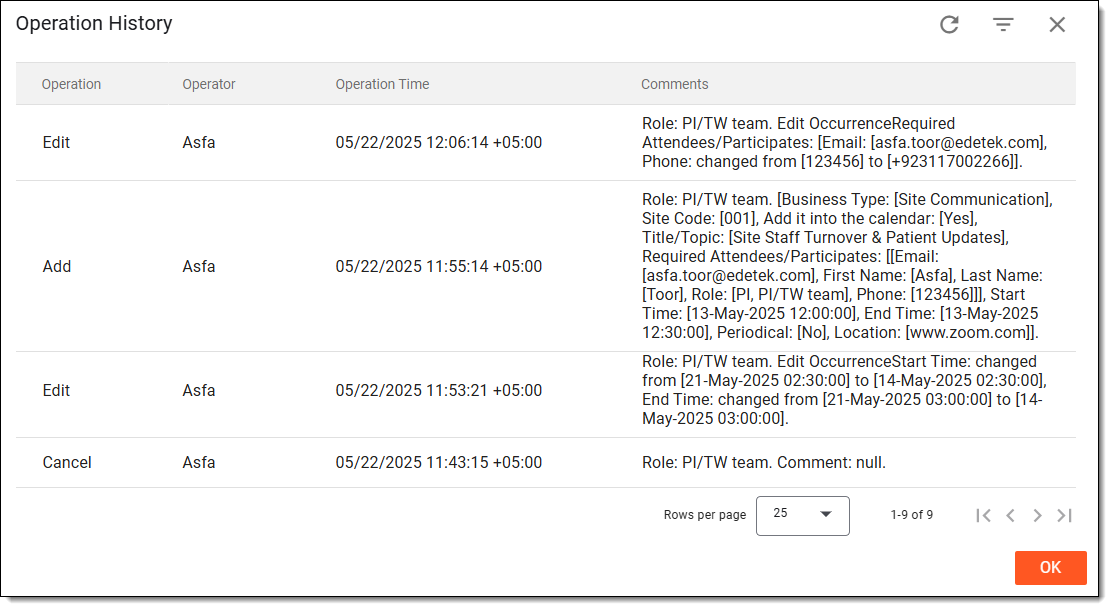 Figure 6. Analyzing operation history of meetings and events
Once you have reviewed the operation history of the meetings and events, you can select OK to return to Communication Plan.