Roll back dispensing visit version for subject
Versioning of dispensing visits helps satisfy international multisite studies, where different locations and subjects can follow their own dispensation settings. The dispensing visit version can be upgraded per individual subject. However, if you perform the upgrade by mistake and you want to retrieve this operation, you can roll back the subject's dispensing visit version to the previous one.
-
In the IWRS application header, select the TREATMENT DESIGN tab.
-
From the left pane, select Visit Dispensing and Window.
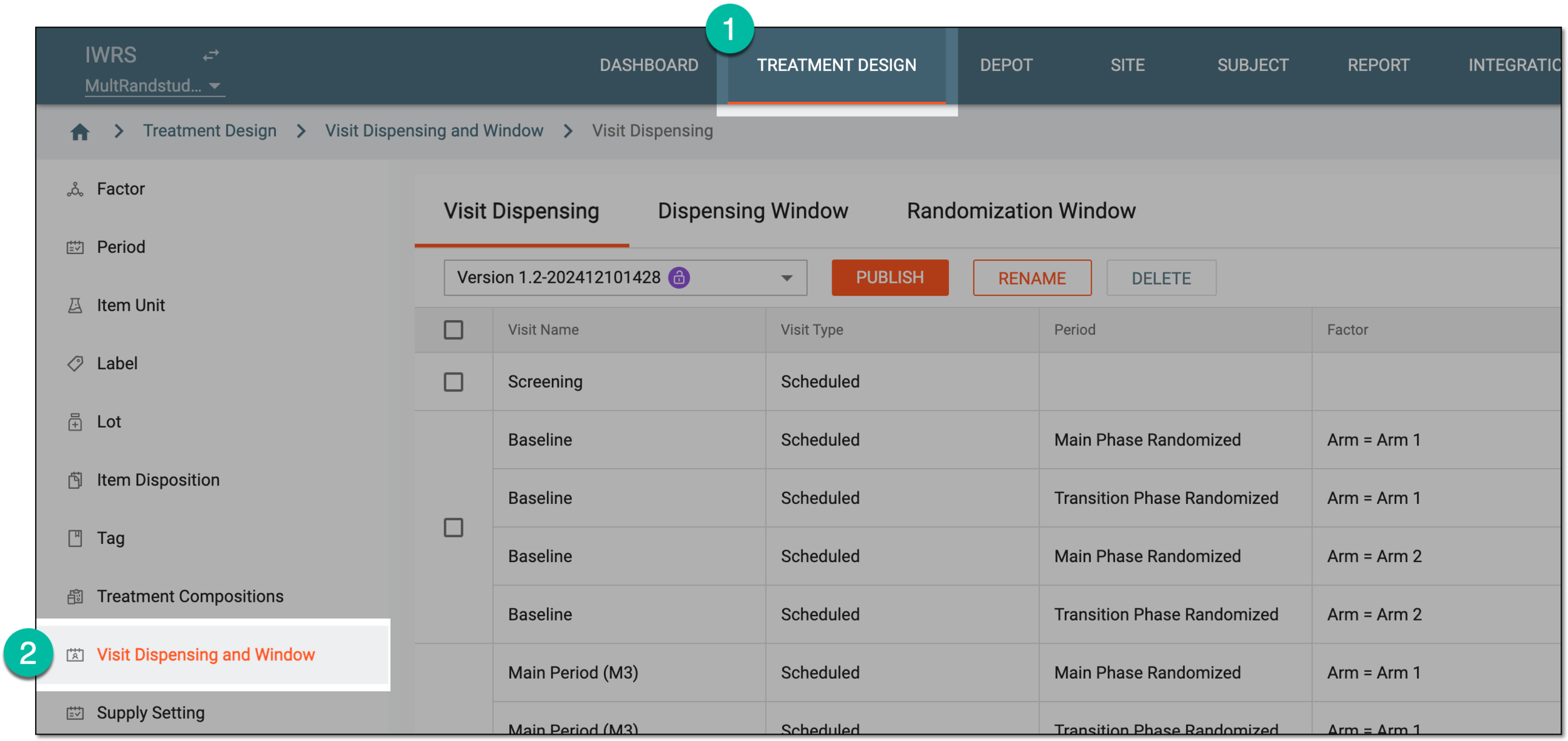 Figure 1. Accessing visit dispensing and window configuration
-
Under the Dispensing Visit or Dispensing Window tab, select
 .
.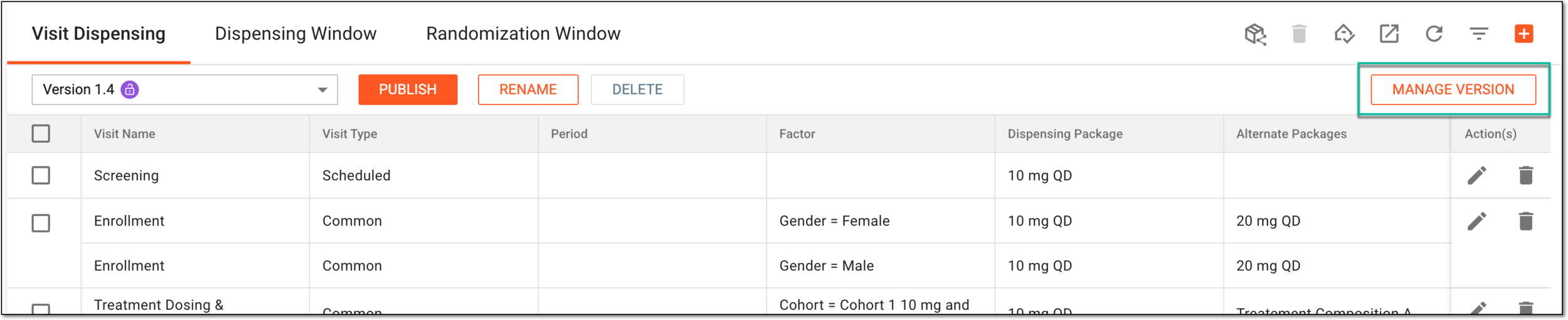 Figure 2. Accessing dispensing visit version management
-
From the list that opens, locate the site of the subject for whom you want to roll back the dispensing visit version. Then from the Action(s) column next to it, select Subject
 .
.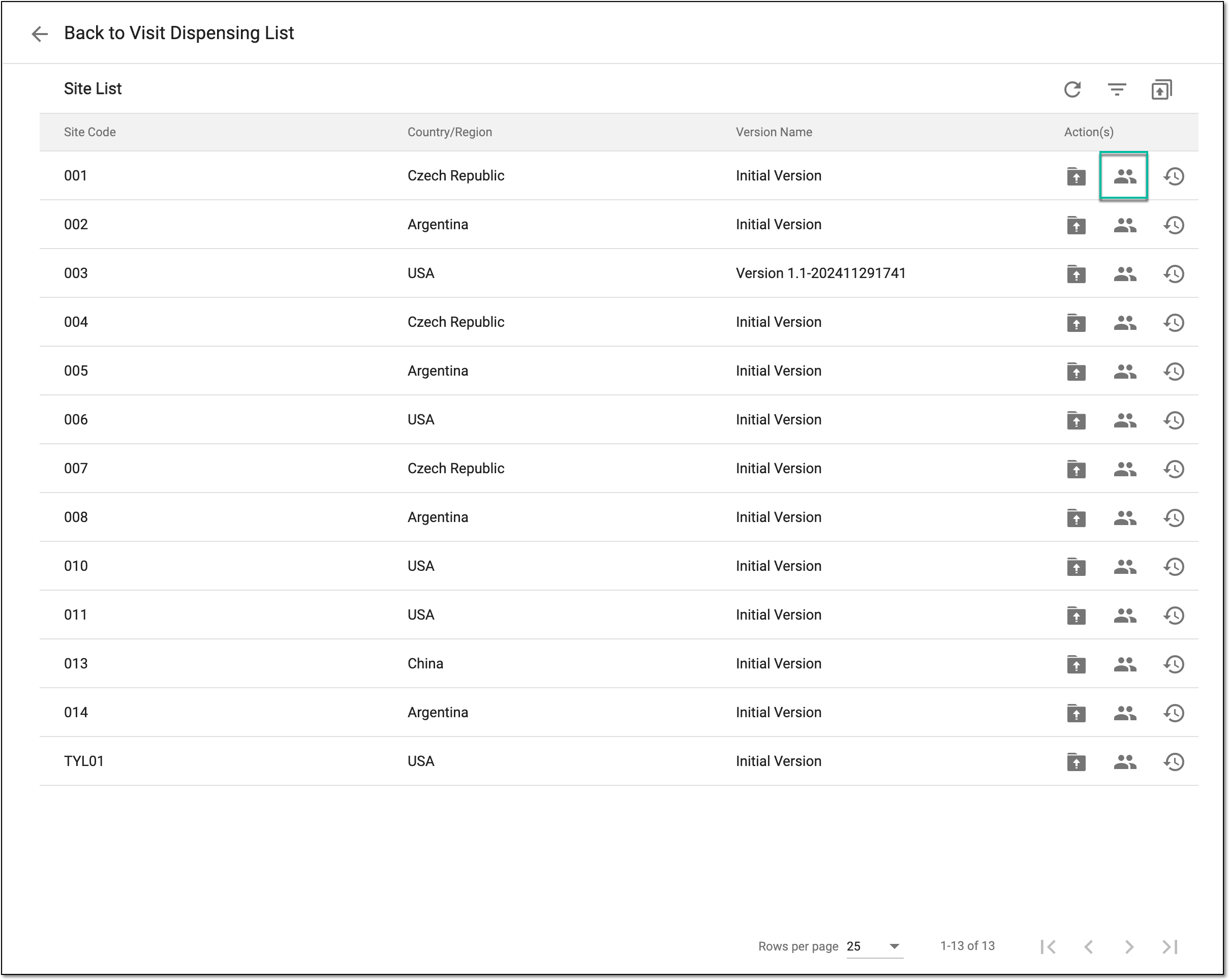 Figure 3. Accessing subject list
-
In the Subject List table that appears, next to the subjects whose version you want to roll back, select History
 .
.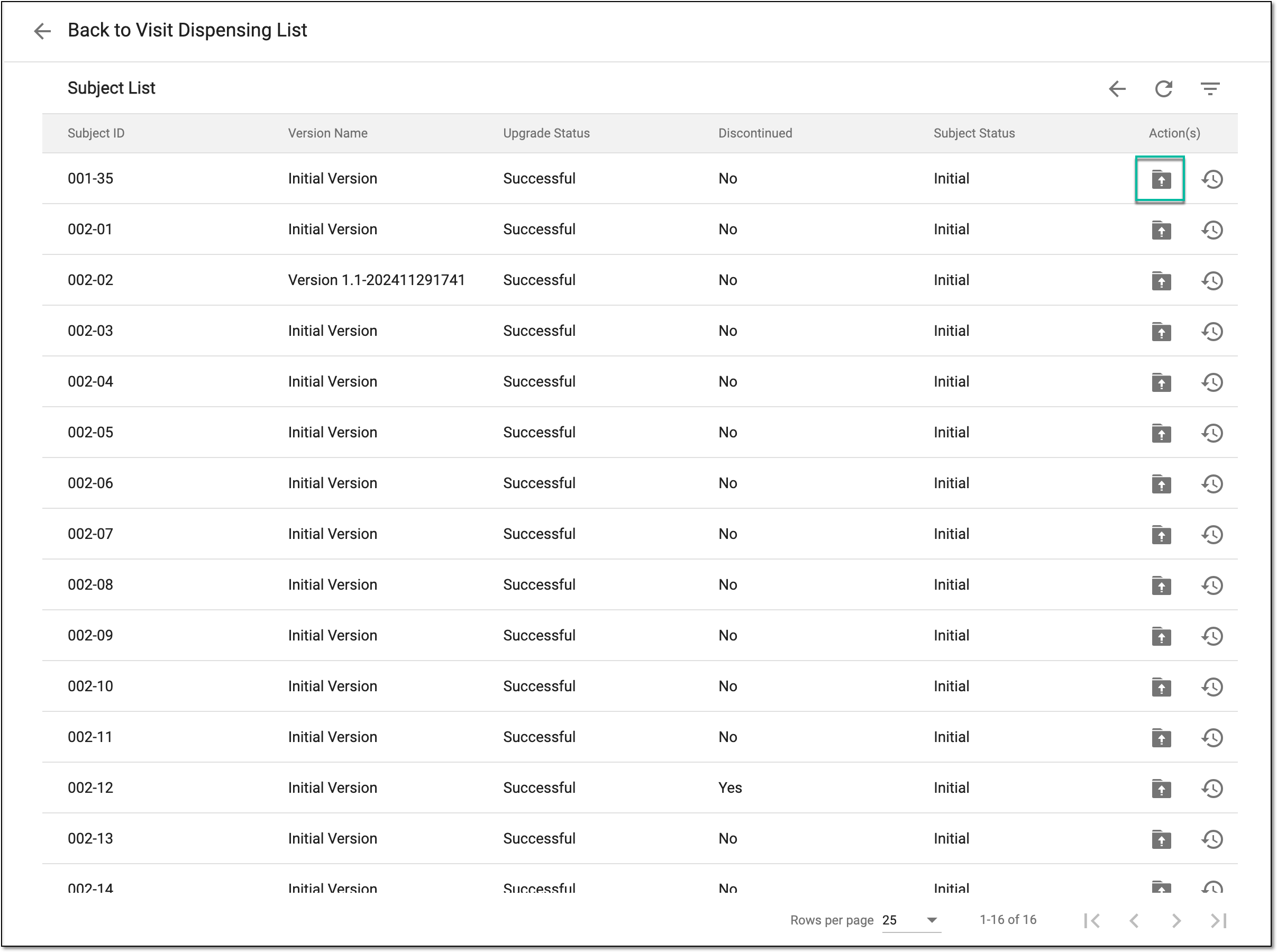 Figure 4. Accessing subject dispensing visit version upgrade
-
In the Upgrade History dialog that appears, select
 .
.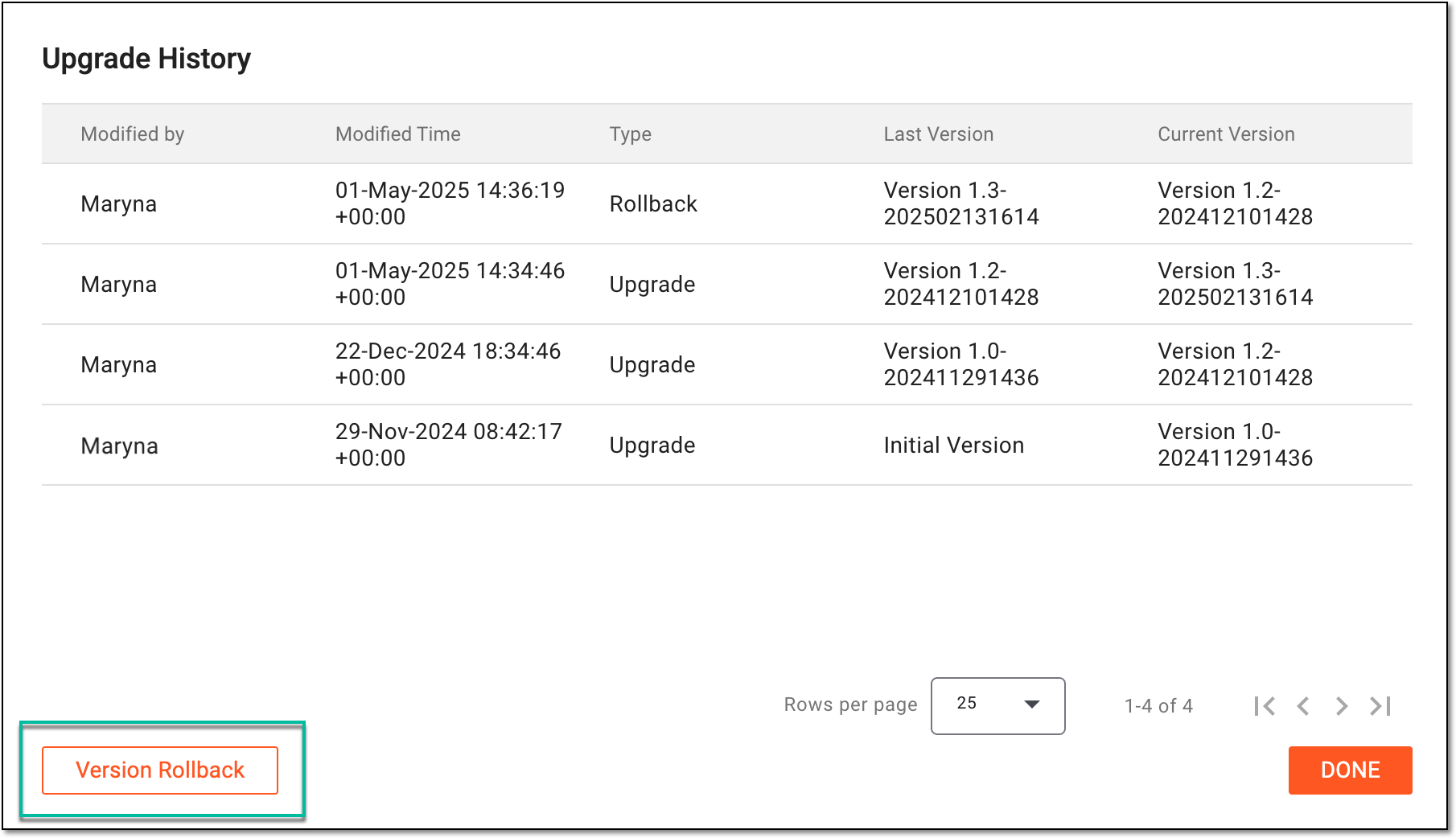 Figure 5. Selecting option to roll back version
-
In the Rollback dialog that appears, select
 to proceed with your action.
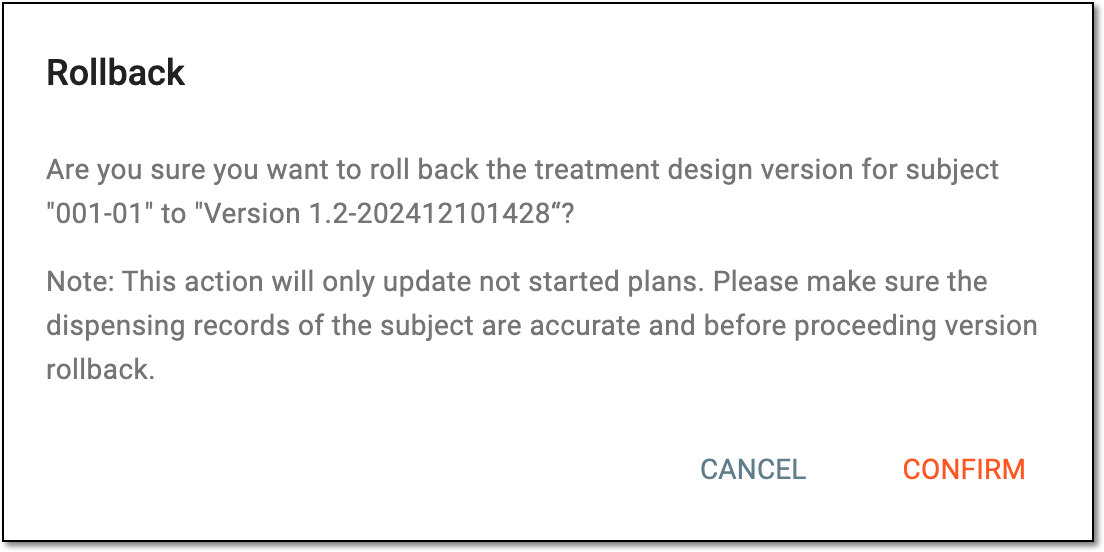 Figure 6. Confirming to roll back version
Once done, the subject's dispensing visit version is rolled back to the previous one.