Delete significant changes record from CRF version history
In SD, under the Version History subtab, you can manually add records of significant changes made to each CRF version. This comprehensive log helps with traceability and enhances control over the CRF design changes. Whenever needed, you can remove the significant changes record from the list if it is not relevant.
-
In the Study Designer application header, select the CONFIGURATION tab.
-
From the left pane, select the Version History subtab.
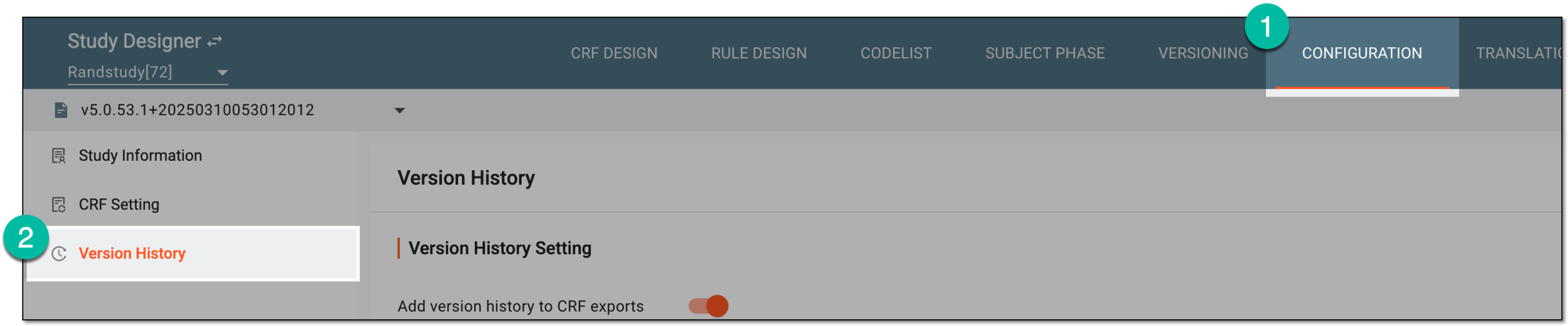 Figure 1. Accessing CRF version history
-
On the Version History page, in the Version History Details table, locate the record you want to remove. Then next to the record, from the Action(s) column, select Delete
 .
.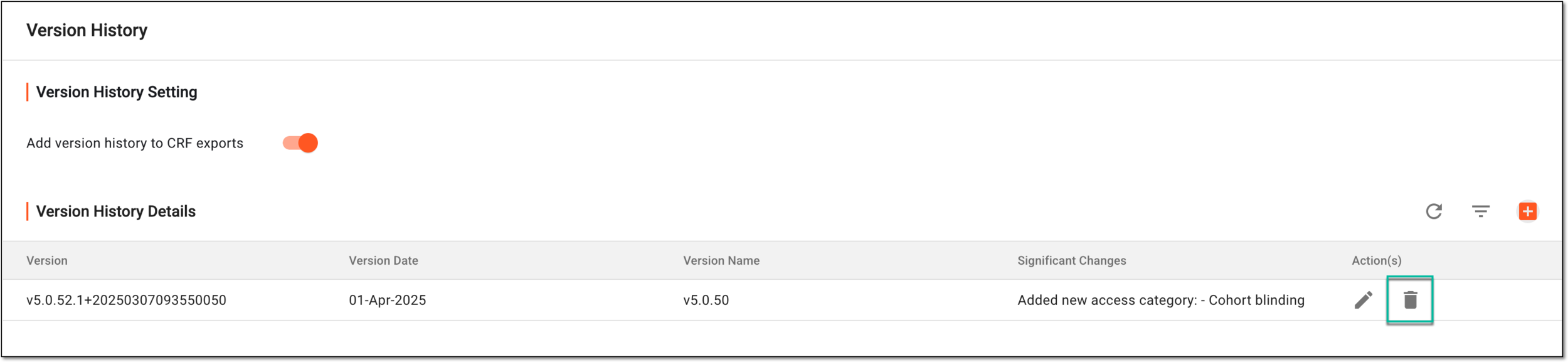 Figure 2. Selecting to delete version history record
-
In the confirmation dialog that appears, select
 to proceed with your action.
 Figure 3. Confirming version history record deletion
Once confirmed, the significant changes record is removed from Version History Details.