Configure study information
In the Study Information subtab, you can view and update general details or basic information of the study.
Important
You can only edit the information in the Study Information subtab if the status flow of the CRF version is Draft. Otherwise, the information is set to read-only.
-
In the Study Designer application header, select the CONFIGURATION tab.
-
From the left pane, select the Study Information subtab.
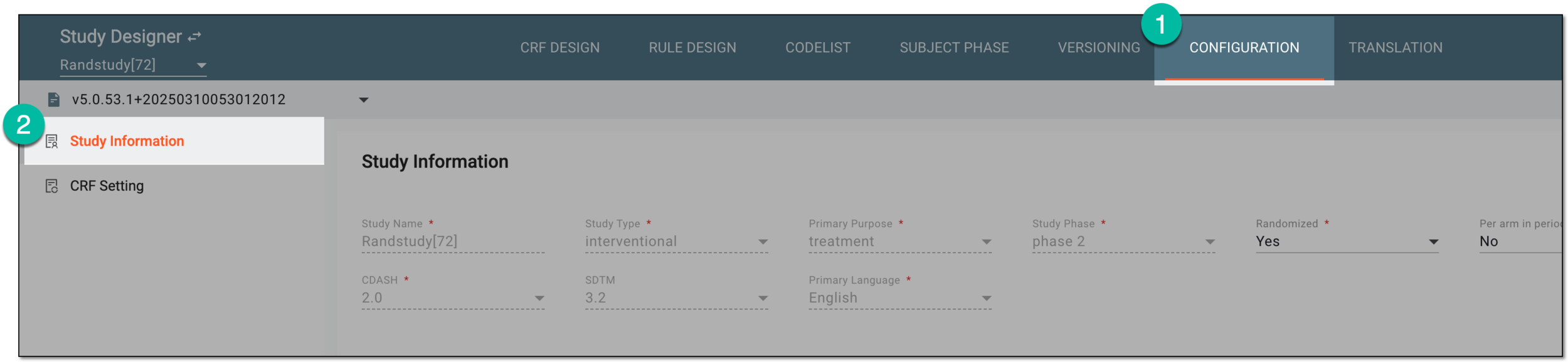 Figure 1. Accessing study information
-
On the Study Information page that opens, configure the study information as explained in the following table.
 Figure 2. Configuring study information
Tip
In the following table, mandatory elements are marked with an asterisk (*).
Element
Details
Study Name*
Represents the name of your study as specified upon study creation in CTMS. The value cannot be changed in SD.
Study Phase*
Represents the currently effective study phase as specified in SD after the study is initialized.
Blinding Status
Represents the method of blinding applied to the study data as specified in SD after the study is initialized.
Primary Language*
Represents the language in which the study processes are primarily held—data collection, standardization, submission, and so on.
Study Type*
Represents the type of your study as specified in SD after the study is initialized.
Randomized*
Select one of the following:
-
Yes: to enable the subject randomization for the study.
-
No: to disable the subject randomization for the study.
CDASH*
Represents the version of the Clinical Data Acquisition Standards Harmonization (CDASH) model that your study follows for structuring and standardization.
Primary Purpose*
Represents the objective of your study as specified in SD after the study is initialized.
Per arm in period has the same visits*
Select one of the following:
-
Yes: to impose a uniform visit structure across all arms of your study. In this scenario, you cannot select different visits per arm, however, the arm information can still be configured via the subject phase composition.
-
No: to enable manual arm association with visits and forms.
SDTM*
Represents the version of the Study Data Tabulation Model (SDTM) standard that your study follows for data standardization.
Refresh
Select
 to undo all unsaved changes.
SAVE
Select
 to save the study information.
 -
Once saved, the study information is applied to the specific CRF version.