Export dispensing visit list
All the dispensing visits previously configured in the IWRS application are displayed in the Visit Dispensing list and can be exported to your computer as an XLSX file.
Since the dispensing visit configuration is version-bound, meaning that once a new configuration is required, a new dedicated version is created, you can export the list of visits pertaining to any of the previously existing versions in the system.
-
In the IWRS application header, select the TREATMENT DESIGN tab.
-
From the left pane, select Visit Dispensing and Window.
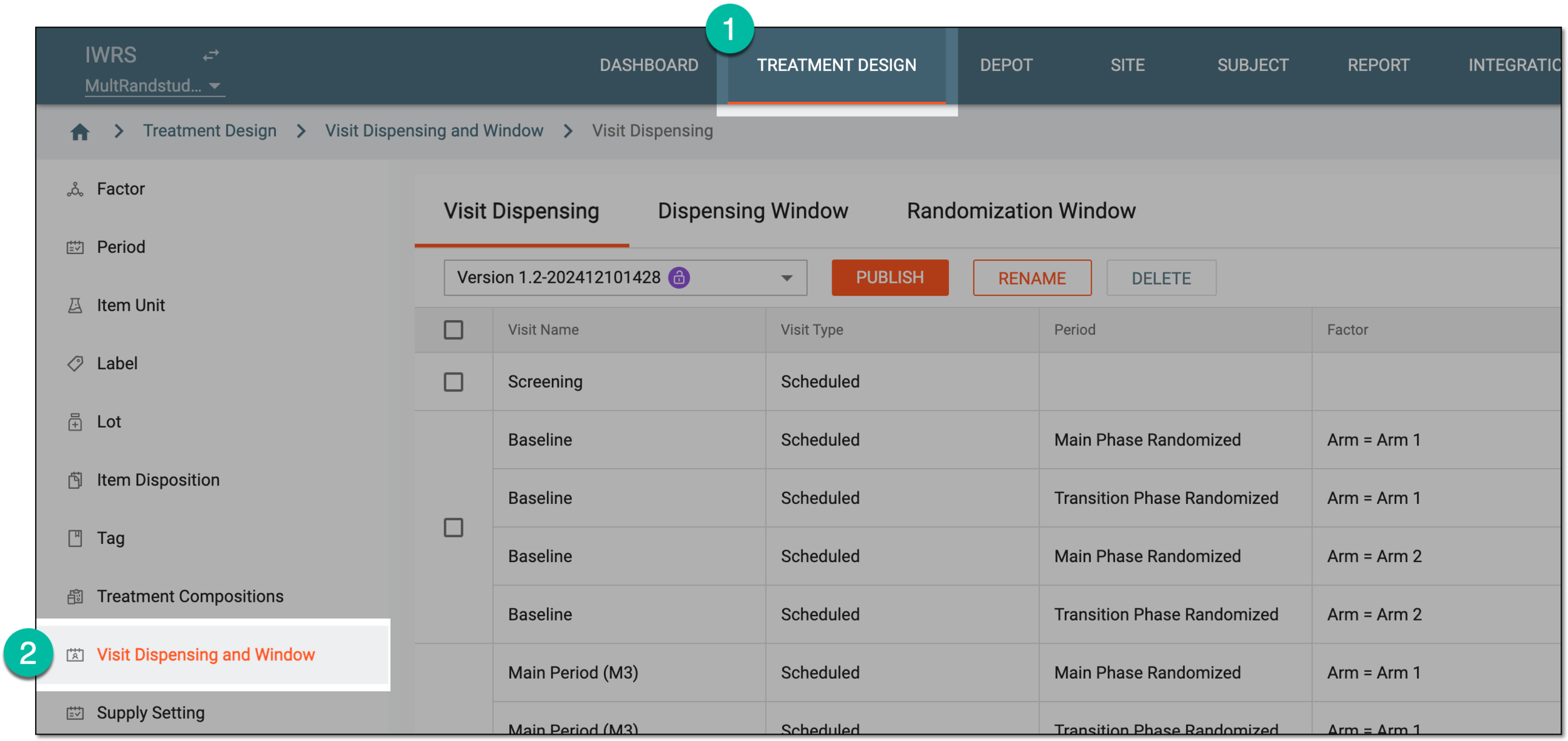 Figure 1. Accessing visit dispensing and window configuration
-
Under the Dispensing Visit tab that opens, from the version menu, select the needed unlocked
 or locked
 setting version from which you want to export the visit list.
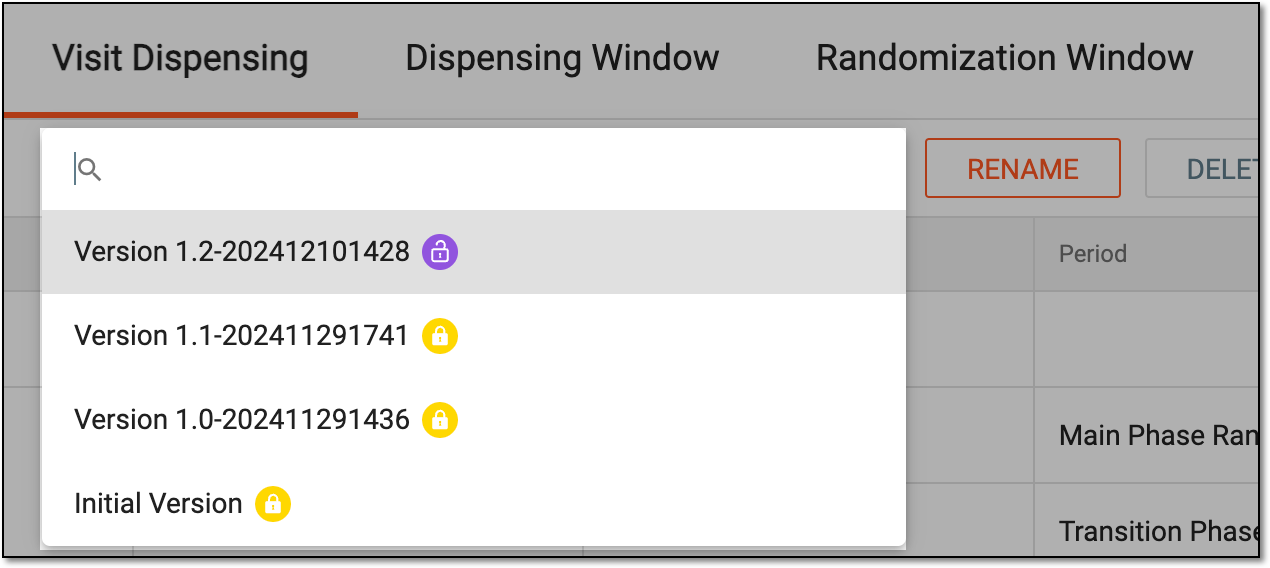 Figure 2. Selecting dispensing visit setting version
-
On the Visit Dispensing page, from the workspace toolbar, select Export
 .
. Figure 3. Exporting dispensing visit data
-
Once selected, the widget appears displaying your download progress. Select the widget to open the My Downloads dialog.
 Figure 4. Download progress for dispensing visit list
-
In the My Downloads dialog that opens, you can find the following tabs:
-
Preparing: under this tab, you can find all the files whose export is in progress, and they are not yet ready for download.
-
Download is Ready: under this tab, you can find all the files whose export is complete, and they can be downloaded to your computer.
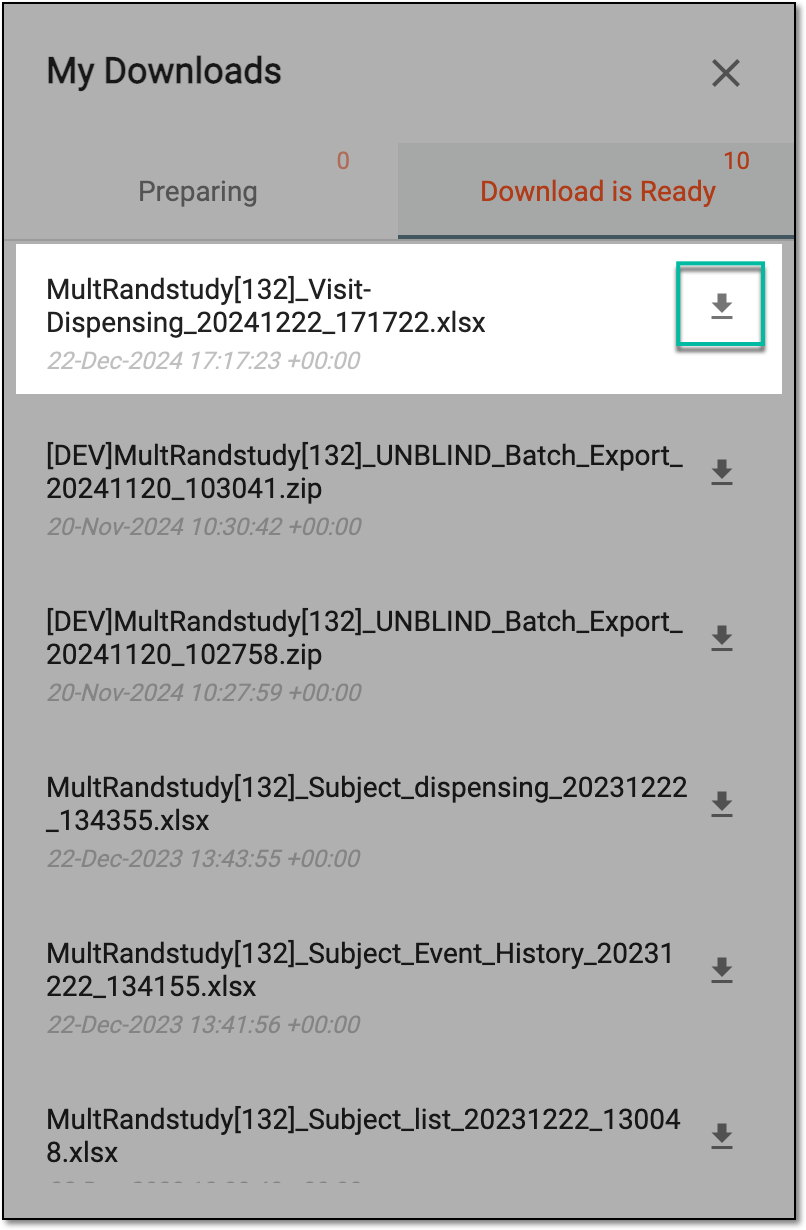 Figure 5. Downloading exported visit list
-
-
Under the Download is Ready tab, next to the file that you want to download, select
 .
.
The exported data on the dispensing visits from the Visit Dispensing table is downloaded to your computer as an XLSX file. Now, you can work with the dispensing visit data offline.