Move source document
Source documents are original records or certified copies of records that provide evidence of the existence, activities, and results of a clinical trial or study. Some of the source documents that can be related to data verification and documentation review are case report forms (CRFs), medical records, informed consent forms, pharmacy records, adverse event reports, regulatory documents, and so on.
If you uploaded a source document to the wrong directory, you can easily move the file to the correct one. This helps ensure that your source documents are in the right directories with no need to delete files from one directory and reupload them to another.
Important
You can move source documents between folders only if you have permission to edit the file granted to your user role via the ADMIN application.
-
In the EDC application header, select the STUDY INFO tab.
-
In the left pane of the page that opens, select Subject > Source Documents.
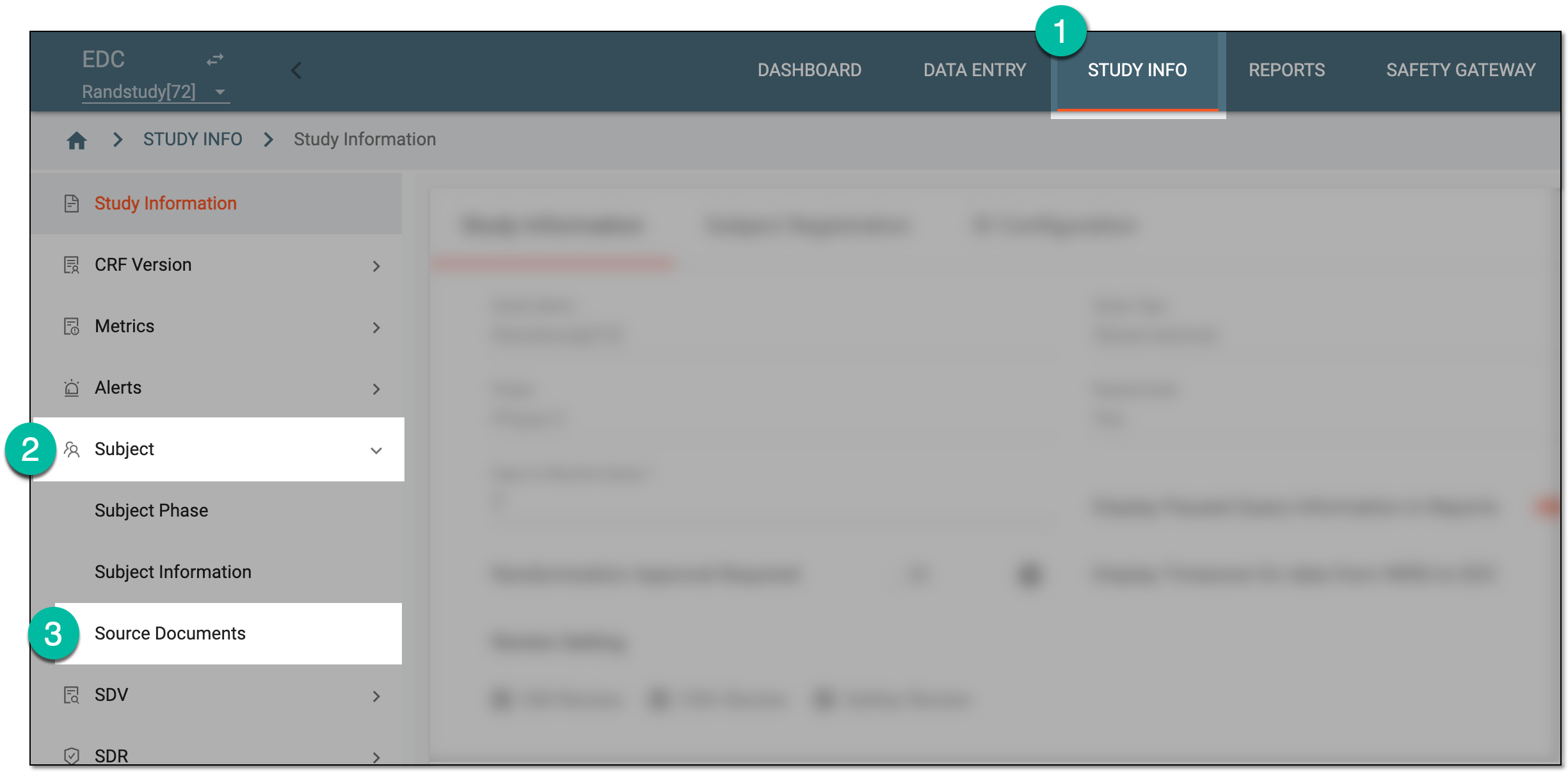 Figure 1. Accessing source documents
-
In the Hierarchy tree that appears, expand the site of your interest, and then select the directory containing the source document you want to move.
-
In the Source Document contents panel, next to the needed file, select More
 > Move to
  .
.Important
If the filename of the source document has a duplicate in the desired folder, rename the document that you want to move.
Learn more about how to rename the file in the Edit source document section.
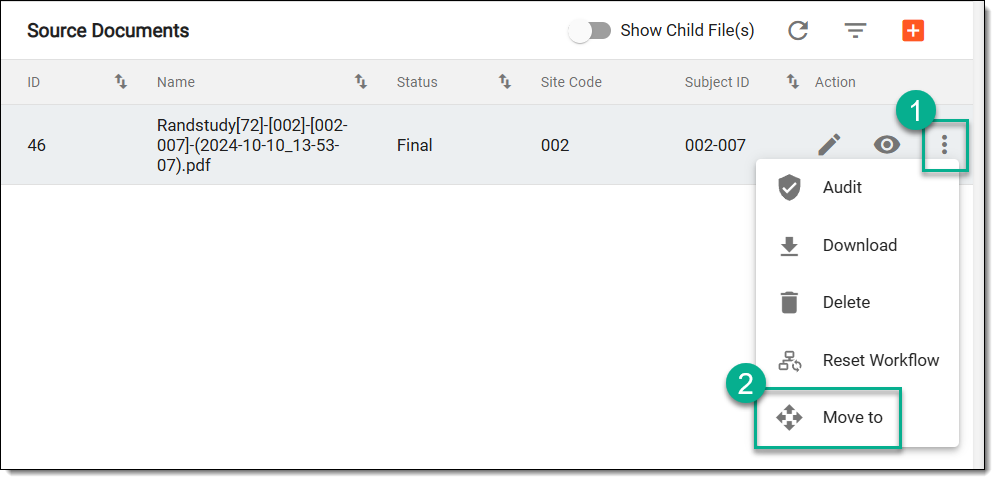 Figure 2. Accessing source document to move
-
In the Hierarchy tree that appears, select the folder where you want to move the source document.
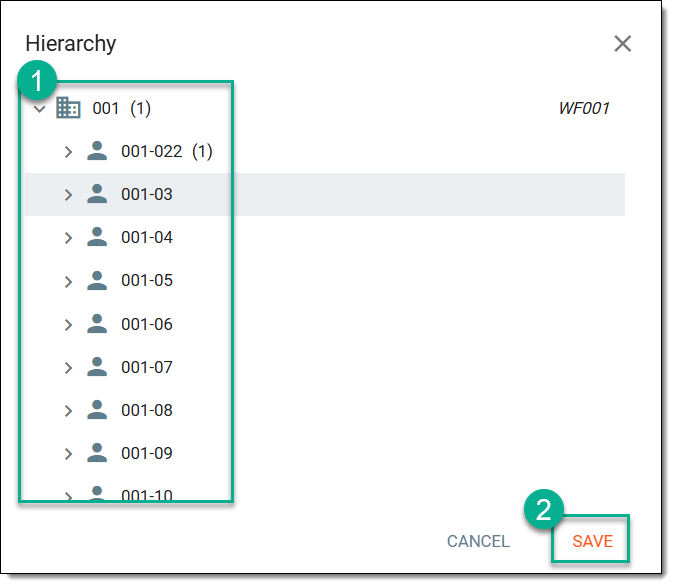 Figure 3. Selecting target folder
-
Select
 .
.
Upon saving, the changes are implemented. You can now see the source document in the correct file directory.