Edit source document
Source documents are original records or certified copies of records that provide evidence of the existence, activities, and results of a clinical trial or study. Some of the source documents that can be related to data verification and documentation review are case report forms (CRFs), medical records, informed consent forms, pharmacy records, adverse event reports, regulatory documents, and so on.
With time, the files stored in the Source Document module might require amendments, such as renaming or applying graphic changes to the documents.
For instance, the uploaded file contains sensitive information and you need to conceal it from other users accessing the storage to prevent a data breach. For this, use the Edit feature and blur specific parts of your PDF.
Important
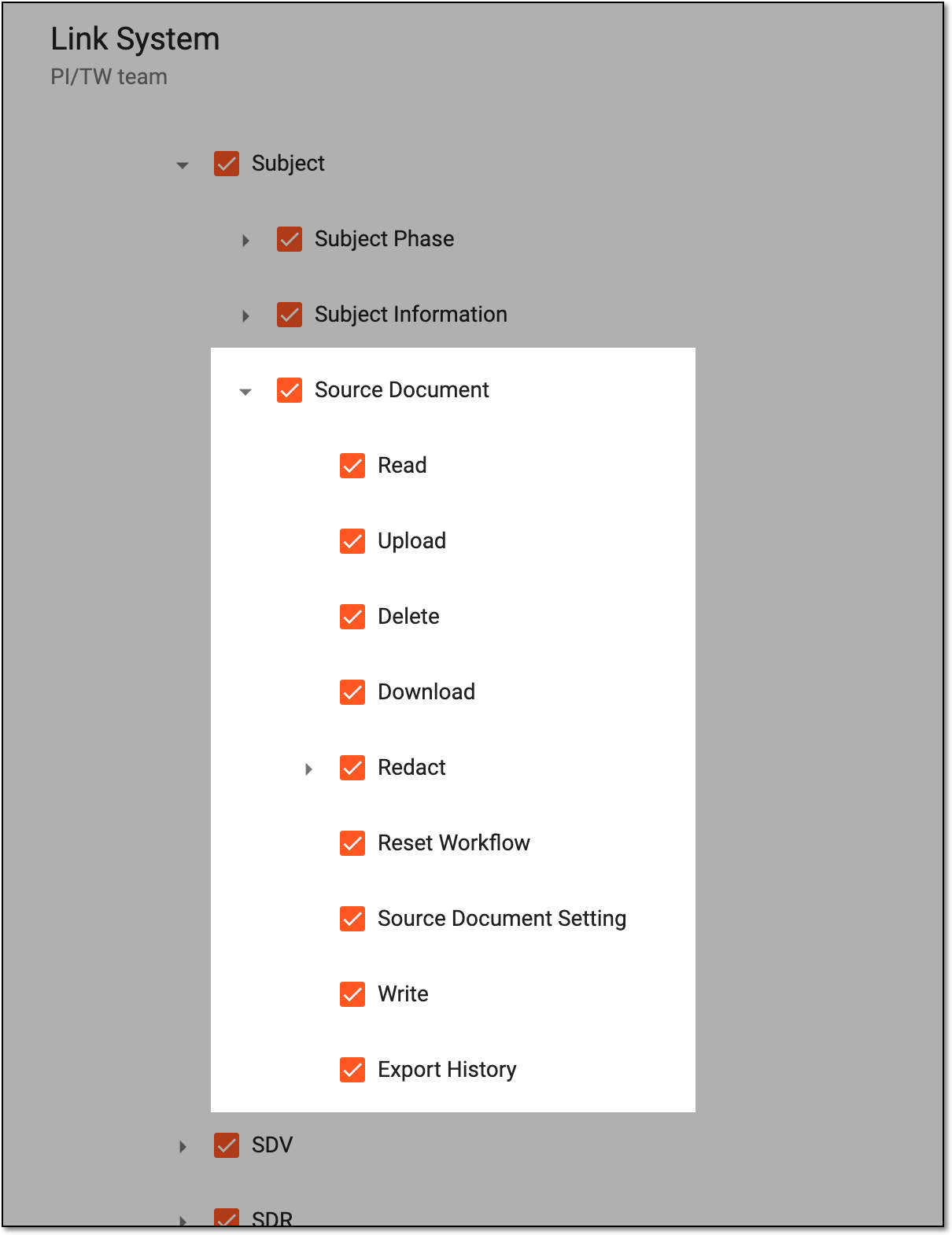
The ability to view and manage the Source Document page depends on the permission granted to your user role in ADMIN.
 |
-
In the EDC application header, select the STUDY INFO tab.
-
In the left pane of the page that opens, select Subject > Source Document.
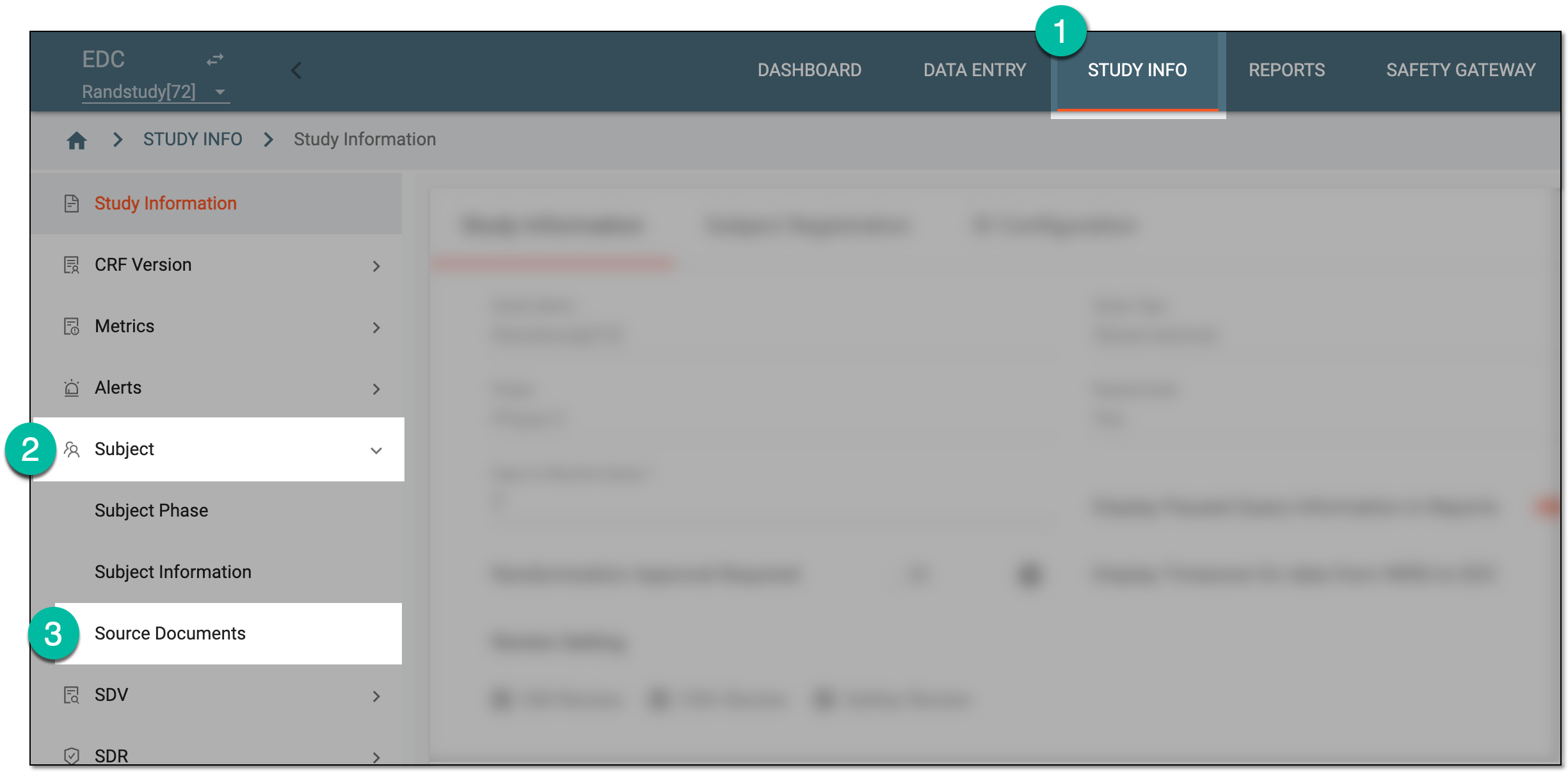 Figure 2. Accessing source documents
-
In the Hierarchy tree that appears, expand the site of your interest. Then select the directory containing the source document you want to edit.
-
In the Source Document contents panel, next to the needed file, select Edit
 .
.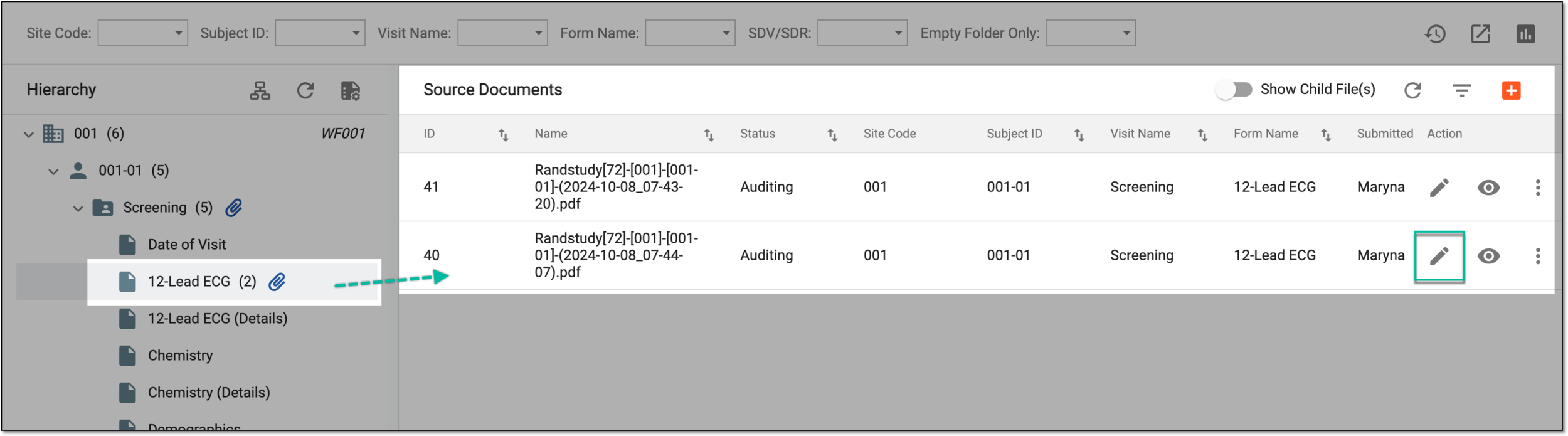 Figure 3. Accessing editing option
-
On the Edit File page that opens, apply the needed changes as explained in the following table.
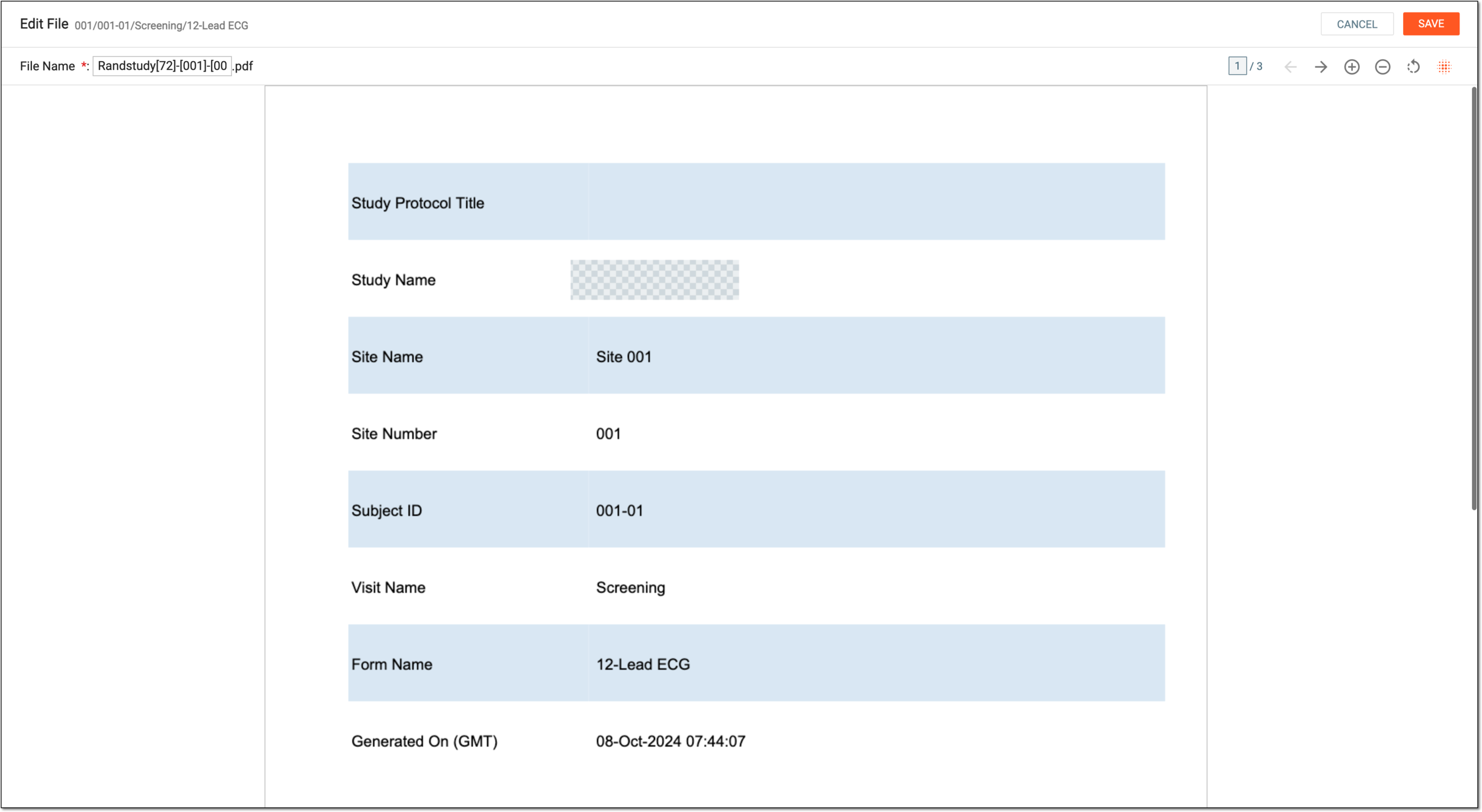 Figure 4. Editing source document
Tip
In the following table, mandatory elements are marked with an asterisk (*).
Element
Details
File Name*
Enter the desired unique file name or edit the existing one to suit your needs.
Previous Page
Select
 to go to the previous page of the uploaded document.
Next Page
Select
 to go to the next page of the uploaded document.
Enlarge
Select
 to scale up the file to see the smaller details of your document.
Reduce
Select
 to scale down the file.
Reset
Select
 to discard any implemented changes and restore the file to its original state.
Mosaic
Select
 and then an area of the document to apply mosaic concealer and hide sensitive data elements.
SAVE
Select
 to save the implemented changes.
CANCEL
Select
 discard any implemented changes and return to the source document list.
Upon saving, the changes are implemented. Now, when users preview the file in EDC or download it to their computer, they see the content as you amended it.