Analyze source document tracker summary
The Tracker Summary report outlines the current state of source document acquisition in the Source Document module of EDC. Using this report, you can see how many files are already uploaded and still missing. This helps you reach the needed sites and monitor the source document acquisition. For better visual perception, the pie and bar charts are used as follows:
-
The pie chart is a circle divided into two segments dedicated to the number of missing and uploaded files per study.
-
The bar chart is a series of vertical lines the heights of which are proportional to the values they represent—the number of missing and uploaded files per site.
-
In the EDC application header, select the REPORTS tab.
-
On the page that opens, from the left pane, select Source Document Tracker.
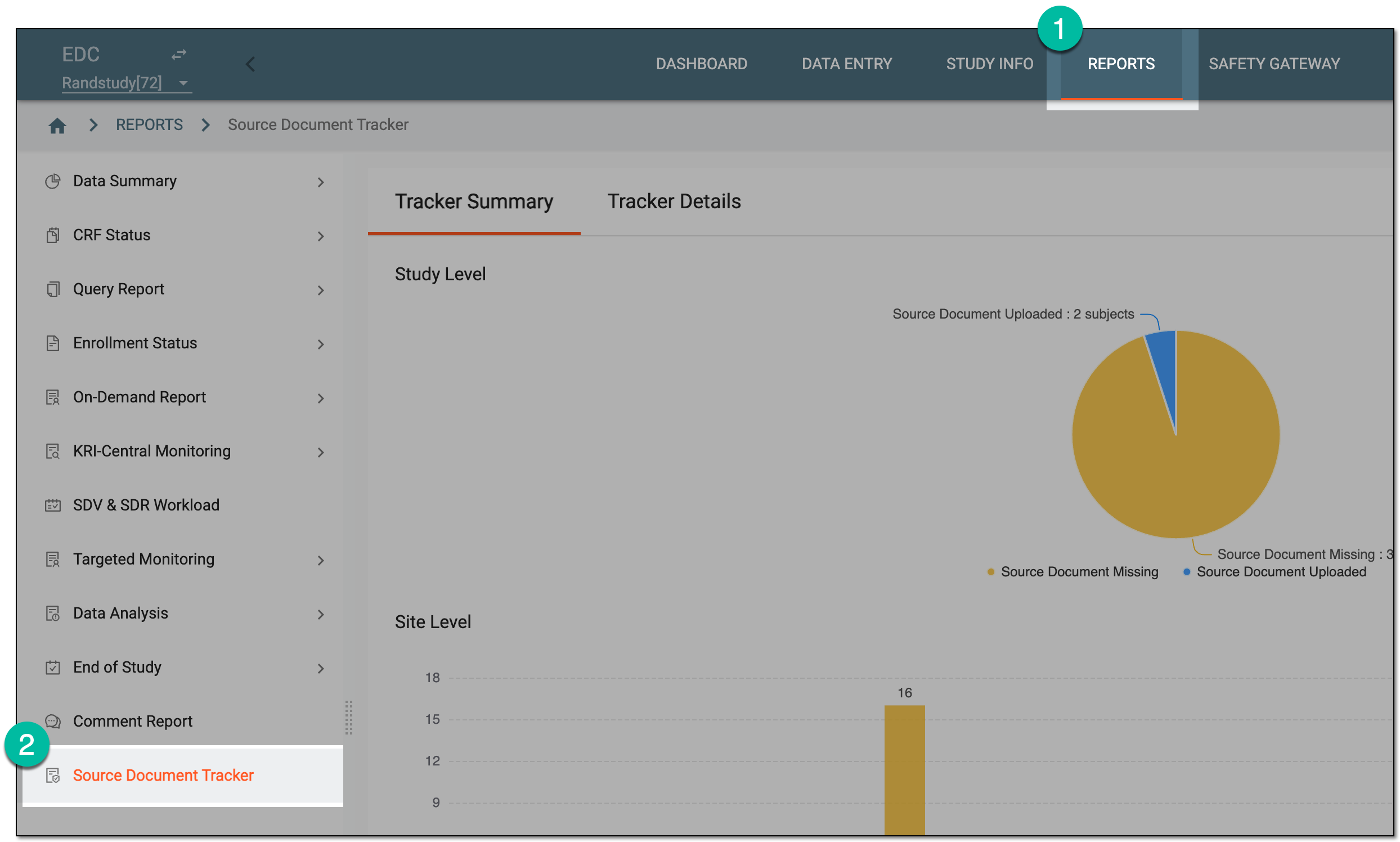 Figure 1. Accessing source document tracker
-
On the page that opens, under the Tracker Summary tab, review the statistical data as follows.
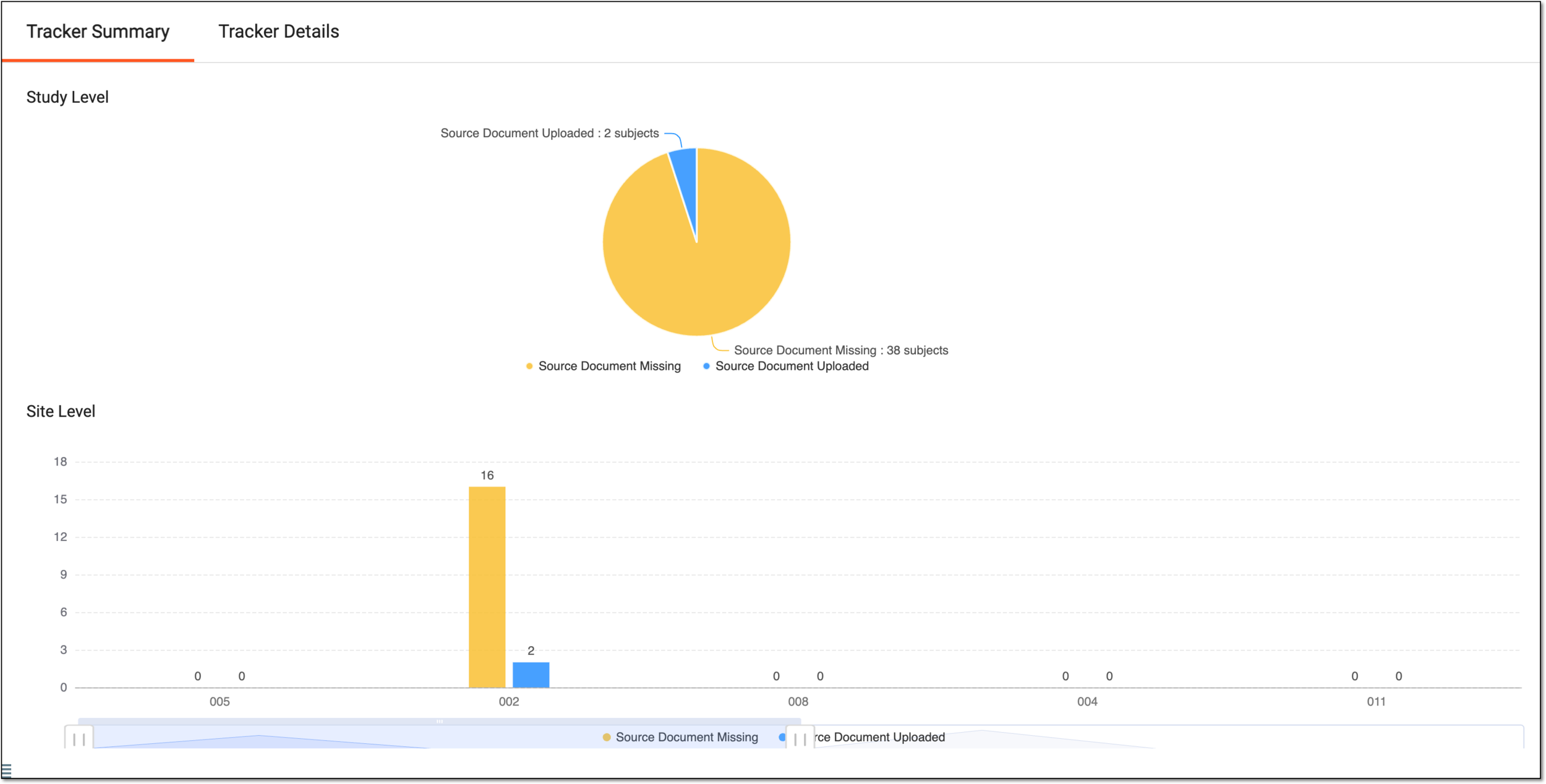 Figure 2. Reviewing source document statistics
-
On the Study Level pie chart, assess the correlation of the number of source documents missing to the number of uploaded. Select the portion of the chart of your interest to go to the Tracker Details tab and review detailed data in the comprehensive table.
 Figure 3. Accessing pie chart details
-
On the Site Level bar chart, assess the correlation of the number of source documents missing to the number of uploaded per site. Select the bar of the chart to go to the Tracker Details tab and review detailed data in the comprehensive table.
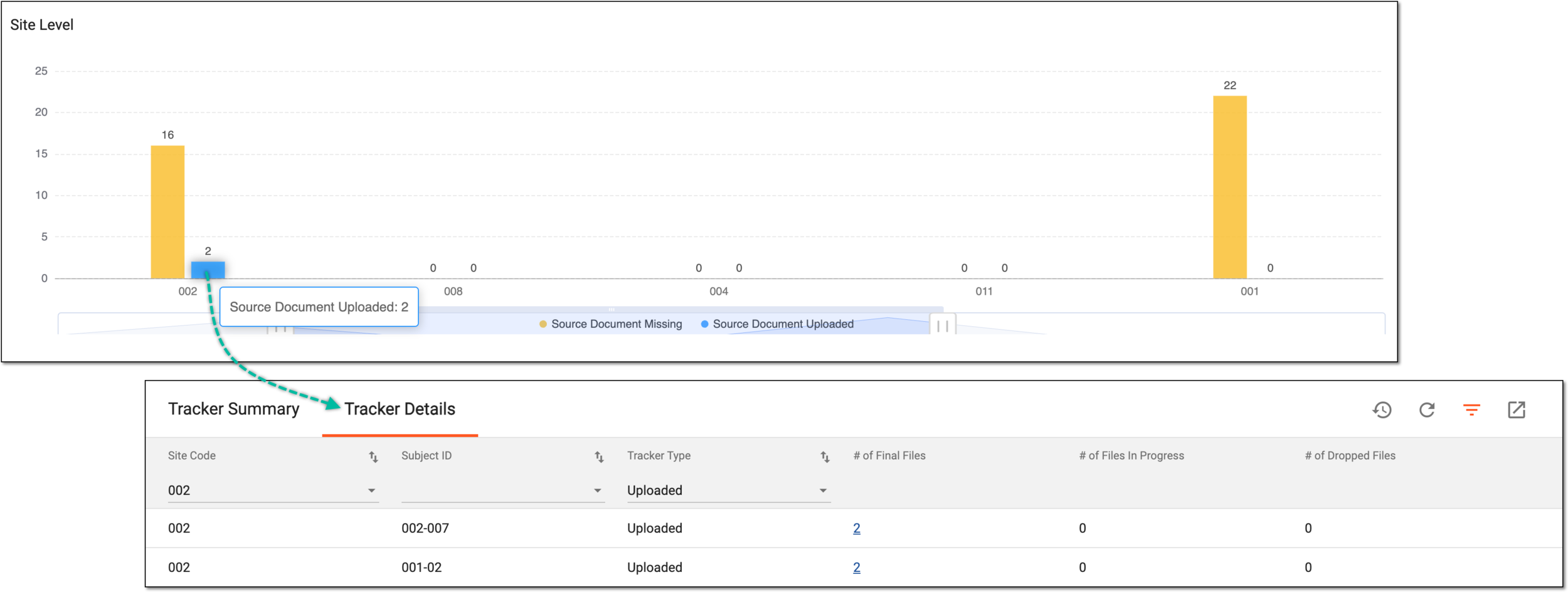 Figure 4. Accessing bar chart details
Tip
Use the slider below the chart to resize the visible data.
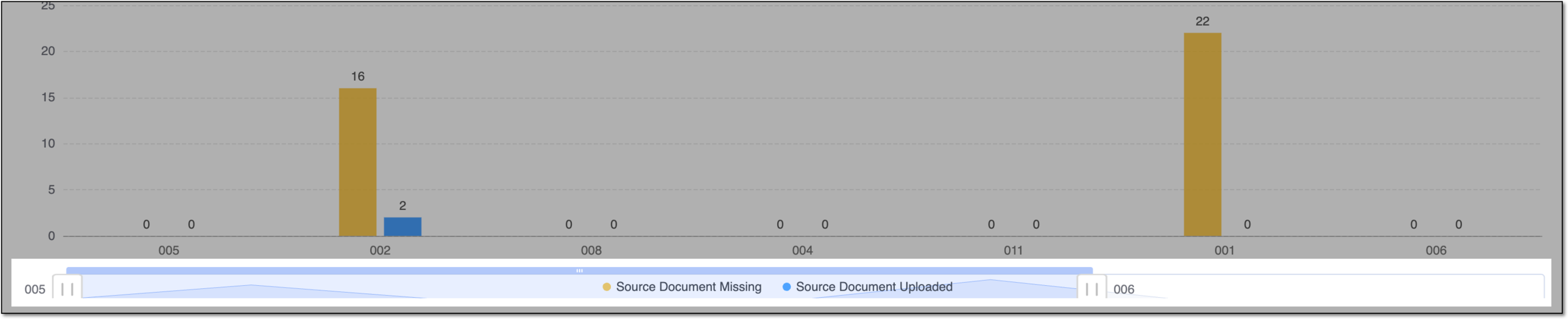 Figure 5. Resizing visible chart data
-
You have analyzed the study- and site-level statistics of source document upload.