Review lab test analytics data source
Data source refers to the origin or location from where the data is collected, stored, and processed within the clinical trial. Understanding the data source is critical for ensuring integrity, accuracy, and efficient data management throughout the clinical trial.
In the EDC's Lab Test Analytics dashboard, the Data Source functionality is a hub of raw data from which the clinical data is obtained. This could include databases, laboratory information, electronic health records (EHR), and others. This repository helps you identify the lineage of the data—which data comes from which source and how it is transformed within the EDC system.
Additionally, the Data Source repository aids in building comprehensive charts and analytics by aggregating the data from different origins. This assists in analyzing performance metrics, patient outcomes, and overall trial effectiveness.
-
In the EDC application header, select the DASHBOARD tab.
-
On the page that opens, go to the Lab Test Analytics tab and from the workspace toolbar, select Data Source
 .
.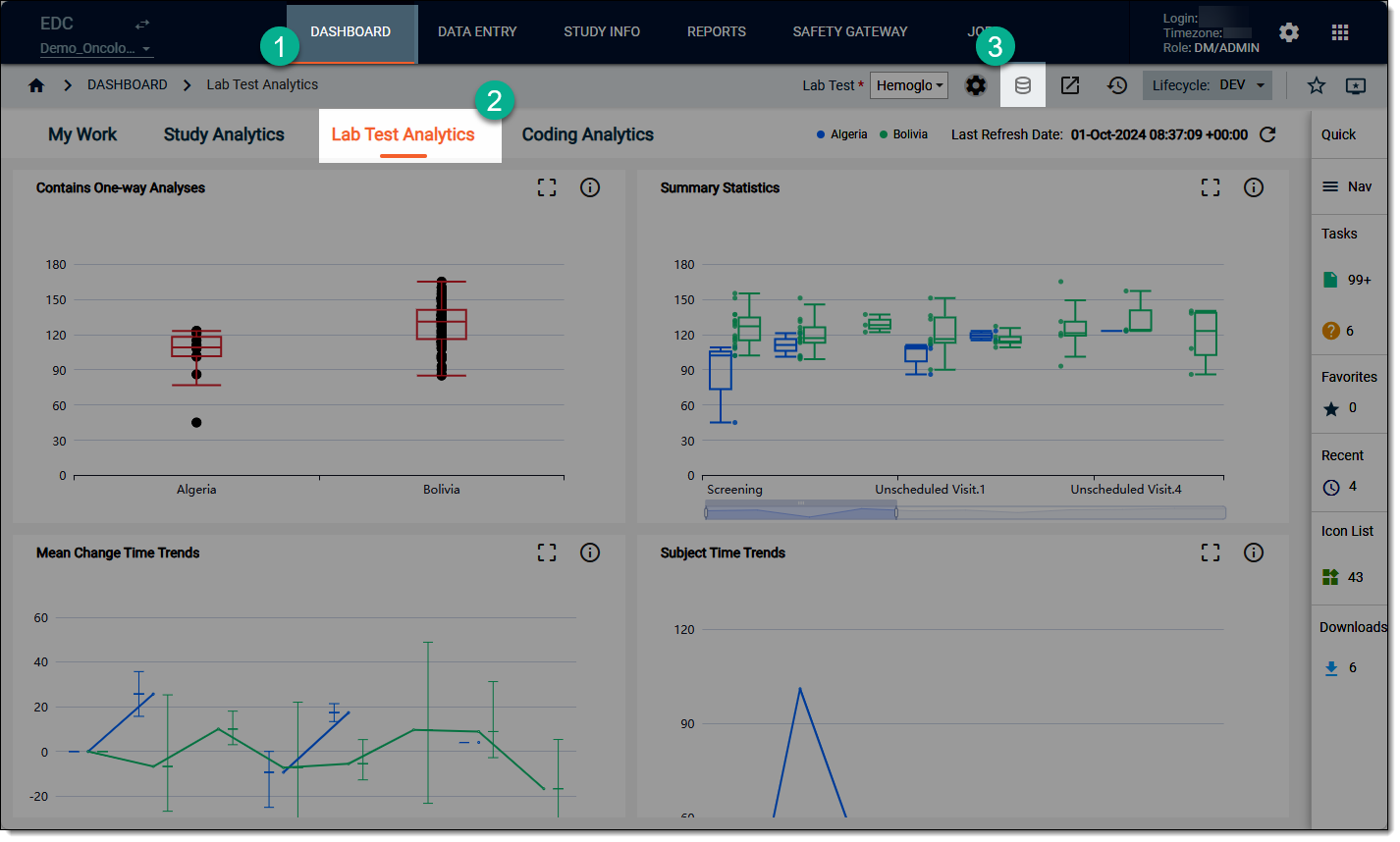 Figure 1. Accessing option to review data source
-
On the data source list that opens, review the contents as needed.
Tip
If you want to review the data source offline, then on the workspace toolbar, select Export
 and
download the source data to your computer as an XLSX file.
and
download the source data to your computer as an XLSX file.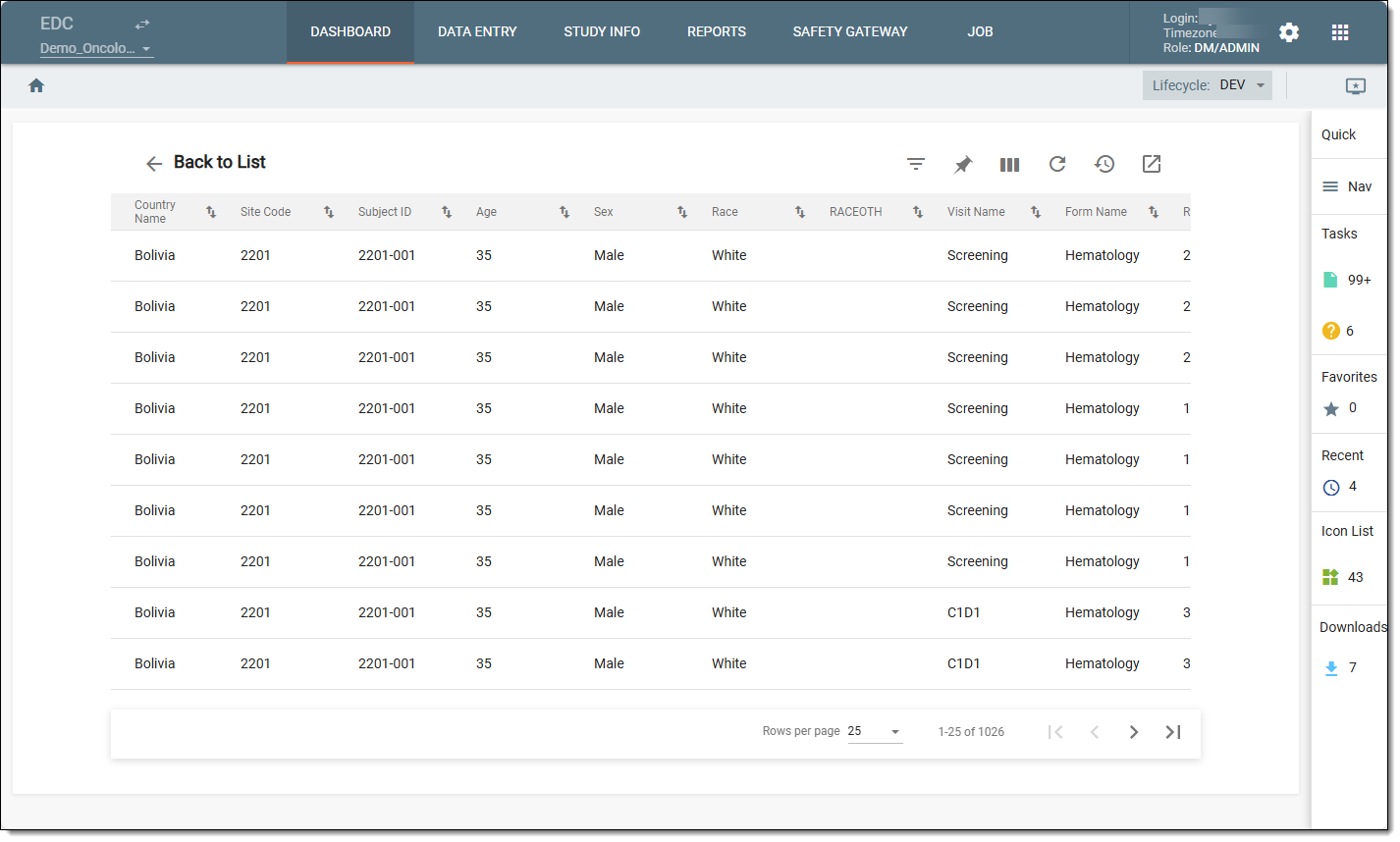 Figure 2. Reviewing data source
-
After reviewing the data source, select Back to List
 .
.
Once done, you are redirected back to the Lab Test Analytics dashboard.