Preview workflow-sent email
In EDC, workflows are intended to dictate the procedure of the source document and payment request handling, introducing an additional tier of scrutiny and the approval or rejection mechanism to reduce the risk of unintended impact on sensitive resources and financial operations.
When creating a new workflow, you add all the relevant stages of the process and assign users responsible for completing each stage. To notify the user of the required workflow stage completion, the system sends out notification emails.
Once such an email is sent, in EDC, you can review the history of all workflow-related emails, as well as preview the contents of individual emails sent to users.
-
In the EDC application header, select the STUDY INFO tab.
-
On the page that opens, from the left pane, select Workflow > Sent Emails by Workflow.
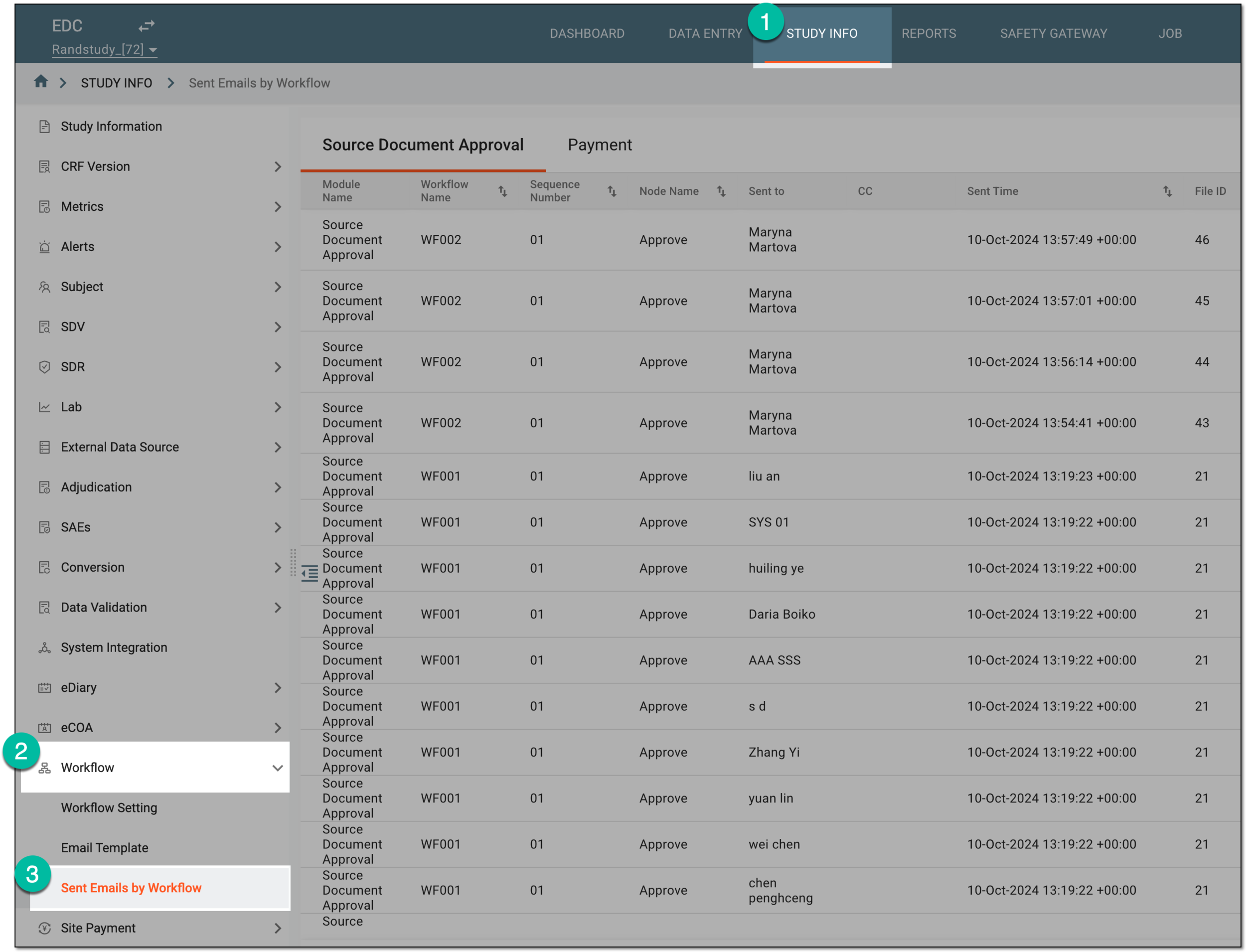 Figure 1. Accessing workflow-sent email list
-
On the page that opens, select one of the following tabs:
-
Source Document Approval: to access emails sent according to the source document-related workflows.
-
Payment: to access emails sent according to the payment request-related workflows.
-
-
In the report that appears, locate the sent email whose contents you want to preview. The in the Action(s) column, select Preview
 .
. Figure 2. Accessing workflow-sent email preview
-
In the new browser tab that opens, preview the generated PDF of the workflow-sent email contents.
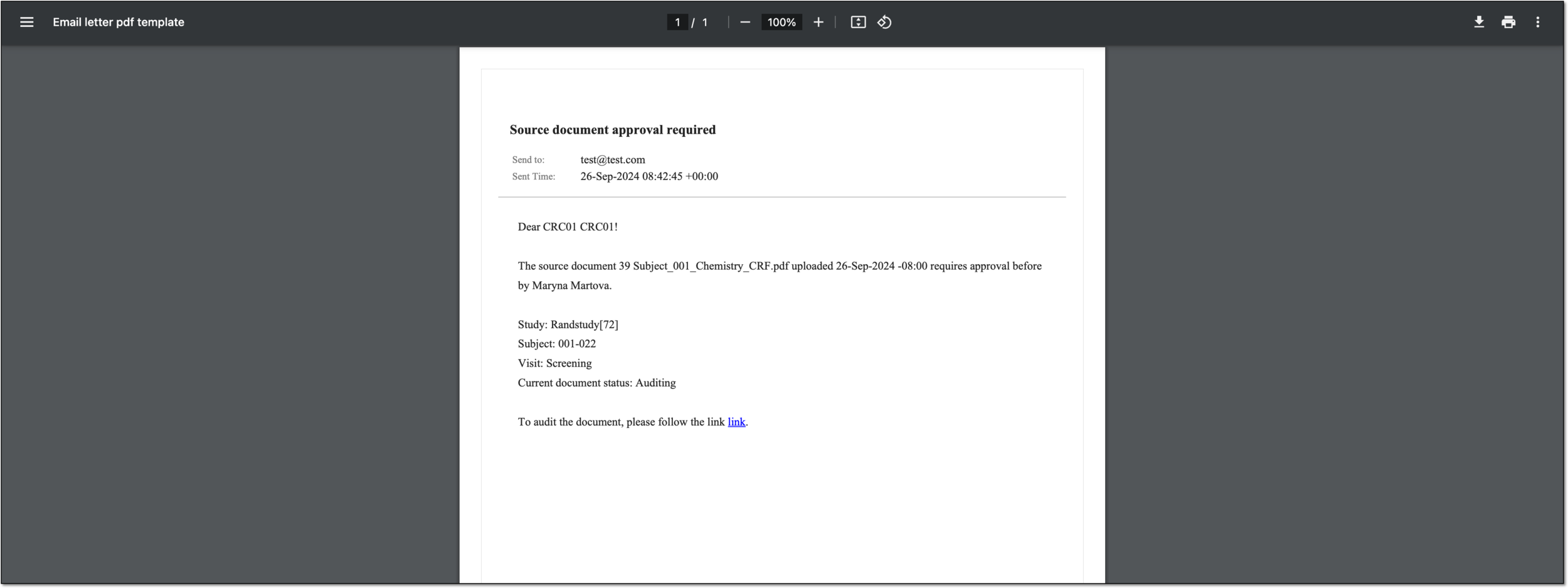 Figure 3. Previewing workflow-sent email content
You have previewed the contents of the workflow-sent email. You can also export the email contents in PDF.
A schema, each step of which represents a stage of a specific entity lifecycle in the system.
A workflow can be considered an instrument to help control various actions on system entities for the sake of accountability, as it limits the actions that can be performed on the entity associated with a workflow. This provides an additional tier of scrutiny, and the approval/rejection mechanism reduces the risk of unintended impact on sensitive resources and important information.
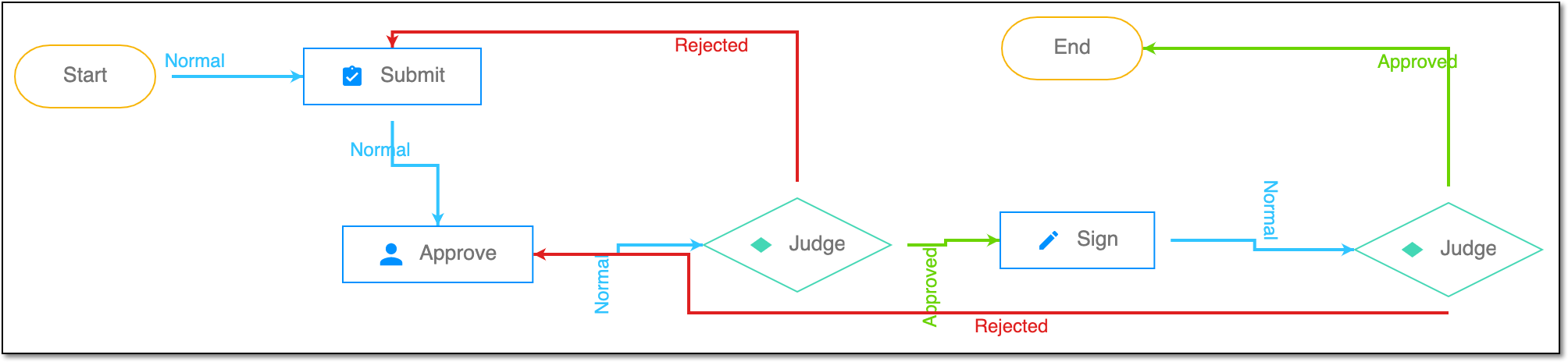 |
For instance, in eTMF, the workflow dictates the procedure of file and folder management from the moment of upload to the approval stage; in CTMS, the workflow controls the process of creation, completion, and approval of a trip report; in EDC, the workflow covers the process of source document handling.