Subject summary
In the Study Analytics dashboard, you are provided with multiple charts to get a quick insight into the current state of the EDC data and processes going on. The Subject Summary bar chart displayed on the Study Analytics page gives information about the total number of subjects enrolled in the sites and the total count of subjects currently existing in the following phases: Completed, Randomized, Registered, Screen Failure, and Discontinued.
As soon as a subject is enrolled in a site or their phase is changed, such as from Registered to Randomized or from Screen Failure to Discontinued, and so on, the bar chart is updated to display the latest data.
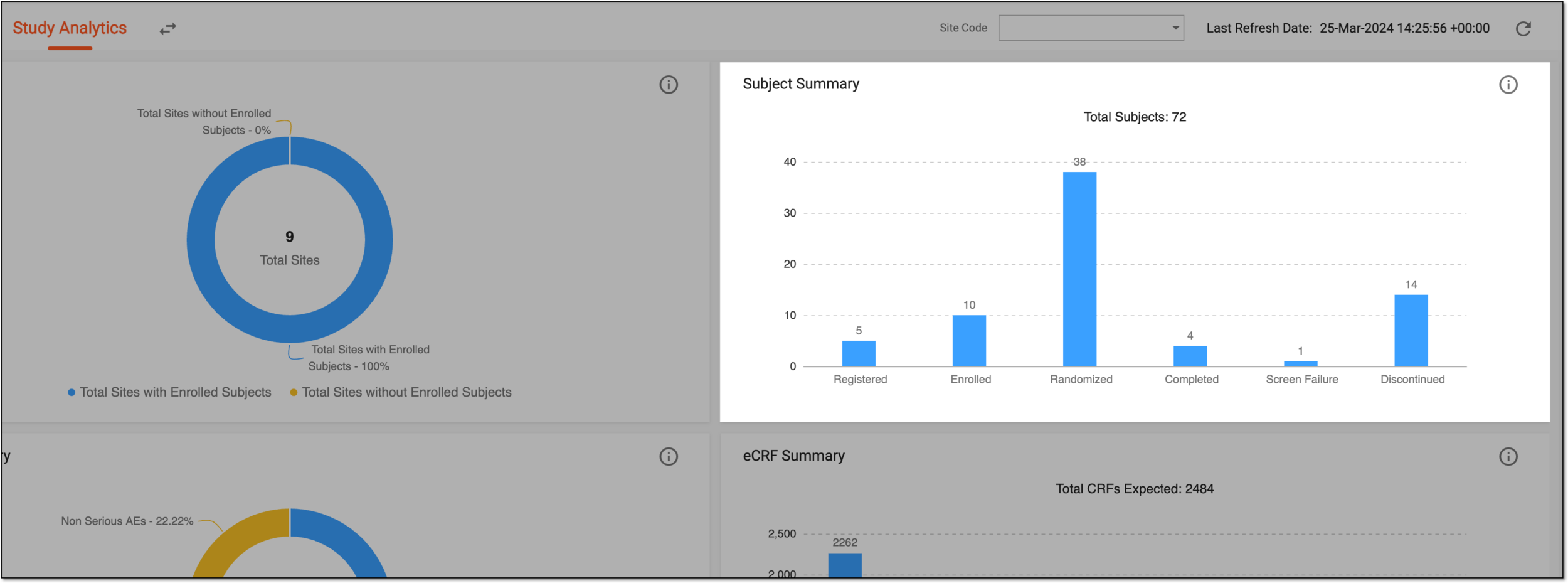
Figure 1. Subject summary bar chart