Update PPC schedule
Post-production change (PPC) is a clinical data management term that usually implies changes to the visit structure, form fields, or CRF edit checks. These changes can be attributed to planned or unplanned updates. Planned PPCs refer to study-specific updates known by a clinical data manager in advance or specified in the protocol. On the other hand, unplanned PPCs are not included in the protocol but may be requested by the sponsor or due to important protocol alterations.
After the updates to the CRF are made in Study Designer, the most recent CRF version becomes available for the PPC process in EDC. If this version has not yet been published to EDC in the PROD lifecycle of Study Designer, the PPC update can be scheduled or executed manually. Once scheduled, the details of the PPC entity can be updated if, for example, a date and time of the PPC run or PPC users need to be changed.
Important
You can modify PPC only before it is run and remains in a Draft status. Otherwise, this feature is not available.
-
From the EDC application toolbar, select the PROD lifecycle and the necessary role.
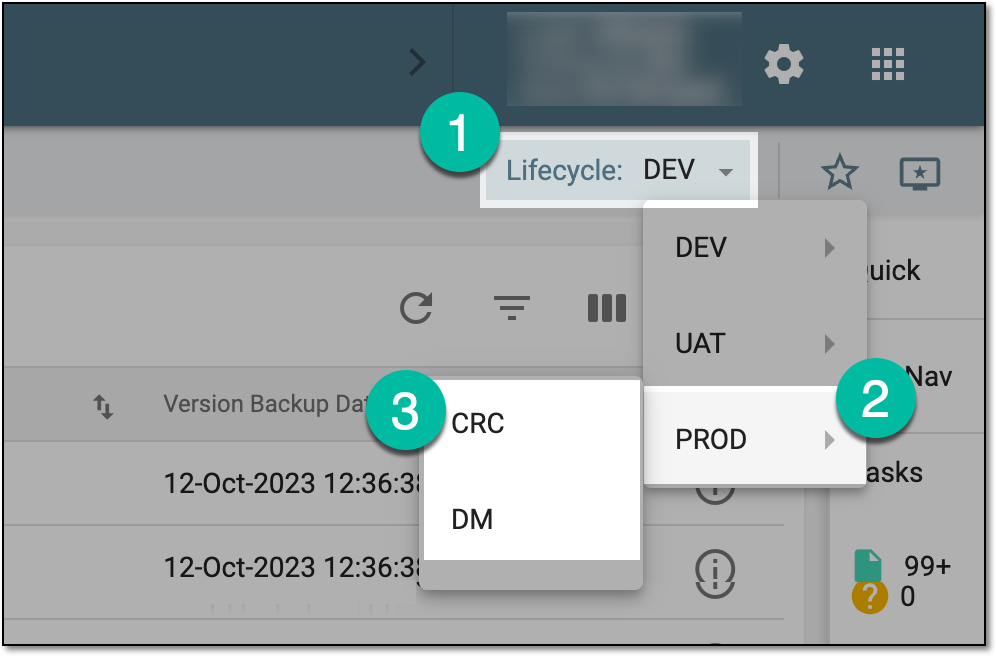 Figure 1. Accessing PROD lifecycle
-
In the EDC application header, select the STUDY INFO tab.
-
On the page that opens, in the left pane, select CRF Version > Post Production Change.
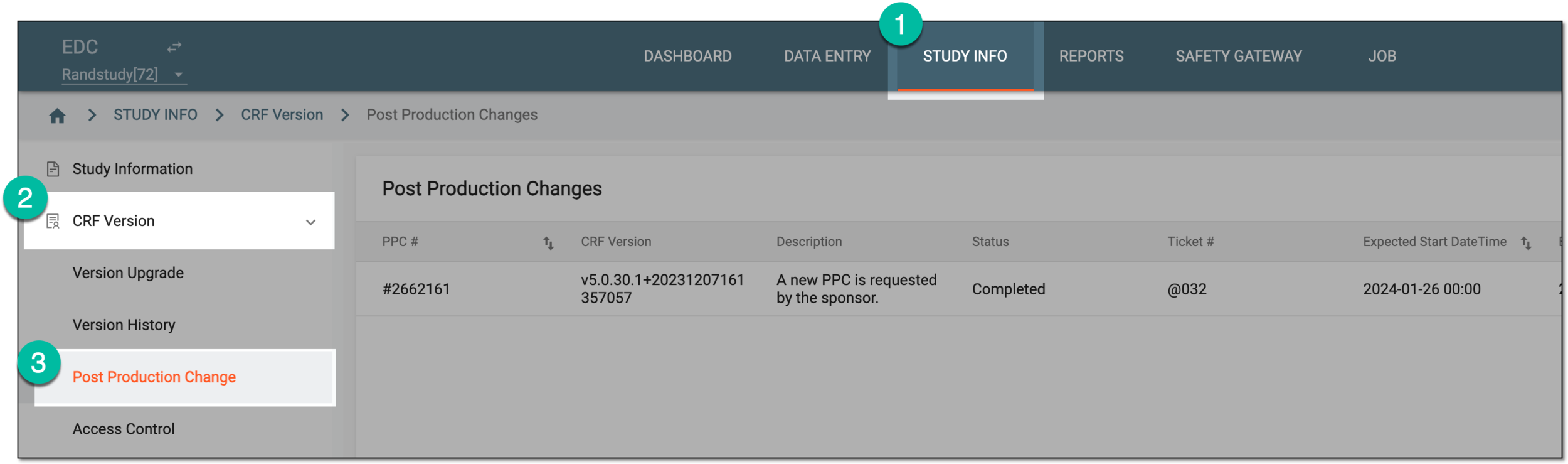 Figure 2. Accessing post production change
-
In the Post Production Changes table that appears, next to the needed PPC, select Edit
 .
. Figure 3. Selecting to edit PPC
-
In the Edit dialog that appears, update PPC details as explained in the table of the Schedule PPC section.
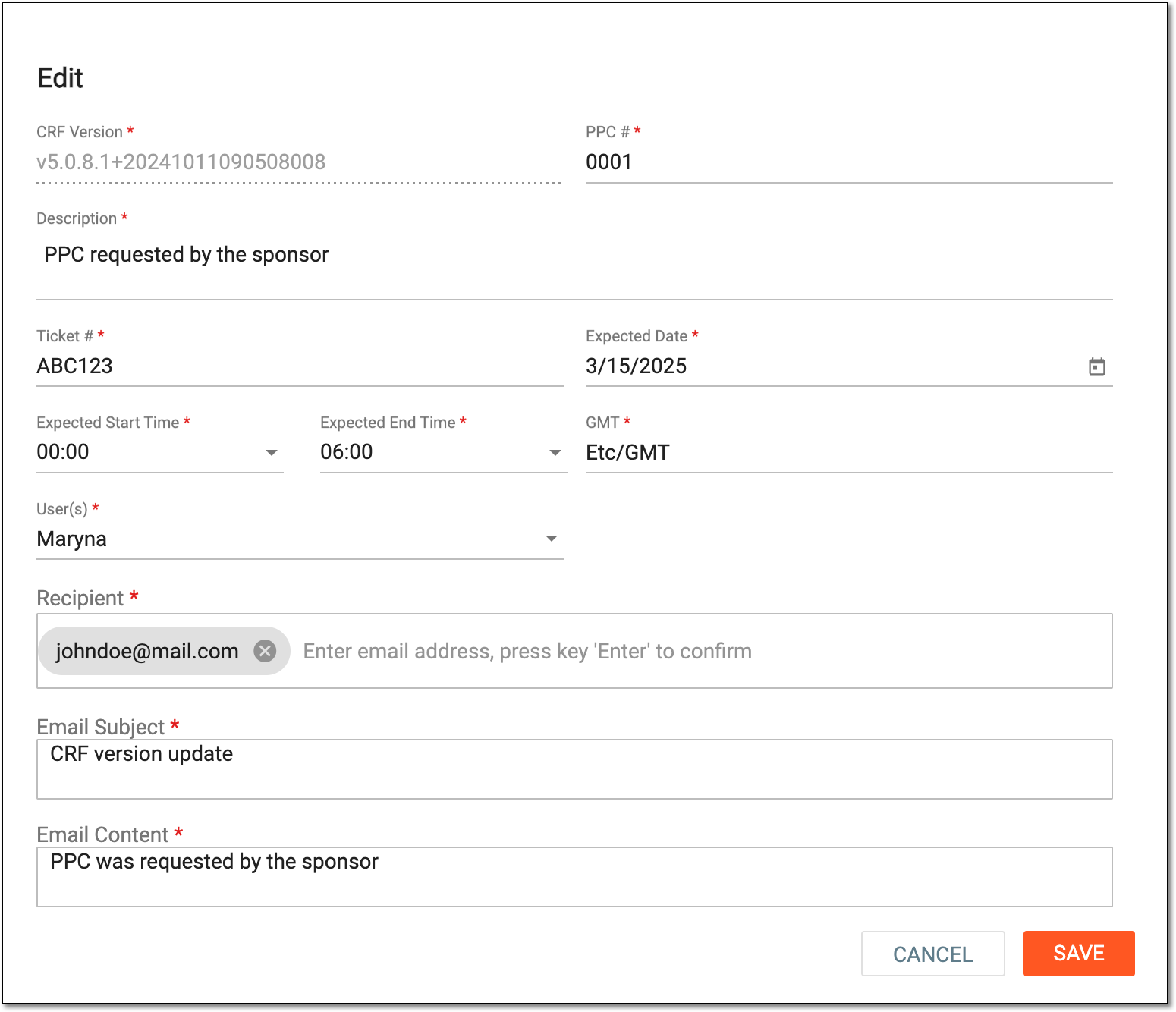 Figure 4. Updating PPC schedule
-
Select
 to apply the changes.
Once saved, the PPC schedule is updated.