Preview lot alert email
A lot alert is a preconfigured notification triggered by various system events with packaging lots in IWRS. These events can be the packaging lot creation, expiration, release, and so on.
For each alert created in IWRS, you have preconfigured email content with all the details on the event that triggers the alert. For your convenience, you can preview the email contents to ensure the necessary information is delivered to the dedicated personnel.
-
In the IWRS application header, select the ALERT tab.
-
On the page that opens, from the left pane, select the subtab corresponding to the alert category of your interest.
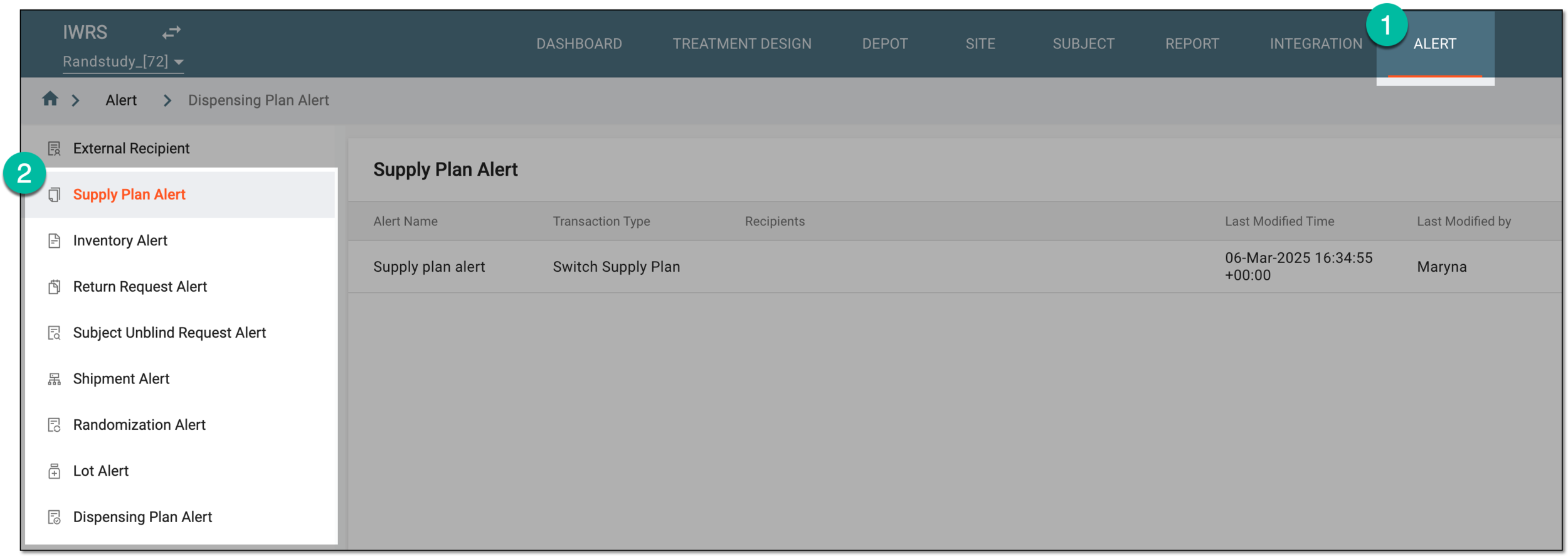 Figure 1. Accessing alert settings
-
In the Lot Alert table that opens, locate the alert for which you want to preview the email contents. Then from the Action(s) column, select Info
 .
. Figure 2. Accessing alert email preview
-
In the Mail dialog that appears, preview the details of the email contents.
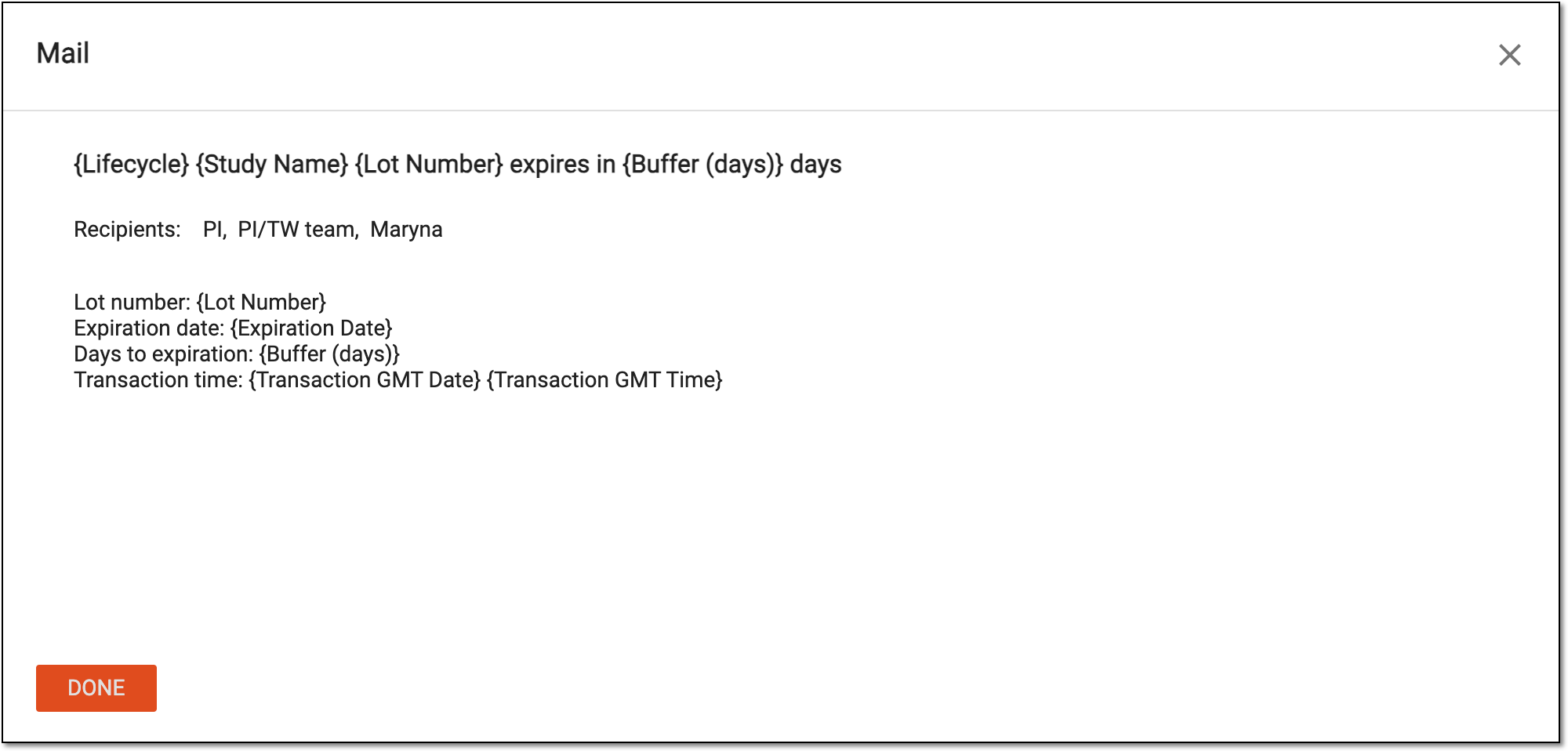 Figure 3. Previewing alert email contents
Tip
If there is something that requires to be changed in the email contents, you can edit your alert.
-
Once previewed, select
 or
or  to close the Mail dialog.
Once the email preview dialog is closed, you return to the Lot Alert table.