Approve/Discard synonyms
In the context of medical coding, maintaining accuracy and consistency is crucial. The Synonym Approval feature ensures that only verified and approved synonyms are used in the coding process. These synonyms are essential for mapping specific terms as they appear in the study (verbatim terms) to standardized MedDRA/WHODrug dictionary terms. This mapping is needed to accurately capture and communicate clinical information within the study.
-
In the Coding Admin application header, select the SYNONYM tab.
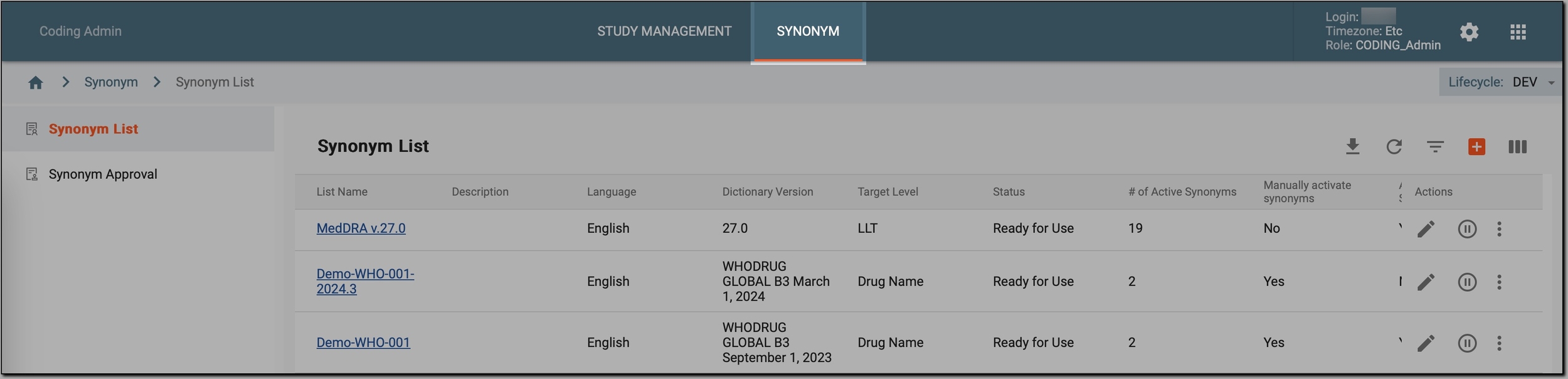 Figure 1. Accessing synonym configurations
-
In the left pane, select Synonym Approval.
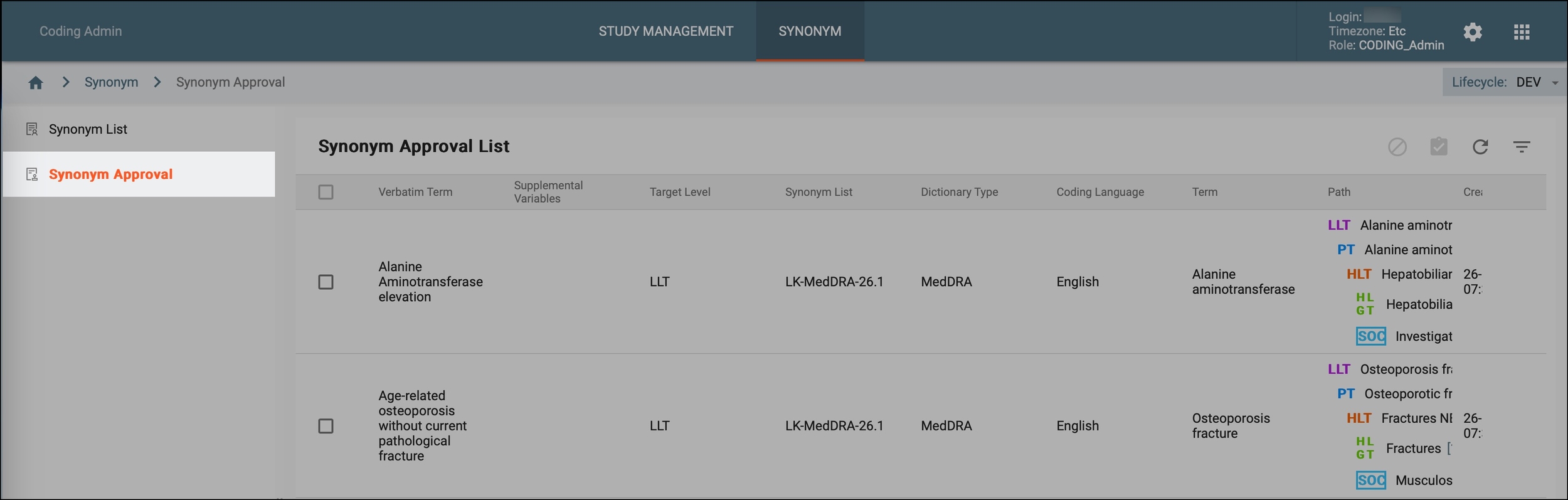 Figure 2. Accessing synonyms pending approval
-
In the Synonym Approval List table, view all the synonyms pending approval and check the other relevant details that provide important information for reviewing and approving synonyms before they are used in the coding process.
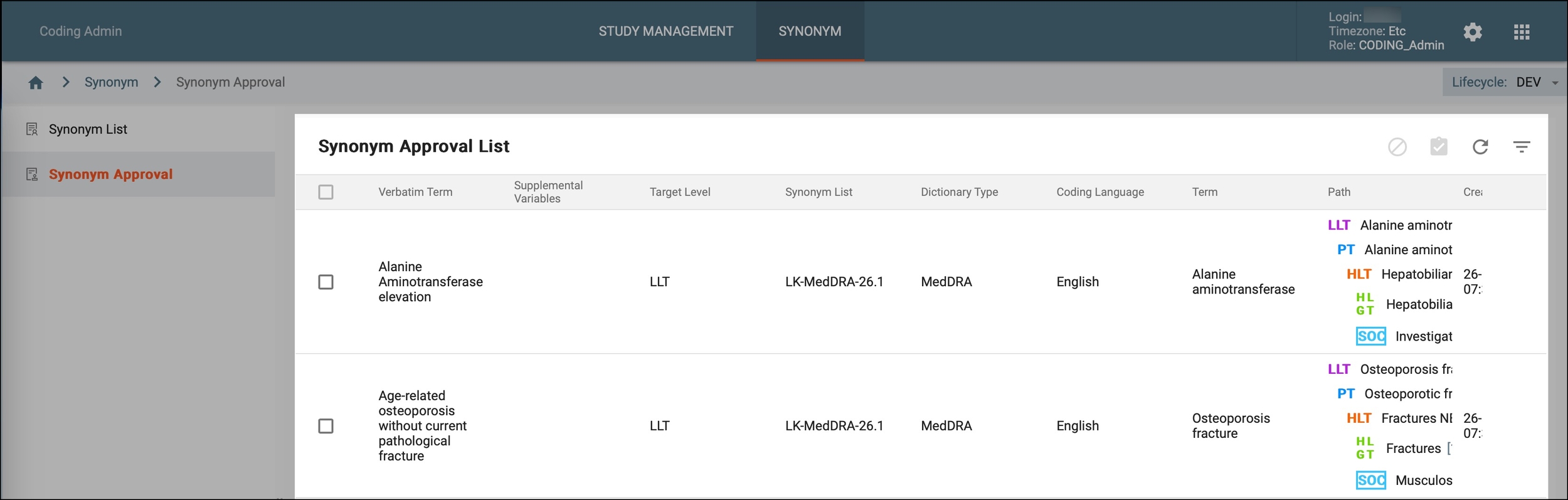 Figure 3. Reviewing synonyms pending approval
Tip
The synonyms get in this Synonym Approval List table whenever a new synonym list is created with the option to manually activate synonyms enabled.
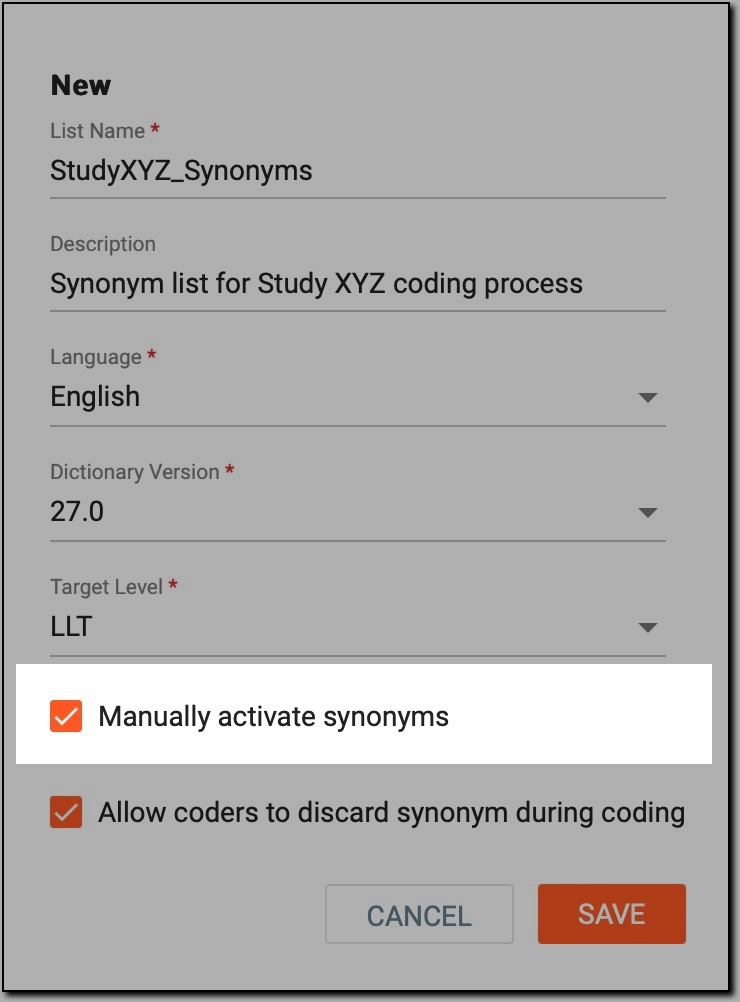 Figure 4. Manual synonym activation option
So, when a coder registers a new synonym during coding in the Medical Coding module, the system identifies it as belonging to the synonym list associated with that study, requiring manual approval. Consequently, each new synonym belonging to that synonym list is automatically included in this table, where it awaits approval.
-
Next to the synonym of your interest, select a checkbox and in the workspace toolbar, select one of the following options:
-
Approval
 : to approve the synonym. If approved, the synonym is activated and becomes available for autocoding verbatim
terms to standardized terms within the study.
: to approve the synonym. If approved, the synonym is activated and becomes available for autocoding verbatim
terms to standardized terms within the study. -
Discard
 : to discard the synonym. If discarded, the synonym is not used for autocoding verbatim terms in the study. In this
case, verbatim terms should be coded by a coder manually.
: to discard the synonym. If discarded, the synonym is not used for autocoding verbatim terms in the study. In this
case, verbatim terms should be coded by a coder manually.
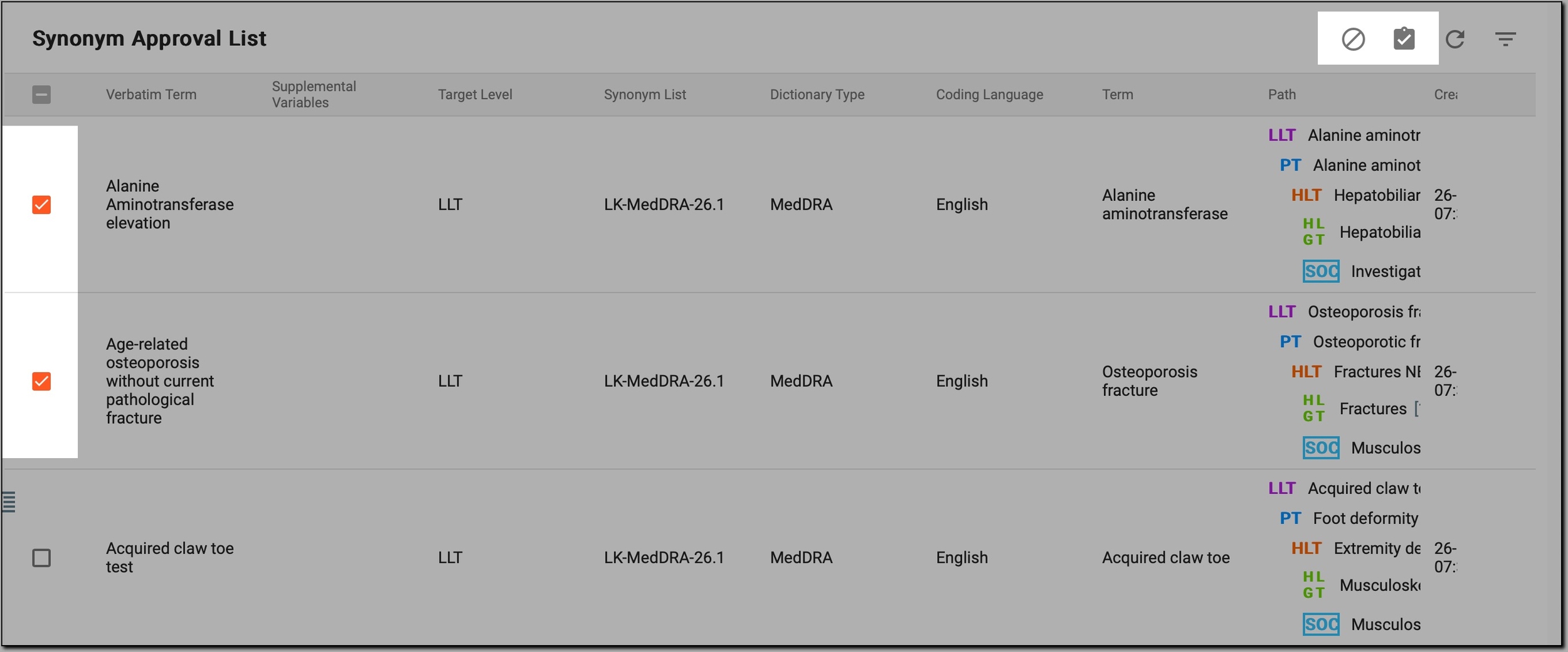 Figure 5. Approving/Discarding synonyms
-
Now you have approved or discarded the pending synonyms.